Configuring a Switch Connection
Configure a Switch connection with a condition and name for its decision outcome.
In addition to its descriptive name, a connection originating from a Switch activity also identifies which decision outcome it represents. A red connection line indicates this detail is missing. Select the connection line originating from the Switch and, as shown below, configure its condition and give it a meaningful name. The Which Way? switch activity in this example decides based on a workflow variable. This particular D connection line represents the case when the variable Is Equal To the value D. Here the connection name and the target activity are both named D for simplicity. Rest assured your workflows can use any connection and activity names that best communicate the business process flow to developers and end users.
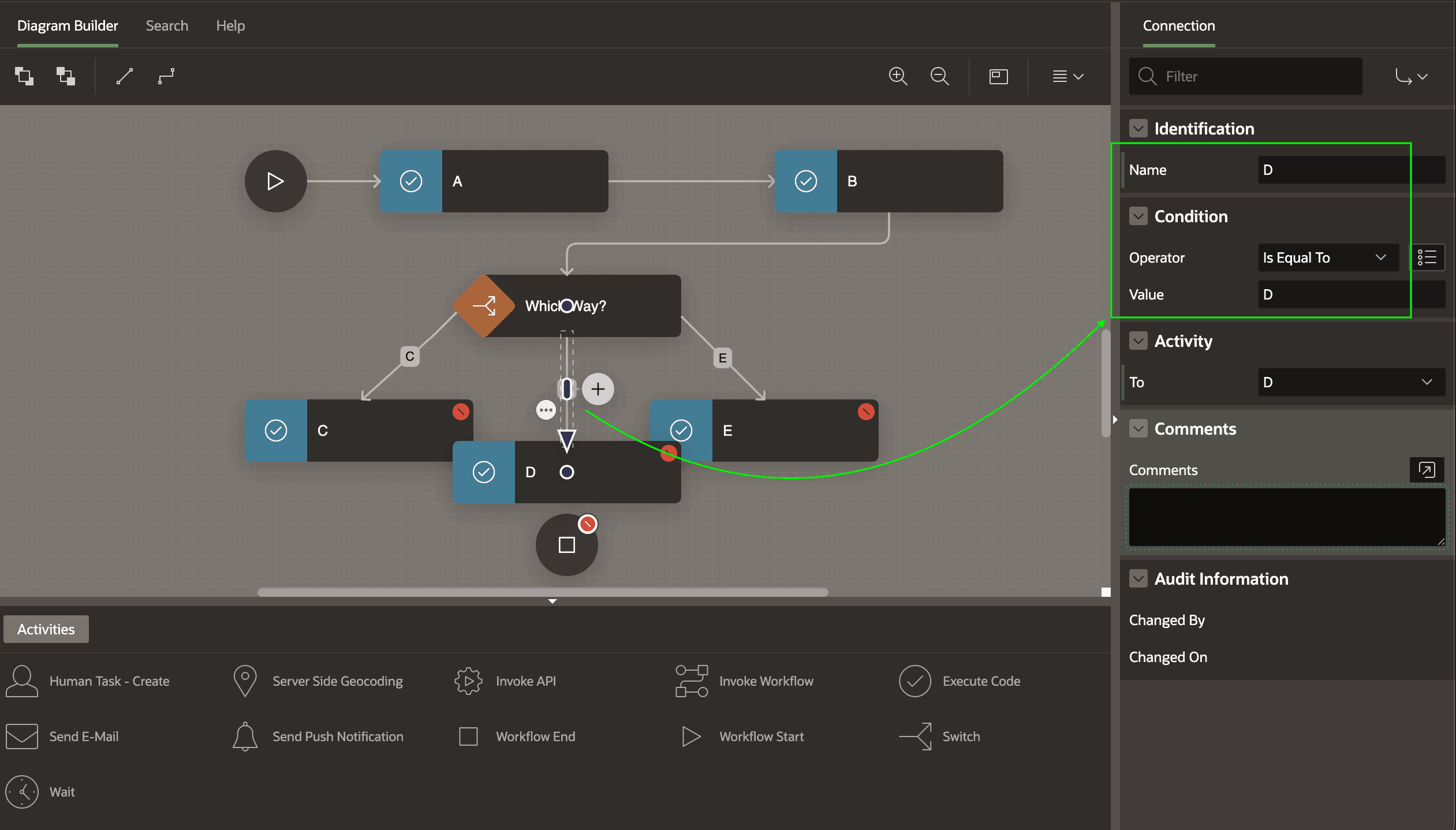
Description of the illustration workflow-tidy-fixnexttransition.png