Deciding if Task Needs an Outcome
Choose an action task to track completion or an approval task to capture an outcome.
When you create a Task Definition shared component, as shown below, set the Type to Action Task to track only that an assignee has completed the task. Choose Approval Task instead to capture the actual owner’s APPROVED or REJECTED outcome. If you realize later that you picked the wrong task type, then you’ll need to try again by creating a new task definition. You can only set this property at create time.
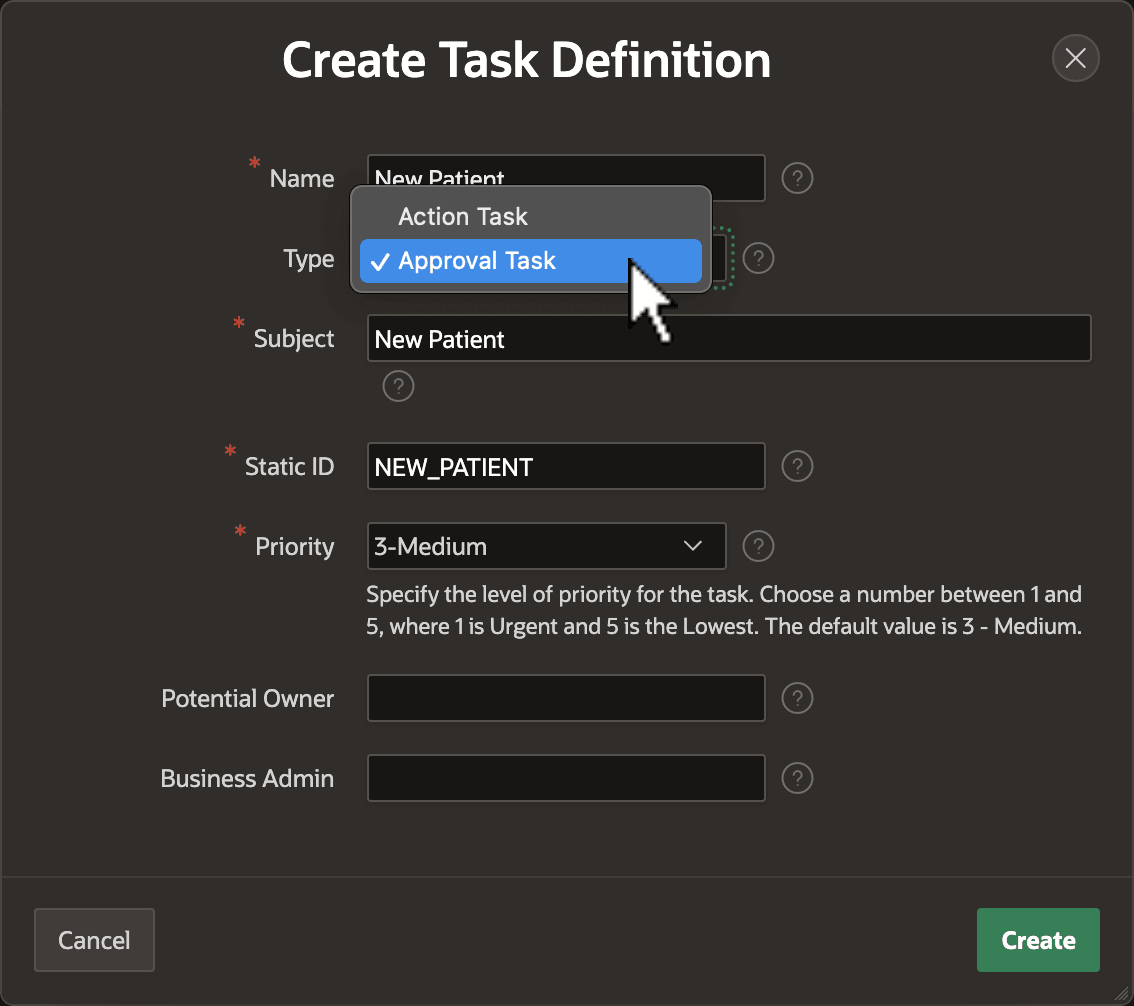
Description of the illustration tasks-new-definition.png
The task type determines the buttons end users will see in the Task List and Task Details pages when your app assigns them tasks to work on. As shown below, by default approval tasks display quick action buttons to approve or reject the task, while action tasks do not.
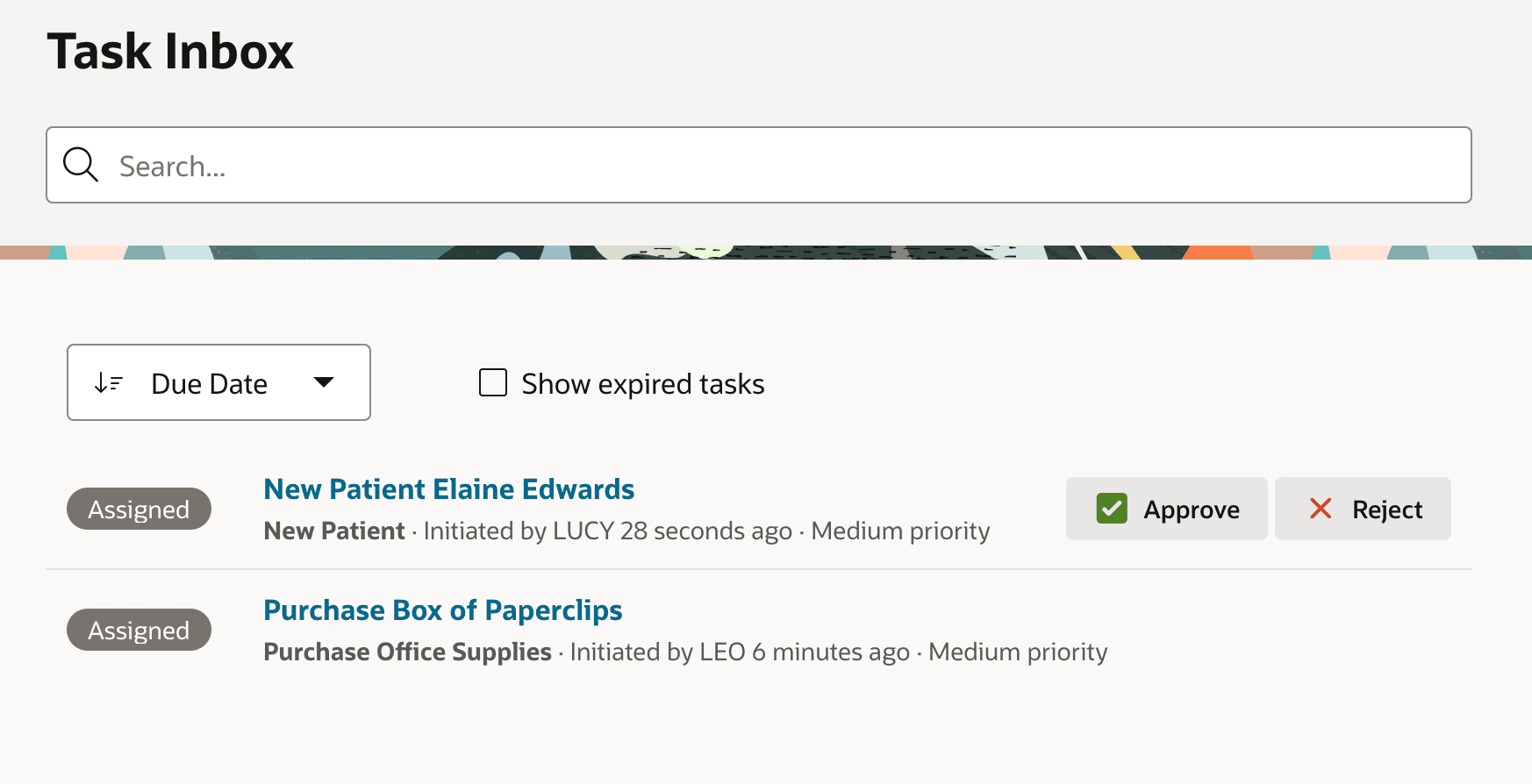
Description of the illustration tasks-tasktype-tasklist.png
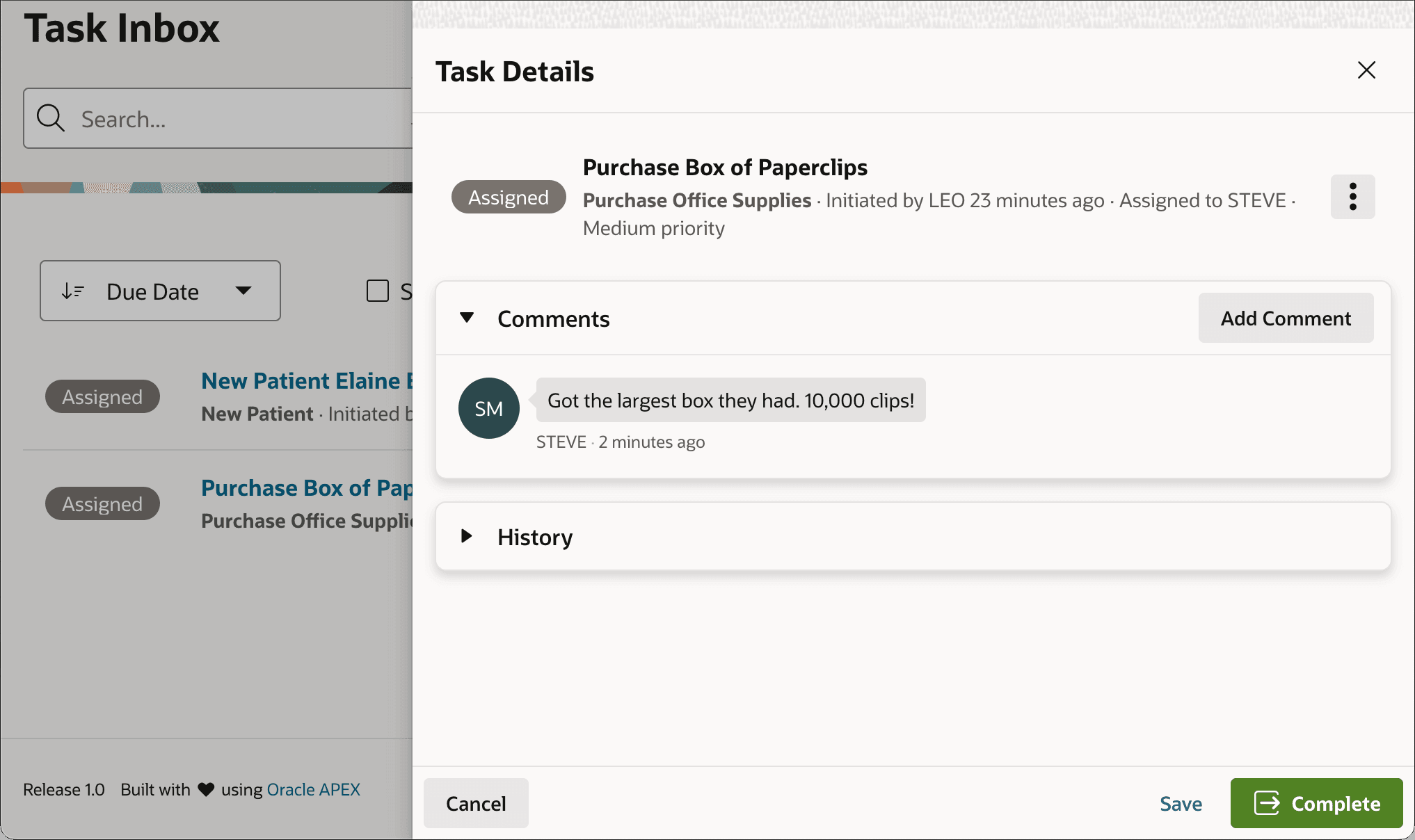
Similarly, while the default task detail page for an approval task shows (Approve) and (Reject) buttons, as shown below, the generated page for an action task has just a (Complete) button instead.