Defining OCI Web Credential for REST APIs
Create an OCI Native Authentication web credential to call object bucket REST APIs.
Assume in your OCI tenancy you have:
-
configured an object bucket named
companion-bucket -
identified a user with privileges to manage the bucket, and
-
created an API Key for that user to access OCI REST APIs.
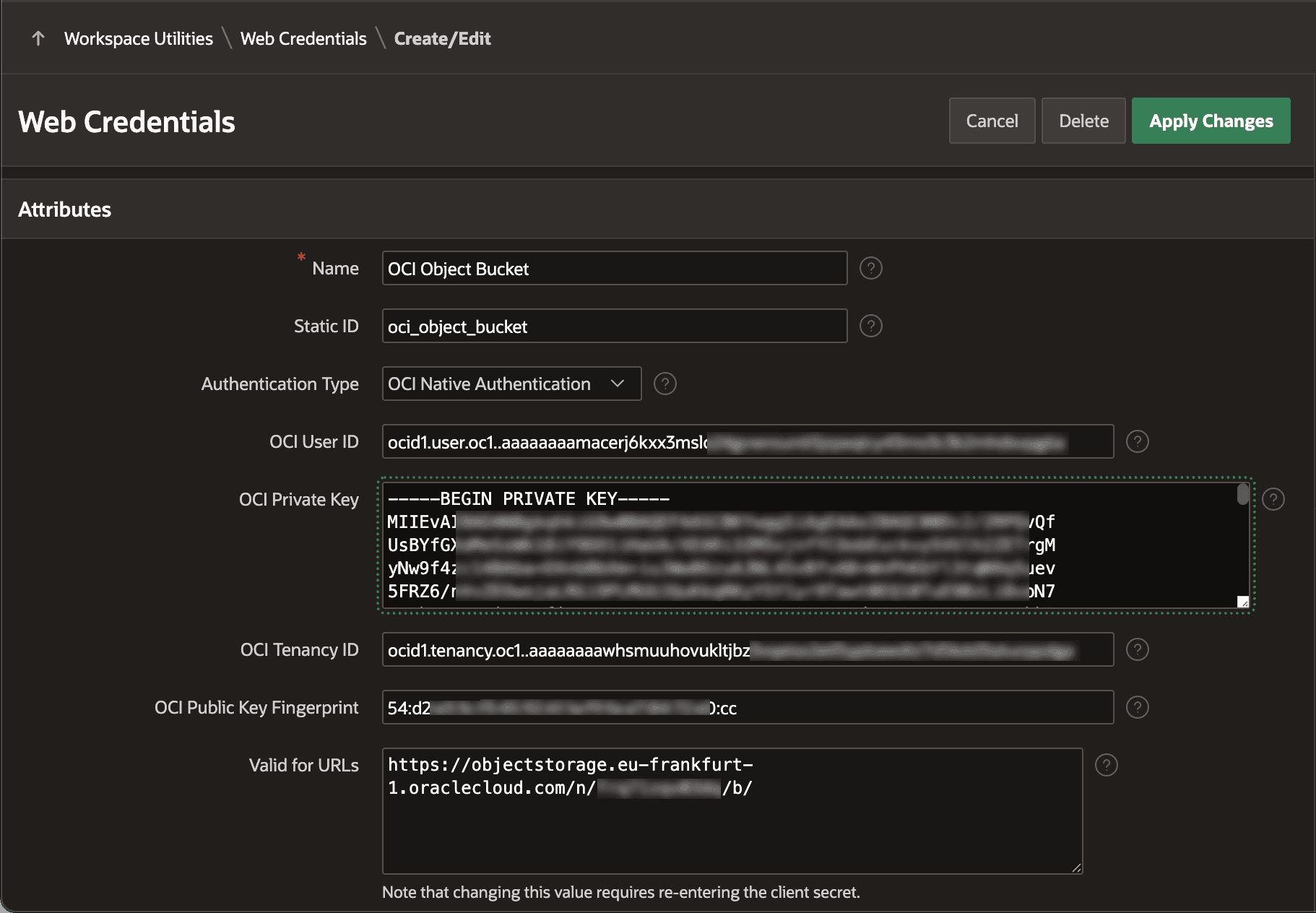
To use the REST APIs for an object bucket or other OCI services, start by creating a Web Credential. In Workspace Utilities, on the Web Credentials list page, create a new one of type OCI Native Authentication as shown below. In this example, it’s named OCI Object Bucket and has a Static ID of oci_object_bucket. You use this Static ID in PL/SQL calls to work with the bucket.
Fill in all web credential details including:
-
OCI User ID – Oracle Cloud ID (OCID) for the user with privileges to manage the bucket
-
OCI Private Key – Contents of the
.pemfile you downloaded when creating the API Key -
OCI Public Key Fingerprint – Additional security info provided at the time of API Key creation
Optionally, enter a base URL to limit the use of this credential to object buckets in the x1y2z3a4b5c6 namespace using a string like the following in Valid for URLs:
https://objectstorage.eu-frankfurt-1.oraclecloud.com/n/x1y2z3a4b5c6/b/The figure shows the Web Credentials Create/Edit dialog in App Builder with all details required to create a new OCI Native Authentication Web Credential named OCI Object Bucket.