Editing Translations in a Filterable Grid
Edit translations directly in a filterable grid for small in-house updates.
You can export the XLIFF any time to have an external translation service provide the missing Italian translations. However, the Grid Edit task in the Text Messages page is handy for in-house translation. You can edit the translated text of multiple messages at once.
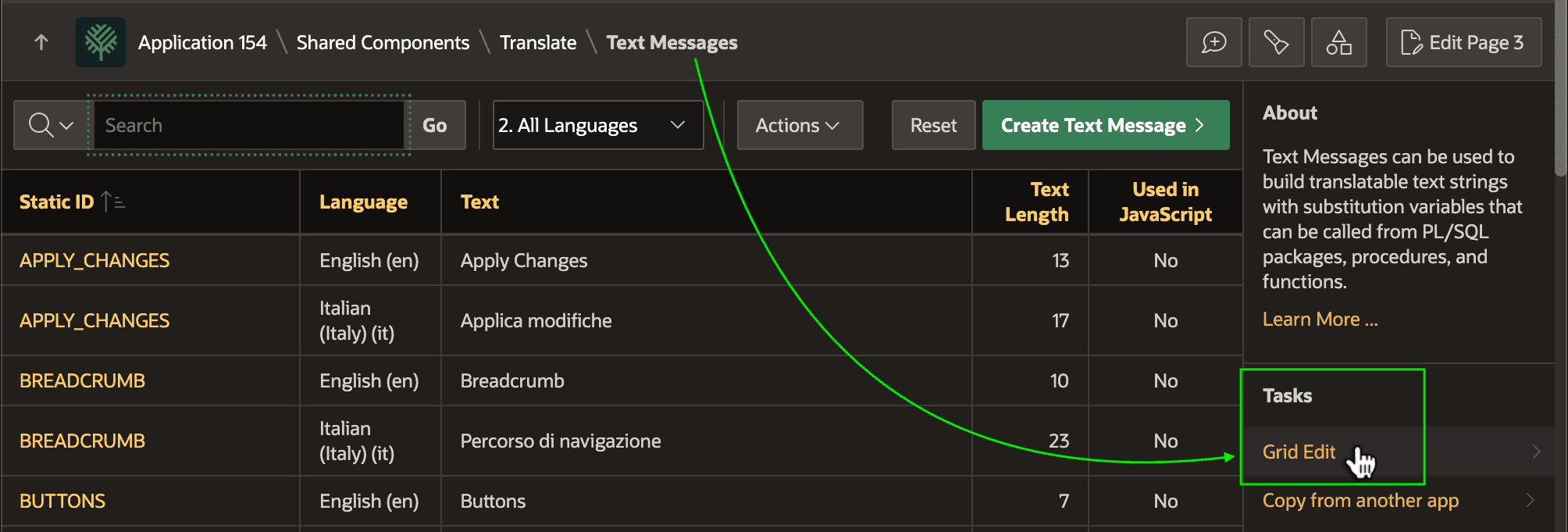
Description of the illustration grid-edit-text-messages.png
After filtering on language, as shown below, you can enter the Italian translations for the three new text messages and click (Save) to apply the changes.
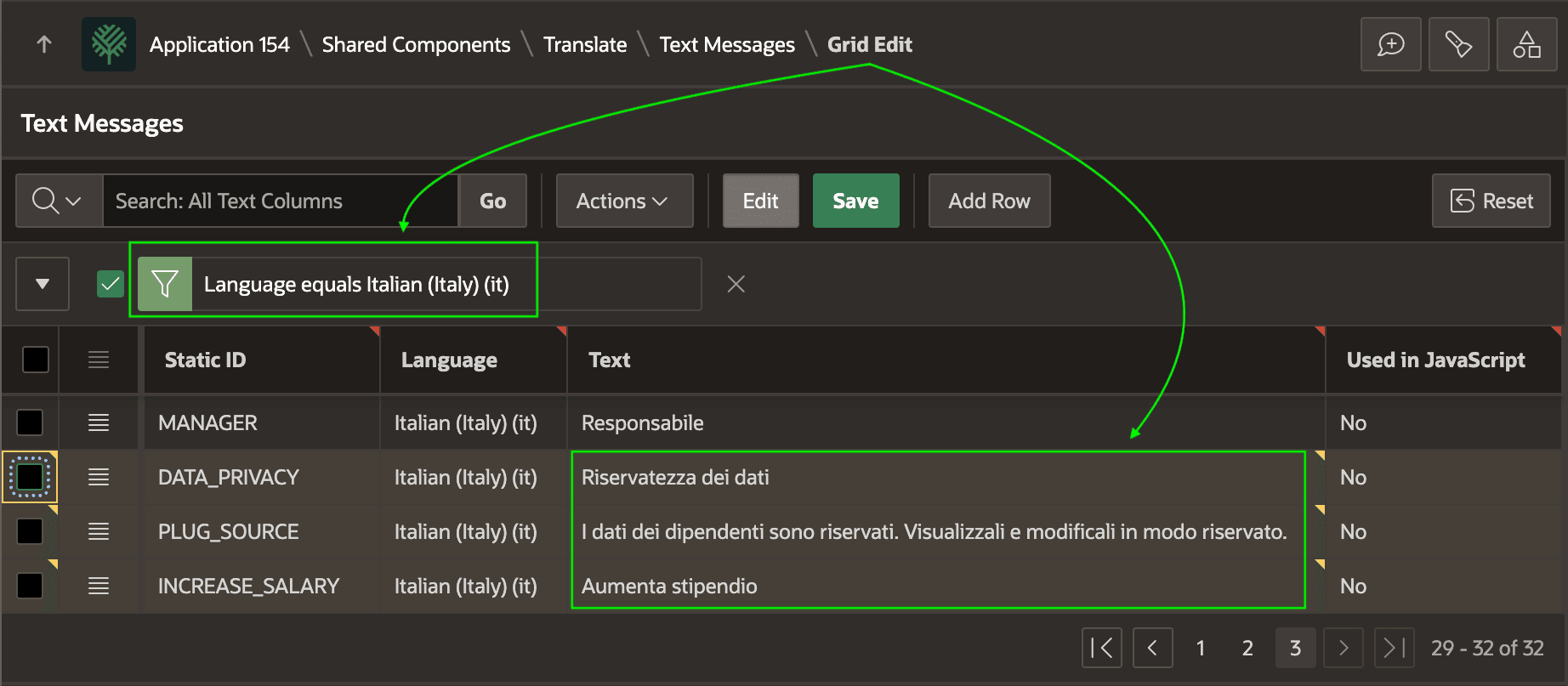
Description of the illustration grid-edit-multiple-strings.png
After saving the Italian translations for the latest text you added, a user like Susan running in Italian sees the updates to the page in her preferred language.
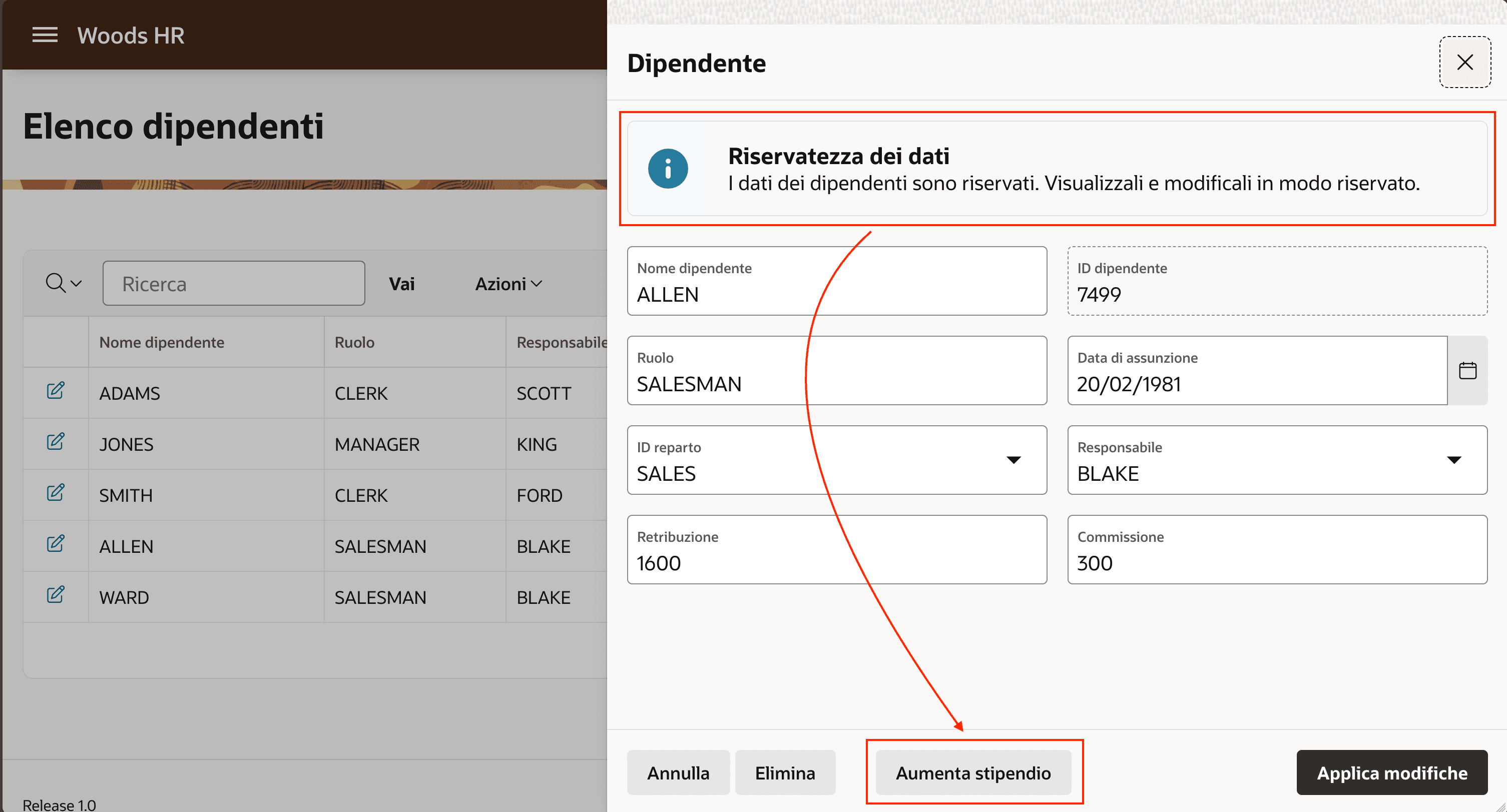
Description of the illustration new-messages-italian-user.png