Emailing User with Attachments
Send an email with file attachments or inline images using Attachment SQL.
The Email Certificate child process is a native Send Email type that delivers the Employee Excellence Award certificate to the recipient. It references the hidden P34_EMPLOYEE_EMAIL item in the To setting using substitution syntax. Notice it sends a simple email in plain text, foregoing the use of an email template and Body HTML. The Body Plain Text also uses substitution strings to personalize the text.
To attach one or more files, use an Attachment SQL statement with a four-column query that returns, in this order:
-
The BLOB of file content to attach
-
The attachment file name
-
The MIME type of the attachment
-
nullfor the Content Id
Tip:
To include an image to reference inline in the Body HTML, use a distinct, non-null value for Content Id in each row of the Attachment SQL query results that represents an embedded image. For example, if one row of the query returns a BLOB with file name logo.jpg of MIME type image/jpeg and a content id of company_logo, then the HTML body can reference it inline using:
<img src="cid:company_logo" alt="Woods Clinic Logo">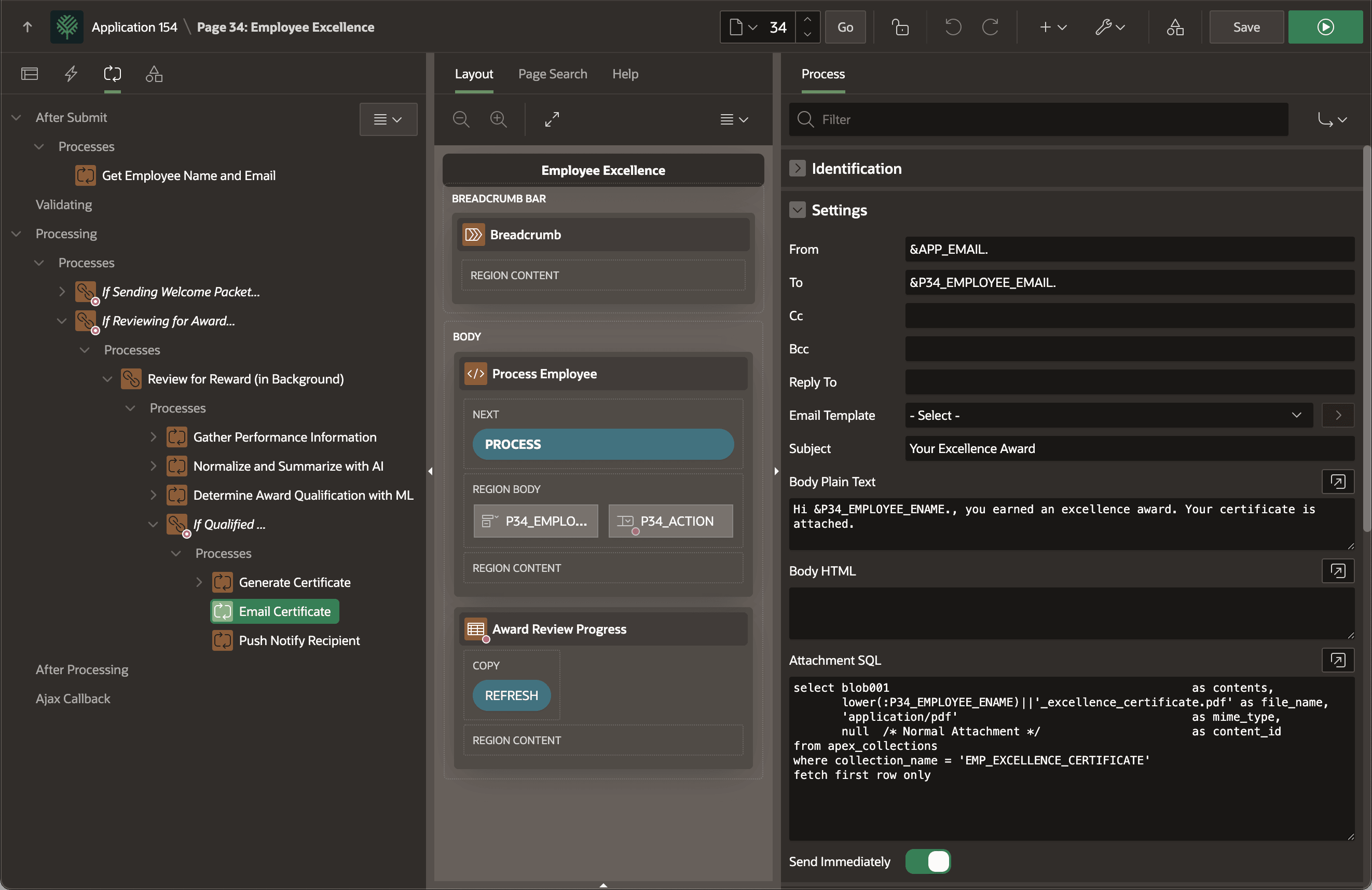
Description of the illustration email-certificate.png
When the email arrives in JONES’ inbox, it looks like the figure below. JONES email client displays the attachment straight away so she can read the great news and the text of the award signed by Wendell Woods himself:
In recognition of your unwavering commitment to company values and tireless pursuit of productivity, this certificate affirms your status as an Exemplary Employee. Your dedication is noted, preserved, and appreciated. Awarded to JONES on this twenty-eighth day of September, 2025 by the Woods Clinic management.