Enabling AutoREST for a Duality View
Enable AutoREST on a duality view and choose the object alias clients use in the URL.
As shown below, in the SQL Worksheet navigator, enable AutoREST for a duality view like ACTION_ITEMS_DV using the Enable… option in its REST context menu.
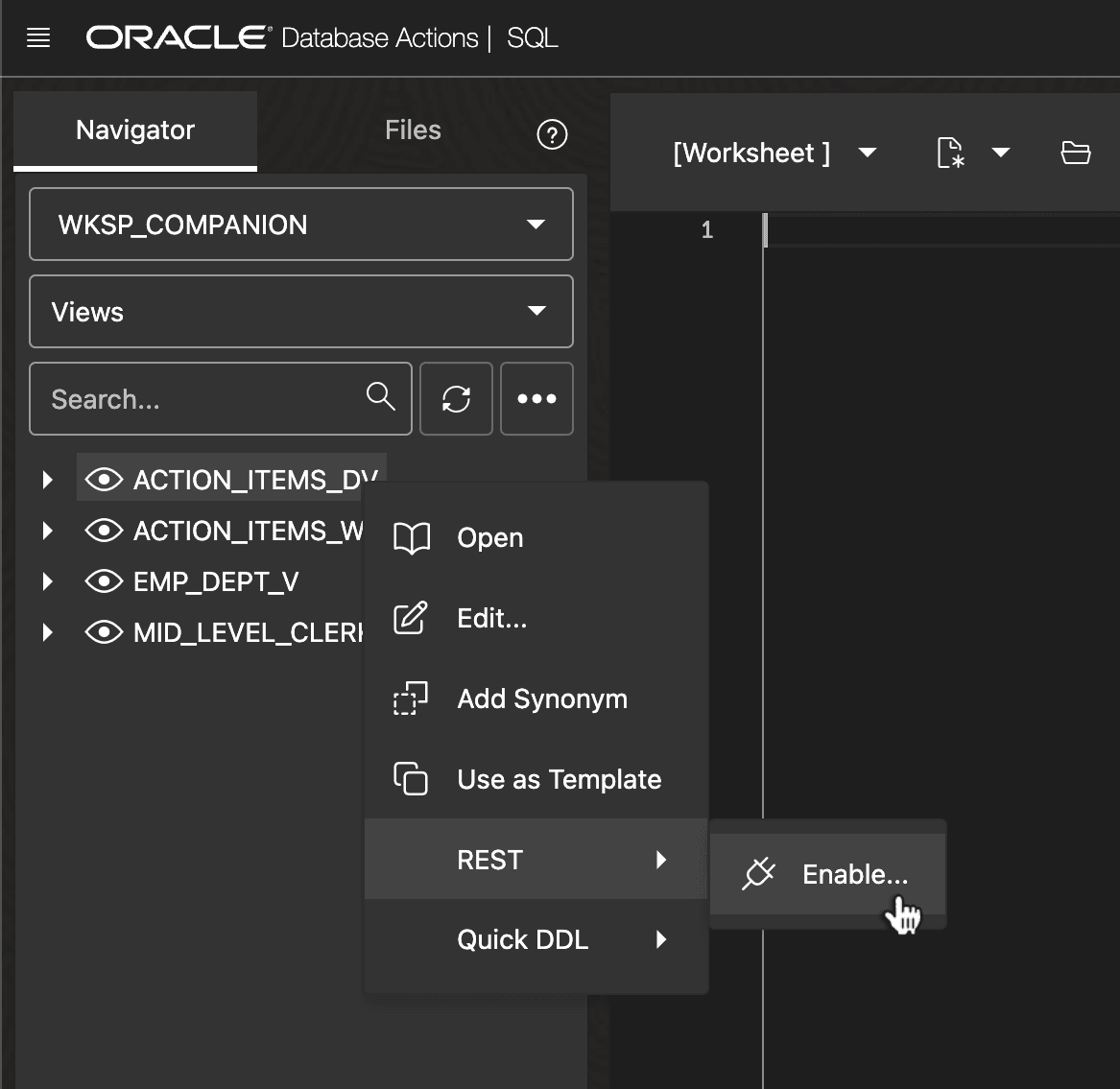
Description of the illustration dv-autorest-enable.png
Study the proposed Object Alias and adjust as needed. It’s the name clients see in the URL when accessing the AutoREST-enabled duality view REST endpoint. For example, say you change it to actionitems.
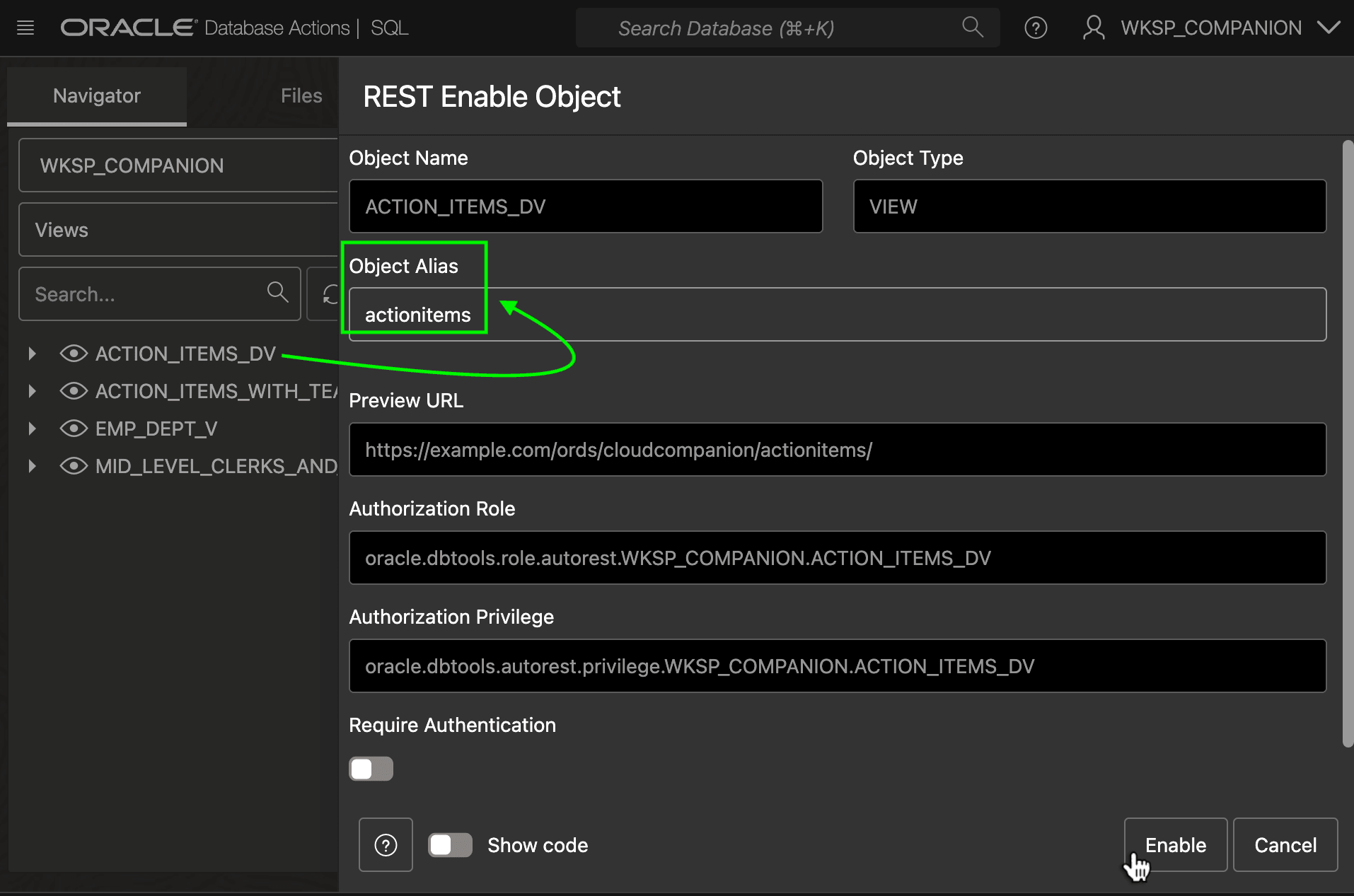
Description of the illustration dv-autorest-enable-set-alias.png
Once enabled, as shown below, your duality view appears in the list of AutoREST-enabled objects.
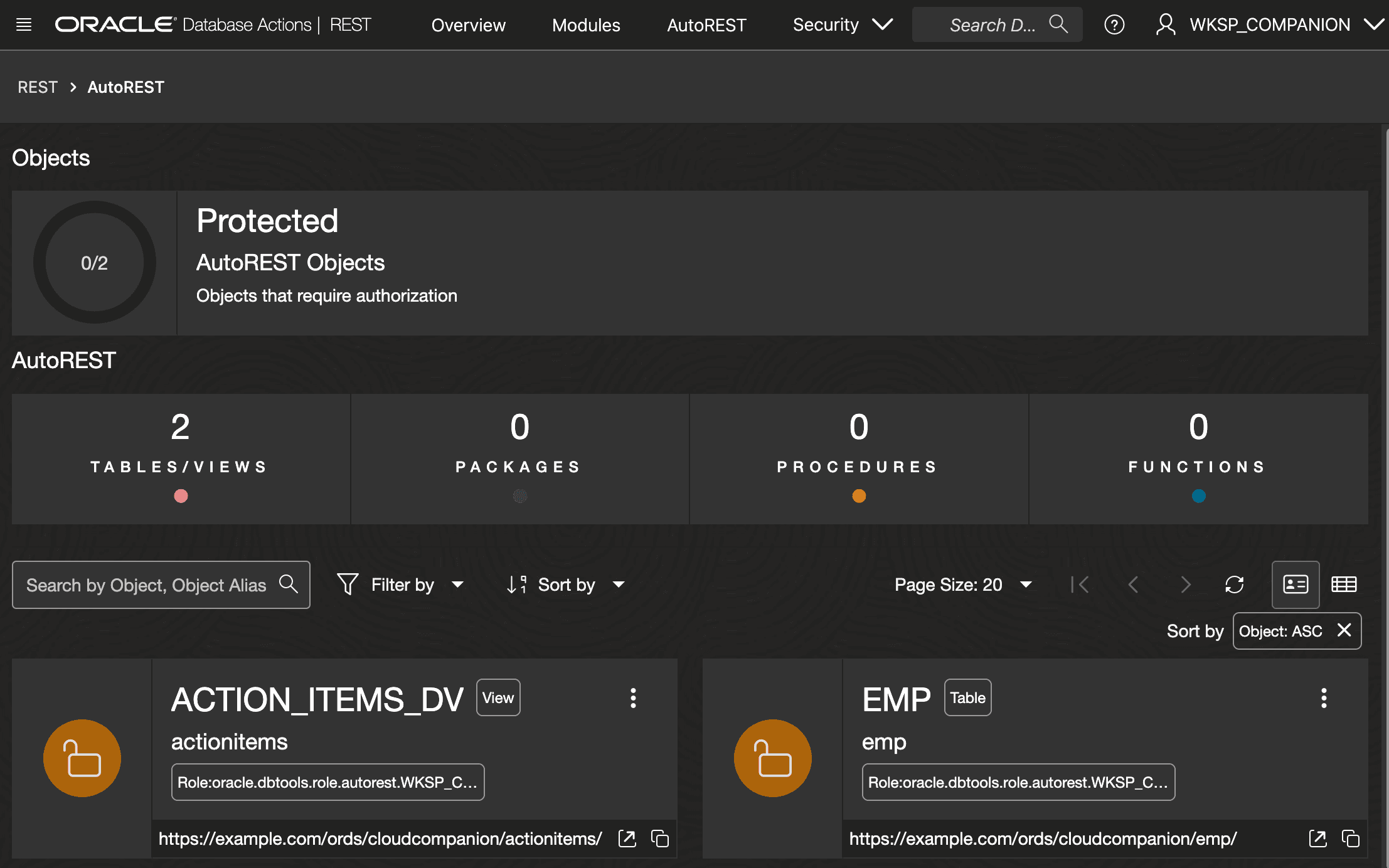
Description of the illustration dv-autorest-list-page.png
Tip: Once enabled, use the duality view’s context menu in the SQL Worksheet navigator tree to access other options.