Enabling the First Translation Language
Enable text message-based translation and add the first translated language for your app.
When you decide to add the first translated language, go to Shared Components > Globalization Attributes and enable the Translate Application switch as shown below. Use the Text Message-Based option. It’s the simplest approach with best support in App Builder and Page Designer.
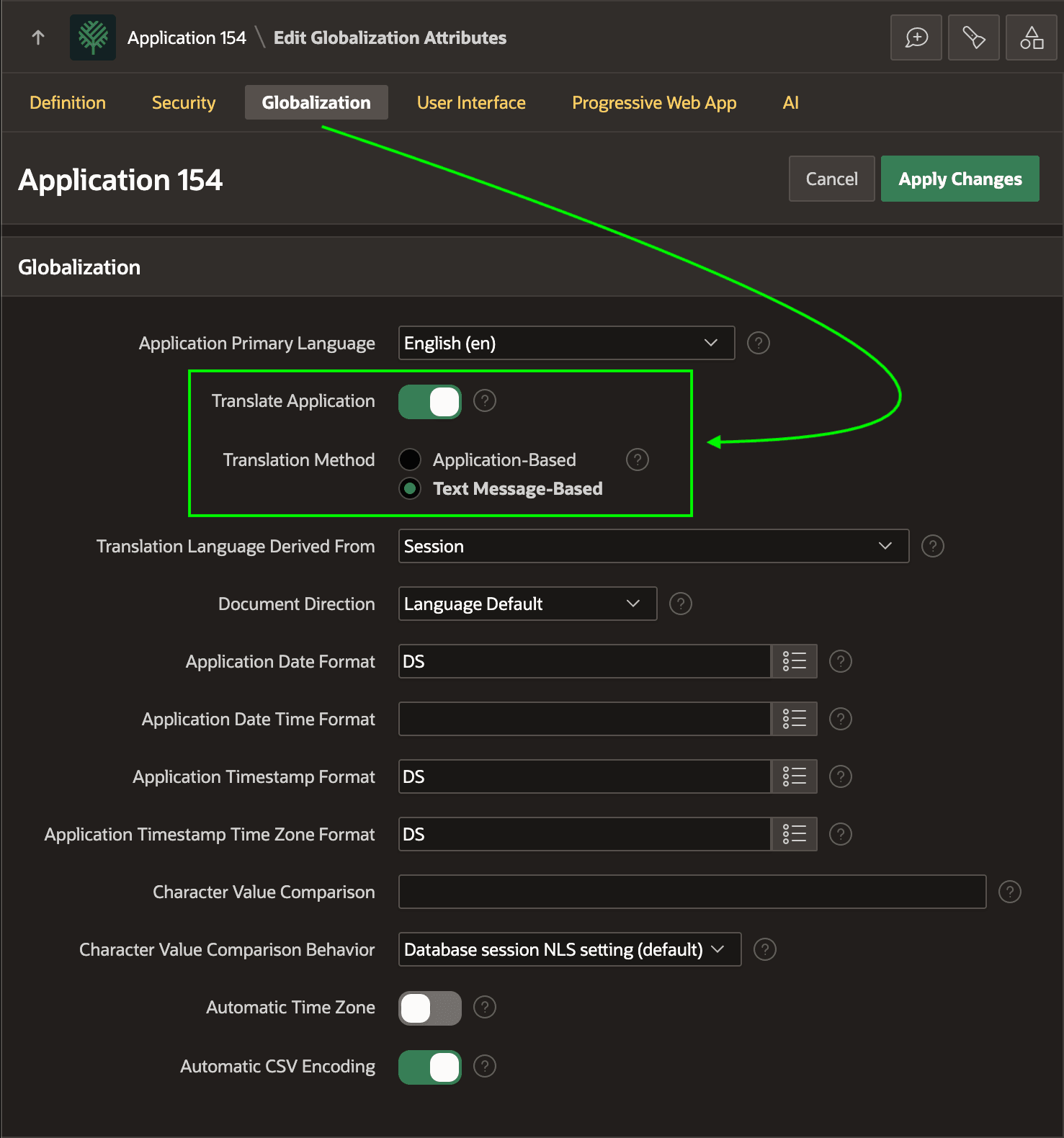
Description of the illustration enable-translation.png
Next, go to Shared Components > Application Translations and click (Add Language). For example, if some of your end users need to use your app in Italian, you can add the Italian (Italy) (it) language as shown below.
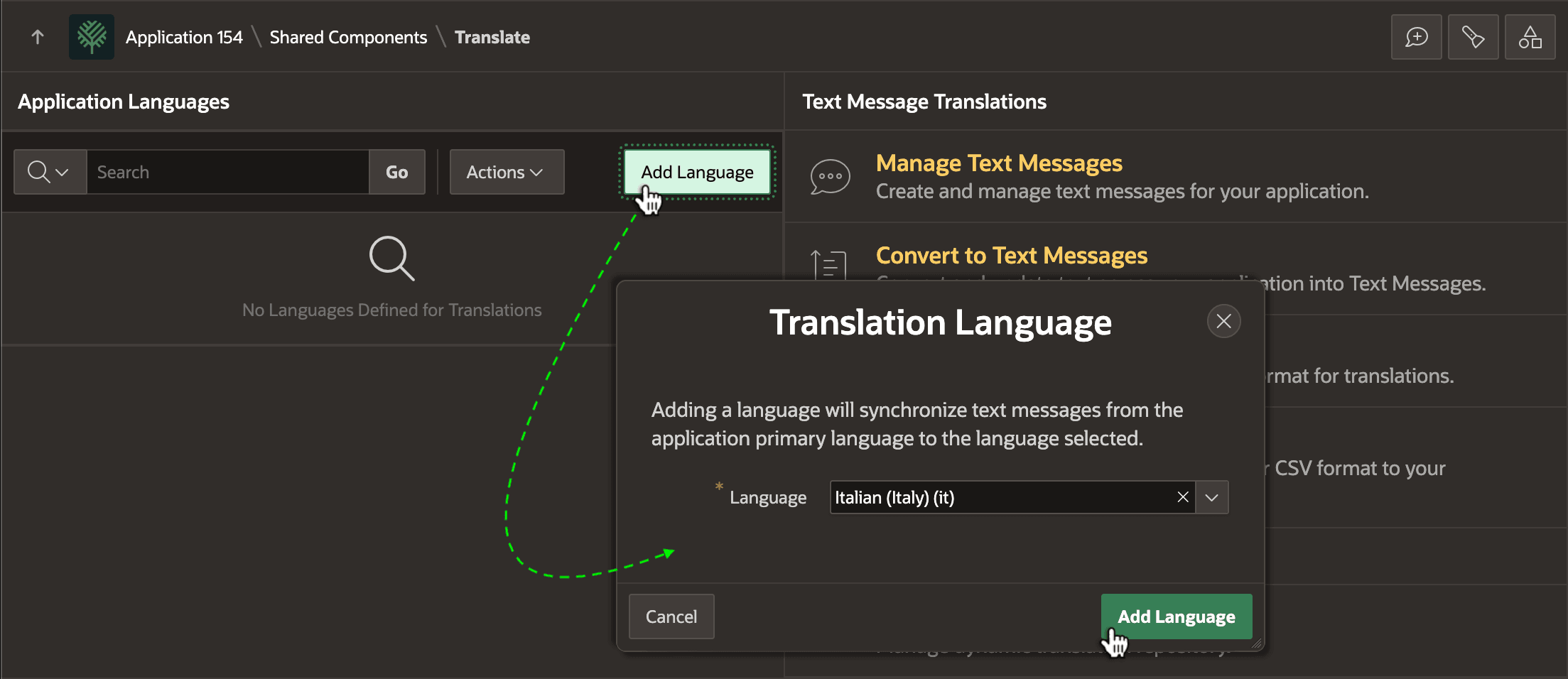
Description of the illustration add-language.png
The new language appears along with your application’s primary language in the list of language translations your app now supports.
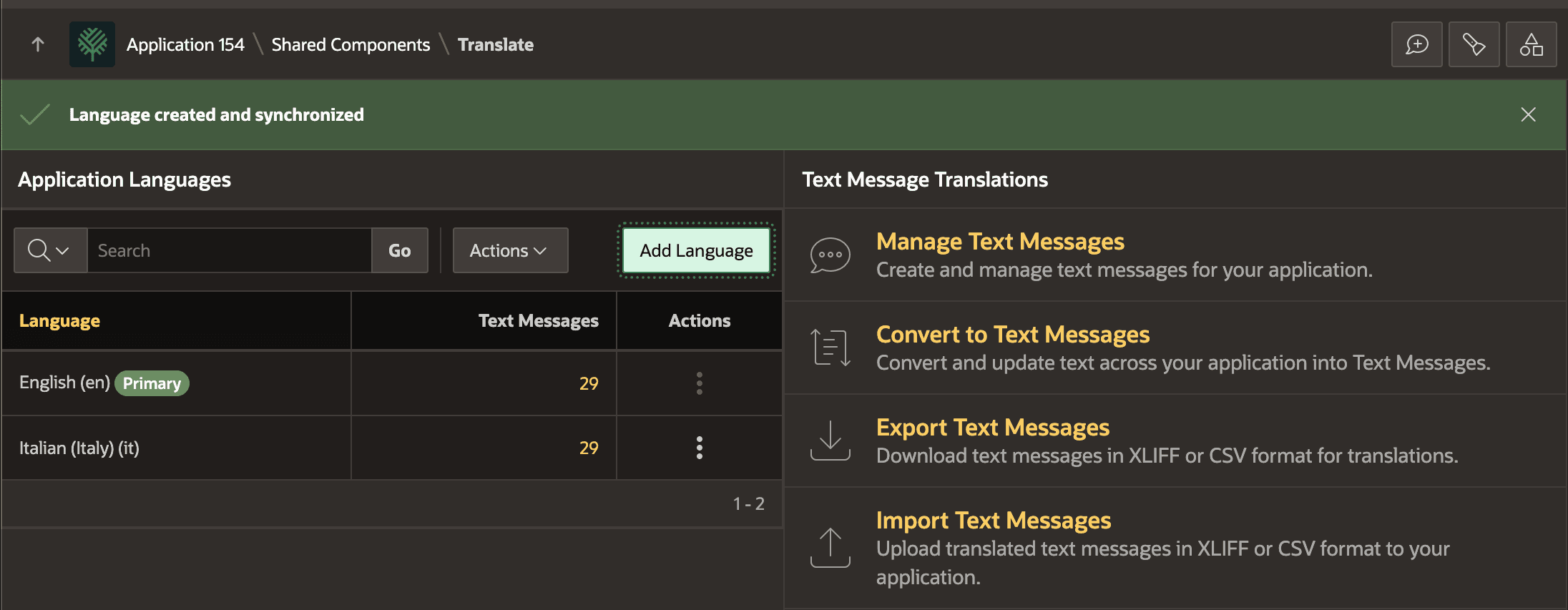
Description of the illustration language-create-and-synchronized.png