Evaluating Spatial Distance with an API
Use built-in geospatial functions to check whether a patient lives within service range.
As shown below, a Geocoded Address page item in the registration page identifies the longitude and latitude of a new patient’s home address. The page saves these coordinates along with the patient’s other data in the FRC_PATIENTS table.
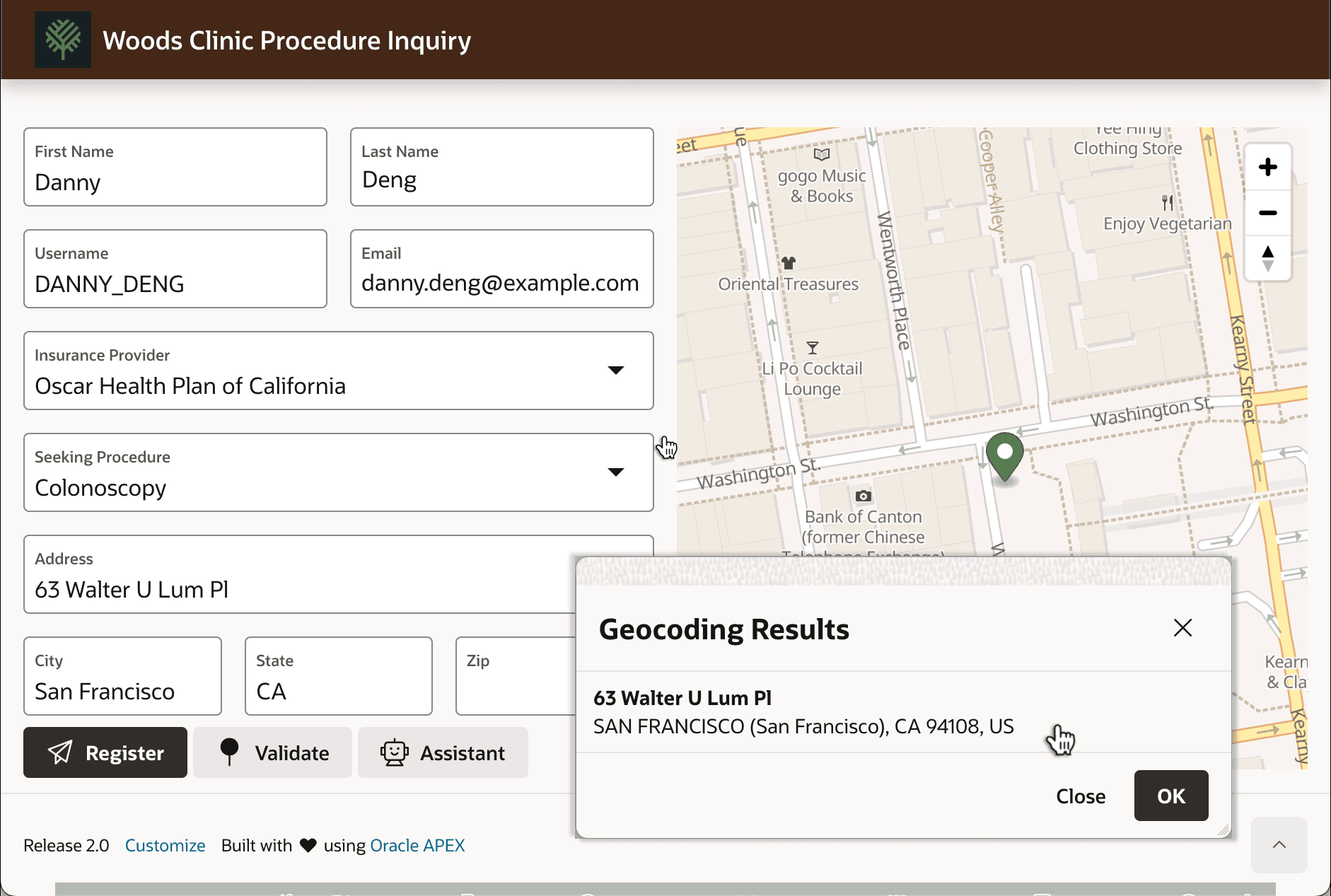
Description of the illustration show-geocoding-results-reg.png
The Evaluate Proximity activity shown below is an Invoke API that calls the EVALUATE_PROXIMITY PL/SQL package API to determine if the patient’s home address is within the clinic’s 400km service radius.
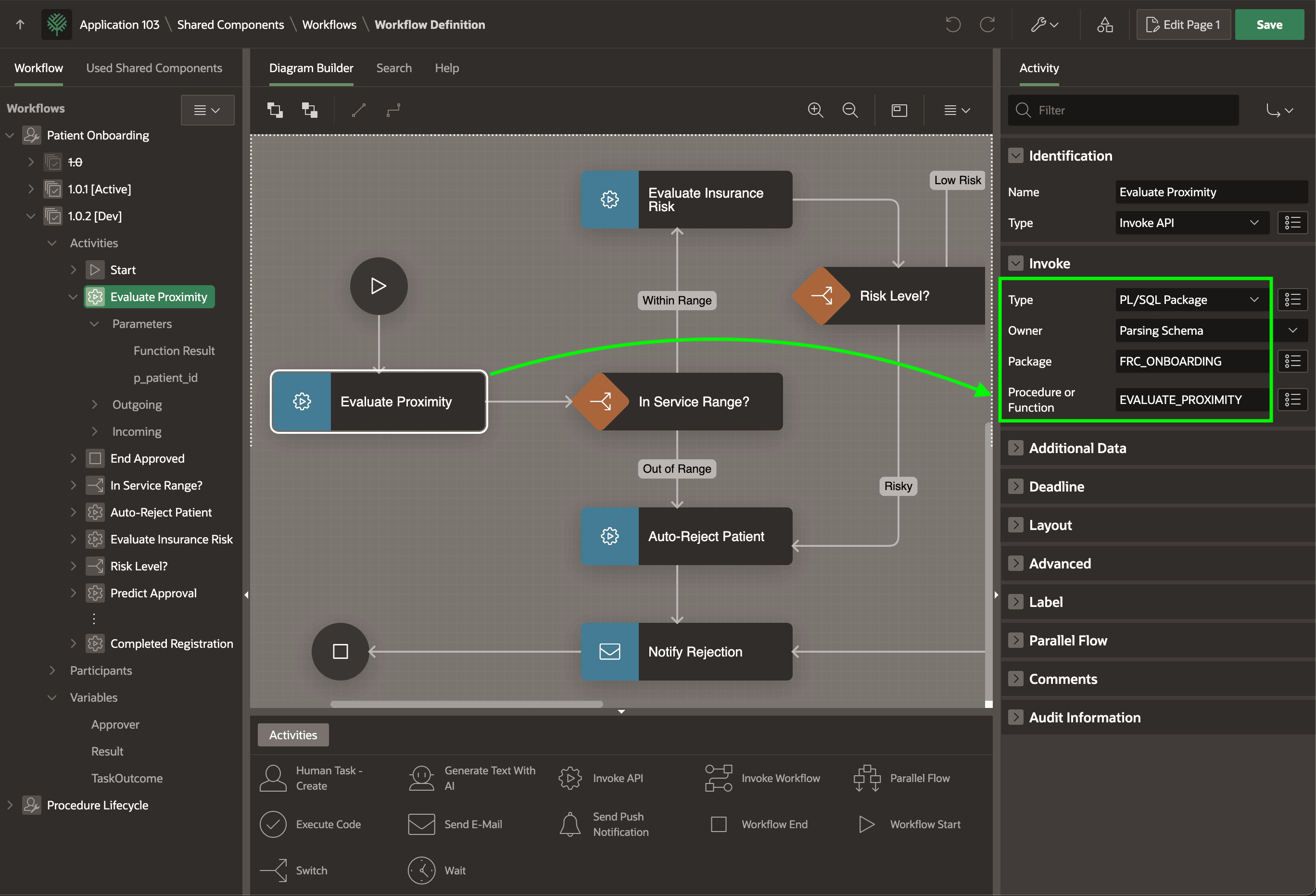
Description of the illustration workflow-invokeapi-evalprox1.png
The function accepts a patient ID and returns an outcome string of “Within Range” or “Out of Range” that the following In Service Range? switch activity uses to decide which way to flow. As shown below, you configure the invoked function’s parameters using the Property Editor after selecting each parameter name under the activity’s Parameters heading in the Workflows tree. Here, the P_PATIENT_ID parameter’s value comes from the workflow Additional Data column ID containing the patient identifier associated to the current workflow instance. The Function Result is mapped to the V_RESULT workflow variable whose Result label shows under the Variables heading in the tree.
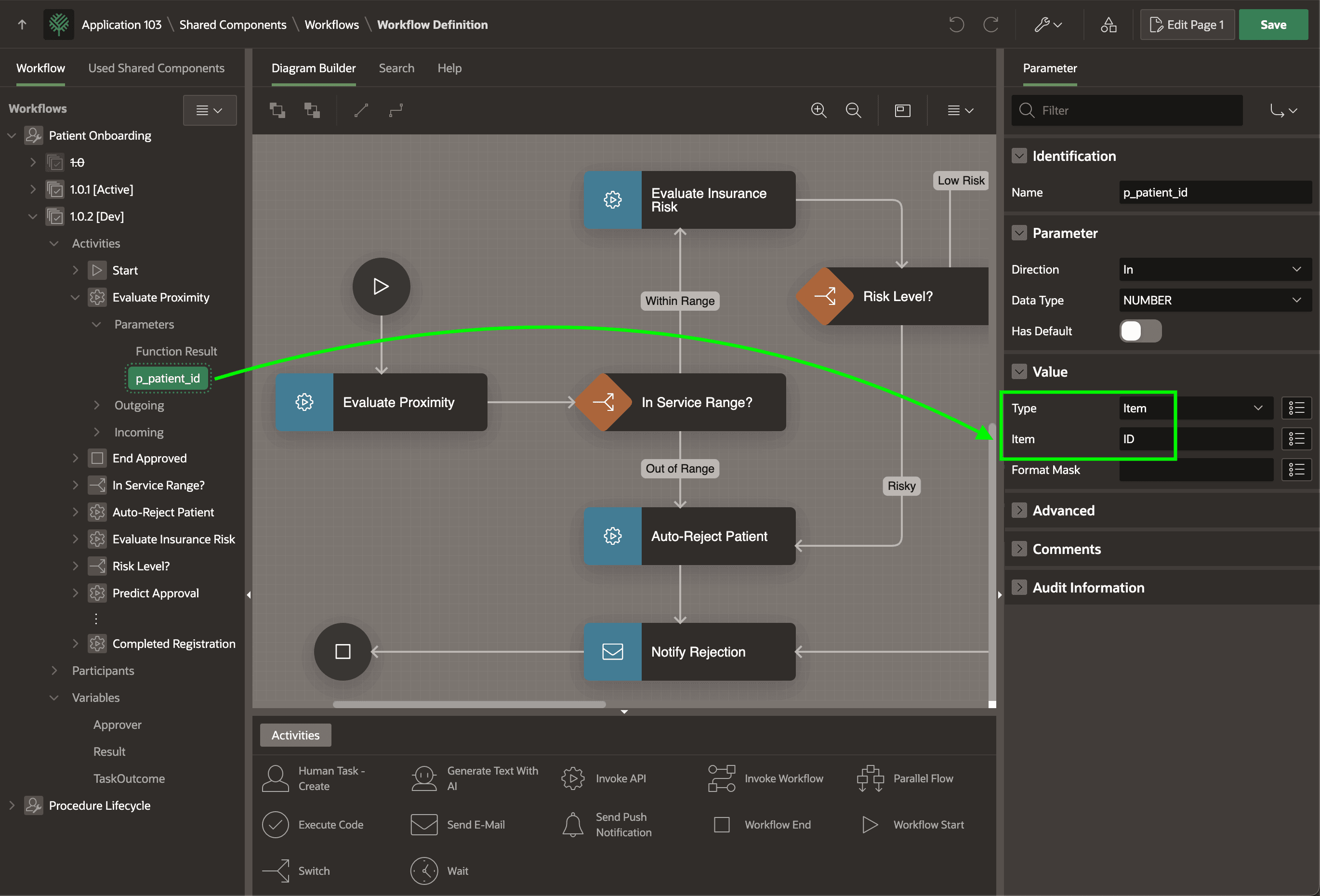
Description of the illustration workflow-invokeapi-evalprox2.png
The code for the invoked function appears below. It returns a VARCHAR2 result of “Within Range” if the distance from the clinic to the patient’s home address is less than 400km. Otherwise, it returns “Out of Range”. The function is essentially a single SELECT...INTO statement using the SDO_DISTANCE function in the SDO_GEOM package to compute the distance in kilometers between the clinic and the patient’s home address.
-- Result = 'Within Range' or 'Out of Range'
function evaluate_proximity(p_patient_id number)
return varchar2
is
    l_result_val varchar2(30);
    /*
     | Assume the clinic is located at:
     | 1244 Cotter Way, Hayward, CA 94541
     */
    c_clinic_lat  constant number := 37.68255;
    c_clinic_long constant number := -122.09026;
begin
    begin
        select case
                when sdo_geom.sdo_distance(
                        sdo_geometry(2001,4326,
                            sdo_point_type(pat.address_longitude,
                                           pat.address_latitude,
                                           null),null,null),
                        sdo_geometry(2001,4326,
                            sdo_point_type(c_clinic_long,
                                           c_clinic_lat,
                                           null),null,null),
                        tol=>1,
                        unit=>'unit=KM'
                    ) > 400 /* Kilometers */
                then 'Out of Range'
                else 'Within Range'
               end
        into l_result_val
        from frc_patients pat
        where pat.id = p_patient_id
          and address_latitude  is not null
          and address_longitude is not null;
    exception
        when no_data_found then
            l_result_val := 'Within Range';
    end;
    return l_result_val;
end;