Exploring External Data Examples
Review external employee data examples in Excel, CSV, JSON, and XML formats.
In the Woods HR application, HR reps sometimes need to load employee data from external files. An Excel spreadsheet, as shown below, is the most common format they encounter. The figure shows employee information in two rows of a spreadsheet featuring column headings in the first row: Employee Number, Last Name, Job Title, Manager ID, Hire Date, Salary, Commission, and Department No.
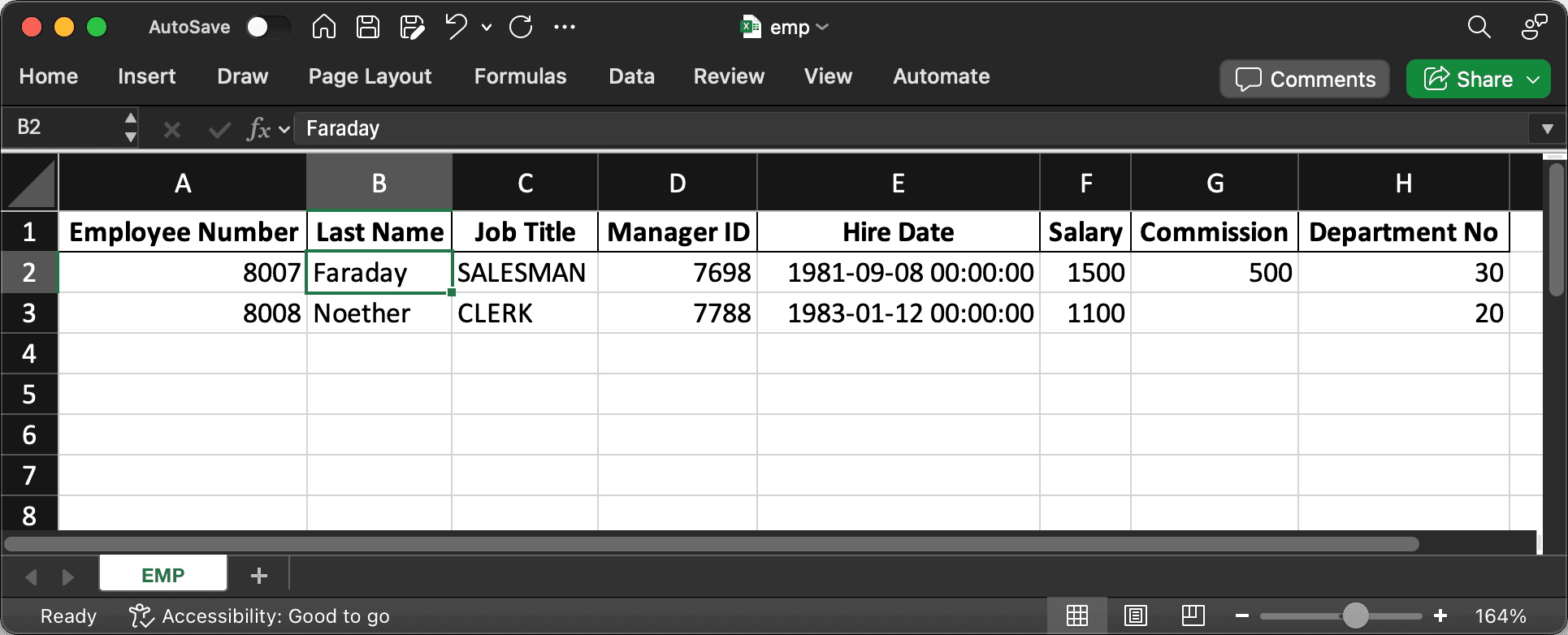
Description of the illustration ext-data-xlsx.png
However, sometimes the employee data arrives in a text file in comma-separated value (CSV) format:
WORKER_NO,LAST_NAME,POSITION,BOSS_NO,ENTRY_DATE,PAY_RATE,BONUS_AMOUNT,SECTION_NO
8001,HOPPER,CLERK,7902,2025-03-14T00:00:00,900,,20
8002,CURIE,SALESMAN,7698,2025-11-05T00:00:00,1350,1200,30
Certain external systems export their data in JSON format:
{
    "items": [
        {
            "employeeId": 8003,
            "fullName": "GALLO",
            "positionTitle": "MANAGER",
            "reportsTo": 7839,
            "startDate": "2025-04-22",
            "salaryAmount": 2450,
            "commissionValue": "",
            "departmentCode": 10
        },
        {
            "employeeId": 8004,
            "fullName": "DARWIN",
            "positionTitle": "SALESMAN",
            "reportsTo": 7698,
            "startDate": "2025-09-10",
            "salaryAmount": 1600,
            "commissionValue": 300,
            "departmentCode": 30
        }
    ]
}
Others use the Extensible Markup Language (XML) instead:
<?xml version="1.0"?>
<ROWSET>
    <ROW>
        <STAFF-ID>8005</STAFF-ID>
        <SURNAME>MENDEL</SURNAME>
        <ROLE>ANALYST</ROLE>
        <JOIN-DATE>2025-02-11T00:00:00</JOIN-DATE>
        <BASE-PAY>3200</BASE-PAY>
        <DIVISION>10</DIVISION>
    </ROW>
    <ROW>
        <STAFF-ID>8006</STAFF-ID>
        <SURNAME>LOVELACE</SURNAME>
        <ROLE>SALESMAN</ROLE>
        <SUPERVISOR-ID>7839</SUPERVISOR-ID>
        <JOIN-DATE>2025-08-27T00:00:00</JOIN-DATE>
        <BASE-PAY>2750</BASE-PAY>
        <ADDITIONAL_COMP>1300</ADDITIONAL_COMP>
        <DIVISION>30</DIVISION>
    </ROW>
</ROWSET>
Using a Data Load Definition shared component, your app can make quick work of loading external data in any of these formats.