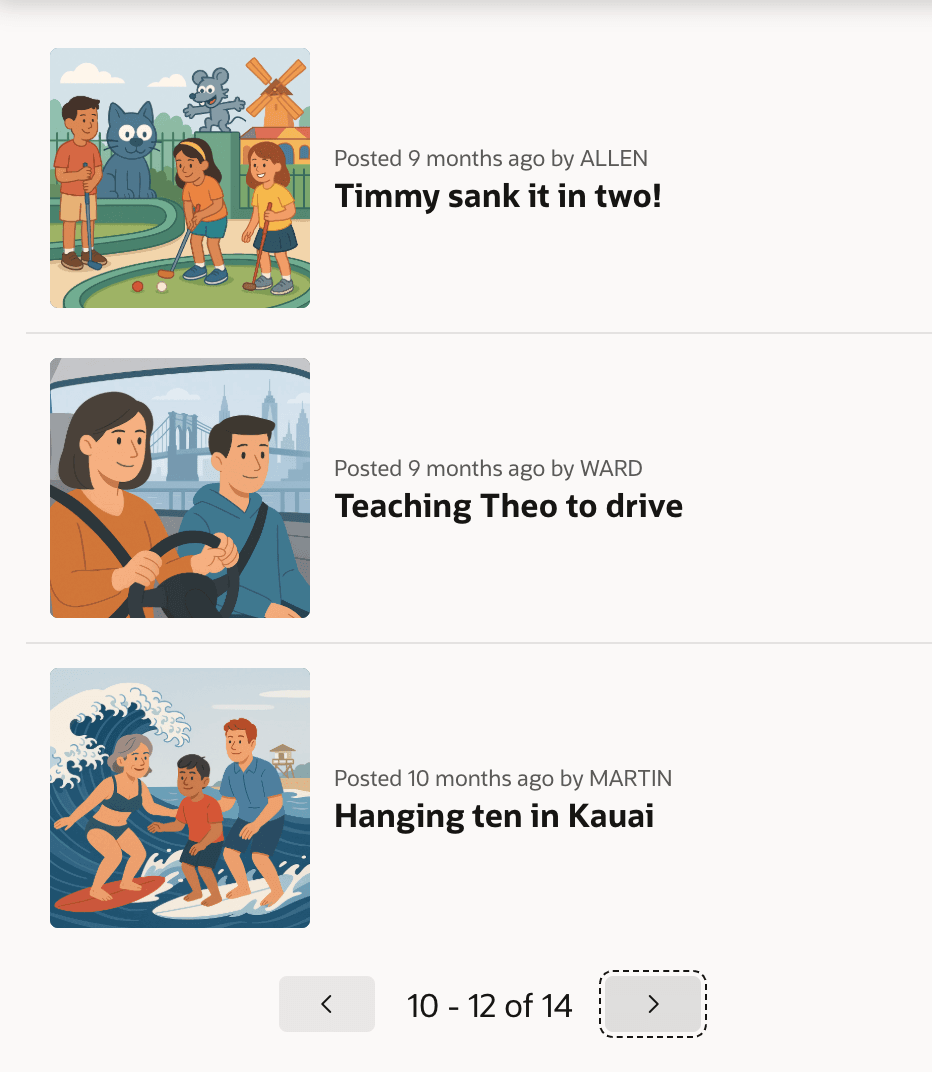
Including BLOB Images in Content Row
In a Content Row Template Component region, choose a table or view that includes the BLOB image column.
Alternatively, select the BLOB image column in the query as shown below.
select id,
       title,**image, /* BLOB image */**
       file_name,
       posted,
       posted_by,
       mime_type,
       updated
from eba_demo_emp_breakroom_photo_v
Start by verifying that the primary key column has its Primary Key switch enabled.
On the region’s Attributes tab, set the Avatar > Type to Image. Then, click the Image display button to open the Media dialog where you configure the BLOB image related column names.
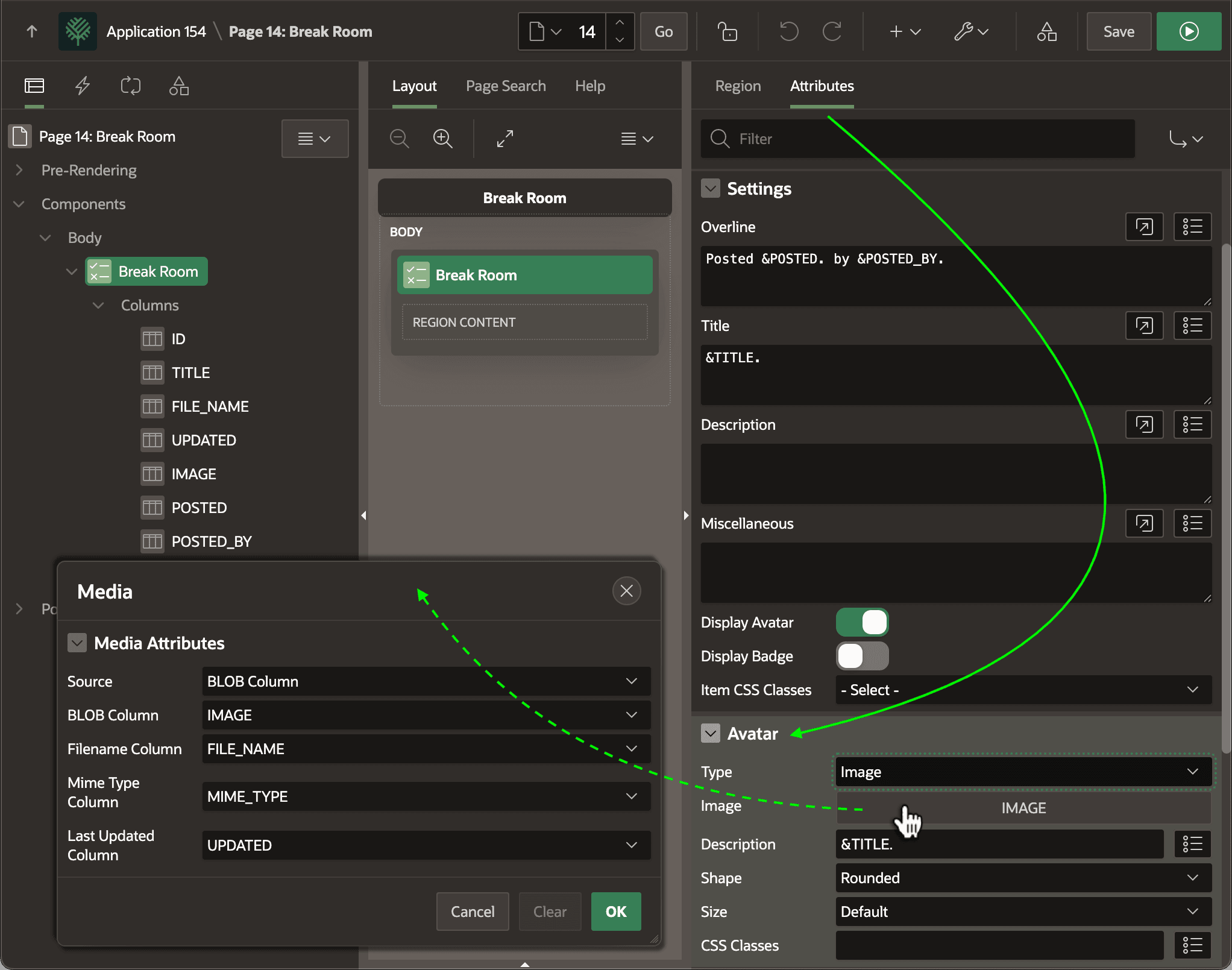
Description of the illustration show-images-ctr-dt.png
To control the size of the avatar image, add the following rule to the CSS > Inline section of the page:
.t-Avatar--image {
   --ut-avatar-size: 10rem;
}
This combination produces the result shown below. The figure shows a Content Row region showing three break room photos per page.