Including Context Info in Dialog Title
Use JavaScript to set a modal dialog’s title to include context information from the calling page.
As shown below, when opening a modal dialog, it can be useful to include some context information in the dialog title like the name of the employee whose address the user is editing.
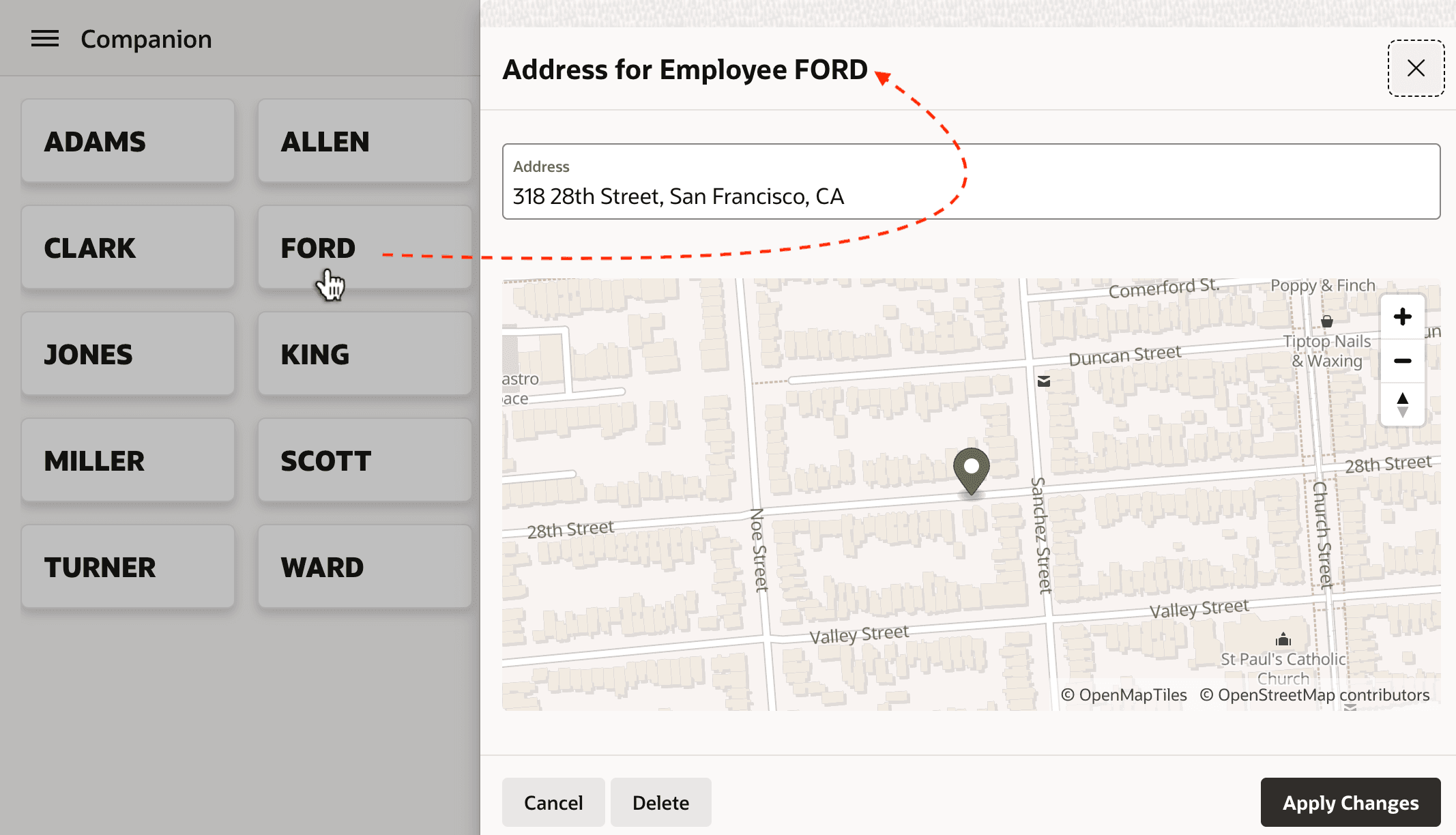
Description of the illustration emp-name-dialog-title.png
The Form region in the modal drawer page 60 includes the P60_ENAME page item, and the Form Initialization page process automatically retrieves the EMP_AND_ADDRESS view row based on the P60_EMPNO primary key value you pass in. So you already have the ENAME value on hand. Your instinctive first attempt shown below is to include &P60_ENAME. in the Title.
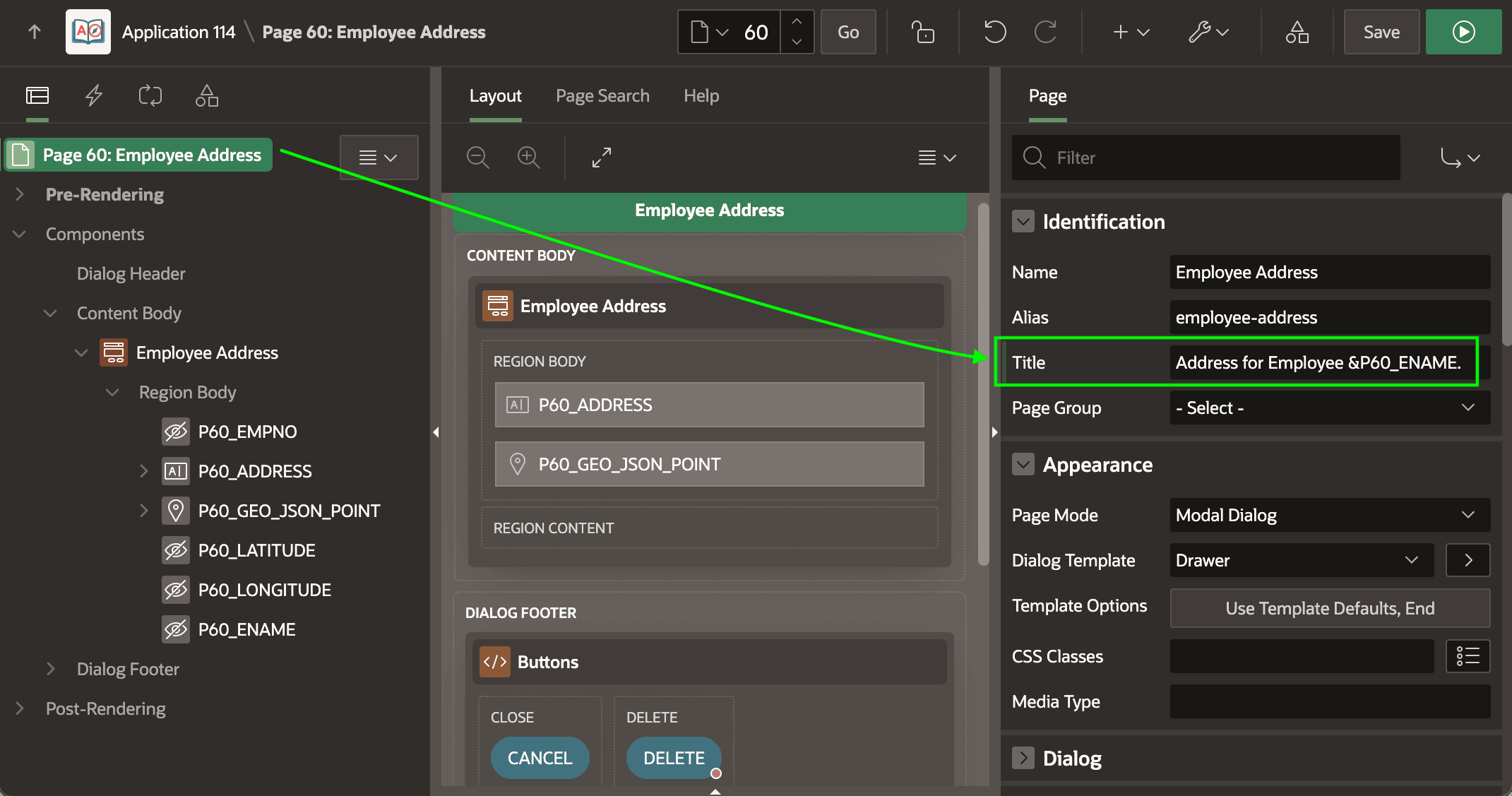
Description of the illustration first-attempt-dynamic-title.png
However, when you run the page, the &P60_ENAME. comes up puzzlingly empty as shown below.
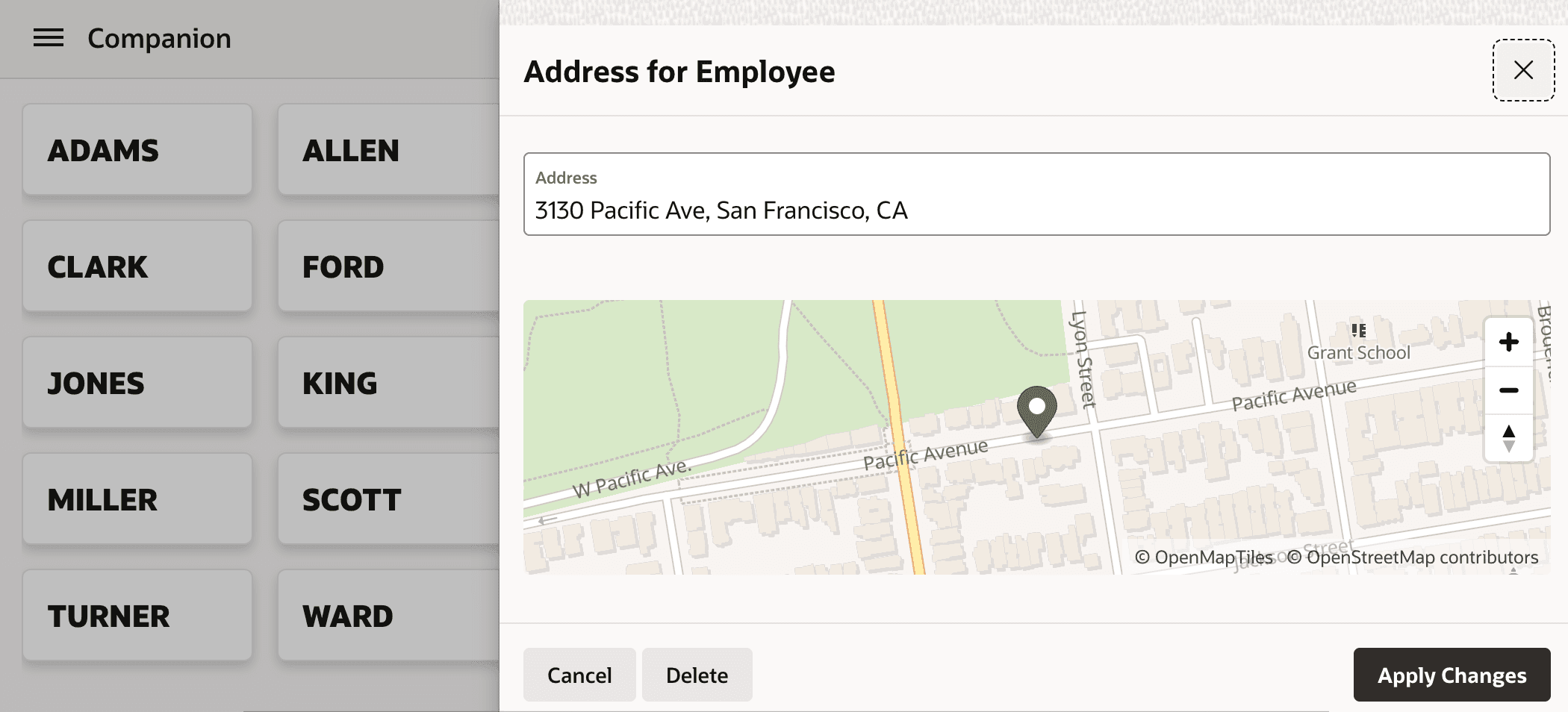
Description of the illustration dialog-title-missing-ename.png
In short, due to the timing of when the dialog title is determined at runtime, to include context information you need to set the dialog title dynamically in the Page Load event using code like the following:
// JavaScript in Page Load event action to set dialog title
apex.util.getTopApex()
         .jQuery(".ui-dialog-content")
         .dialog("option", "title",
                 "Address for Employee " + $v('P60_ENAME'));
Tip: To avoid having a static title display before your Page Load event sets the dynamic title, reference a non-existent substitution string like &INITIALLY_BLANK. in the page Title in Page Designer.