Learning the Medical Procedure Lifecycle
Understand the patient procedure lifecycle tracked by the STATUS column.
In your Woods Clinic application, once a patient’s initial procedure request is approved, you track the medical procedure for the patient as a new row in the Patient Procedures table. You can see below how it fits into the application data model. The figure shows an entity relationship diagram of the business entities involved in the Woods Clinic application. This scenario focuses on the Patient Procedure. It tracks a particular Patient’s visit at which a selected clinic Doctor performs a certain Medical Procedure they need. Each patient has an Insurance Provider and can make Patient Referrals to help bring in new patients. Multiple doctors might perform a given procedure, so Doctor Procedures tracks that skills matrix. Finally, a patient procedure might have one or more Invoices to bill the insurance provider and the patient who pays the uncovered amount.
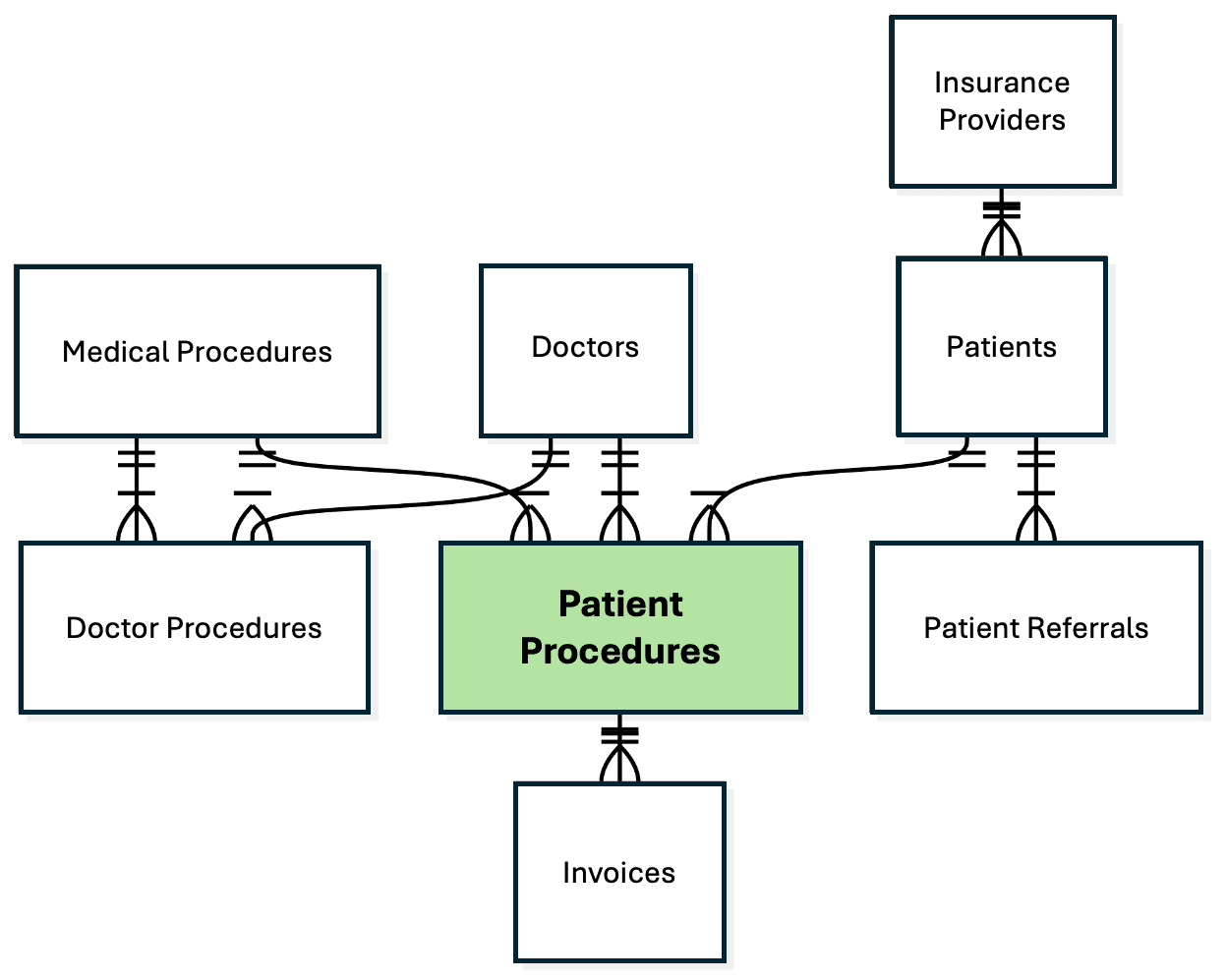
Description of the illustration woods-clinic-data-model.png
Your FRC_PATIENT_PROCEDURES table has a STATUS column whose value reflects the current status of the “Patient Procedure” business entity.
After speaking with Woods Clinic staff, you draw yourself the diagram below of a medical procedure’s natural flow from creation to closure. You think of it as the “lifecycle” of this business entity. You learn the following:
-
The procedure starts out “Awaiting Schedule”.
-
When staff set a date, time, and doctor for the procedure, it becomes Scheduled.
-
Once performed, the procedure becomes Completed
-
After receiving the insurance reimbursement, the balance is Invoiced to the patient.
-
As soon as the patient pays, it’s finally marked Paid.

Description of the illustration procedure-lifecycle-statuses.png