Limiting and Throttling Background Jobs
Limit or throttle background execution chain jobs at the chain, application, or workspace level.
Both you and your APEX instance administrator can limit the number background execution chain jobs. Ranging from most specific to most general, these controls include the:
-
Executions Limit on the execution chain
- Raises an error if user exceeds this number of background executions of that chain.
-
Maximum Background Page Process Jobs on the application definition
- Throttles queued background jobs to stay within this limit. Others wait their turn to execute.
-
Maximum Background Page Process Jobs on the workspace
- Lets instance administrator throttle queued background jobs for all applications in the workspace. Others wait for their turn to execute. If set, it overrides the instance parameter
MAX_PROCESS_SCHEDULER_JOBS_DEFAULTvalue.
- Lets instance administrator throttle queued background jobs for all applications in the workspace. Others wait for their turn to execute. If set, it overrides the instance parameter
For example, if the Woods HR application sets a Maximum Background Page Process Jobs to 4, then as shown below, employee award review processes wait their turn to be scheduled to stay within this limit. The figure shows Susan’s view of the Employee Excellence page. The Award Review Progress section shows four executing background processes and four others with an hourglass emoji in their Progress and Status column indicating they are waiting to be scheduled for background execution.
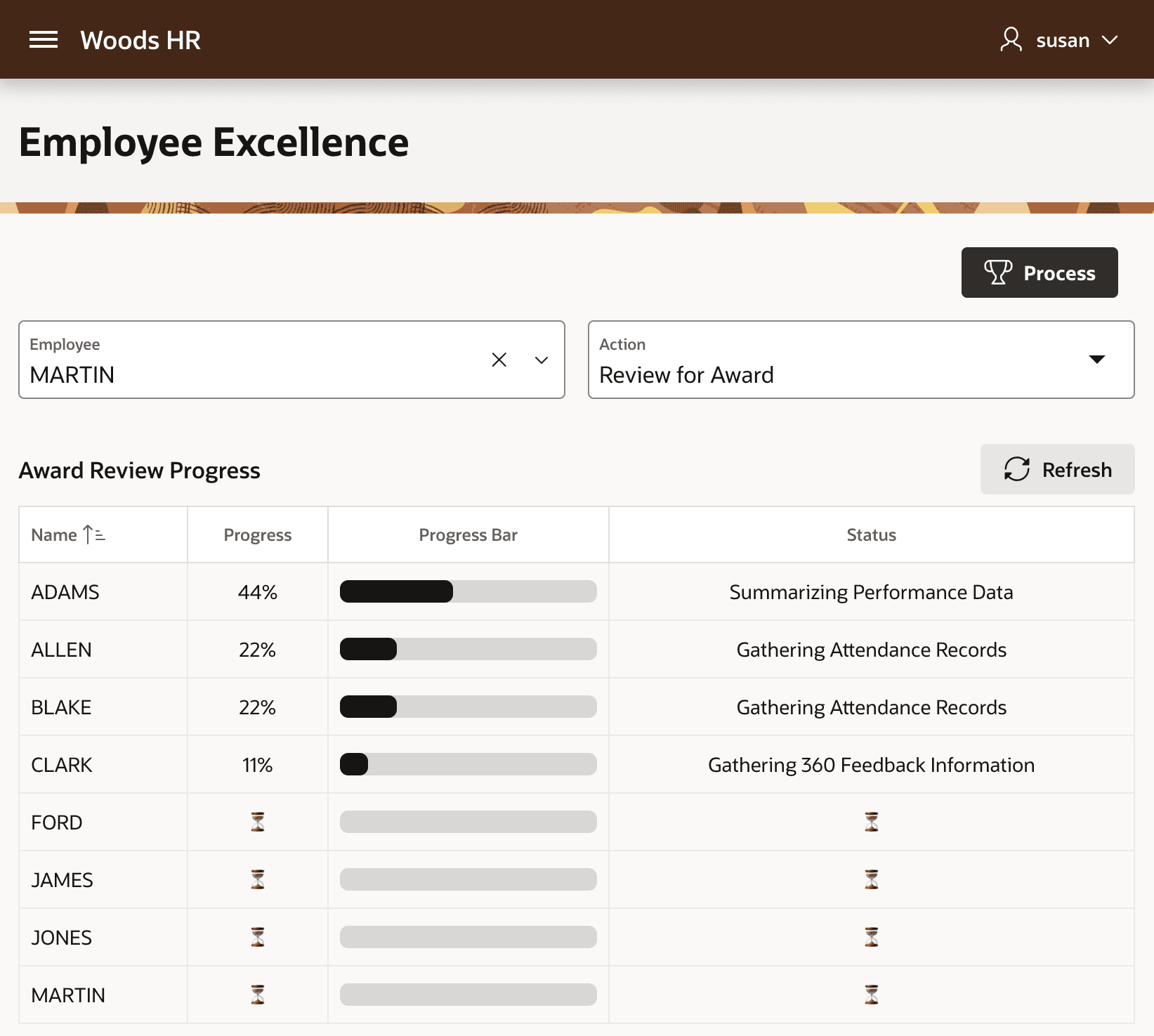
Description of the illustration background-job-throttling.png