Preparing Collection to Enter Photo Titles
Prepare a collection with uploaded file names so users can add titles before posting photos.
When the user clicks the (Upload) button, an If Clicked Upload… execution chain with its When Button Pressed condition set to UPLOAD runs the child process below to add the unique uploaded image names to the UPLOADED_PHOTOS collection. It’s an Invoke API process that calls the PREP_UPLOADED_BREAKROOM_PHOTOS procedure. Its p_unique_file_names parameter gets its value from the Image Upload page item P17_IMAGE.
When uploading multiple files, the upload page item’s value is a colon-delimited list of unique uploaded file names. Therefore, the code invoked uses apex_string.split passing the ':' as the delimiter to process the unique file names to add them as collection members in column C001.
-- in package eba_demo_woodshr_file
procedure prep_uploaded_breakroom_photos(
    p_unique_file_names in varchar2)
is
begin
    for j in (select column_value as unique_file_name
                from apex_string.split(p_unique_file_names,':'))
    loop
        apex_collection.add_member(
            p_collection_name => c_uploaded_photos_collection,
            p_c001            => j.unique_file_name);
    end loop;
end prep_uploaded_breakroom_photos;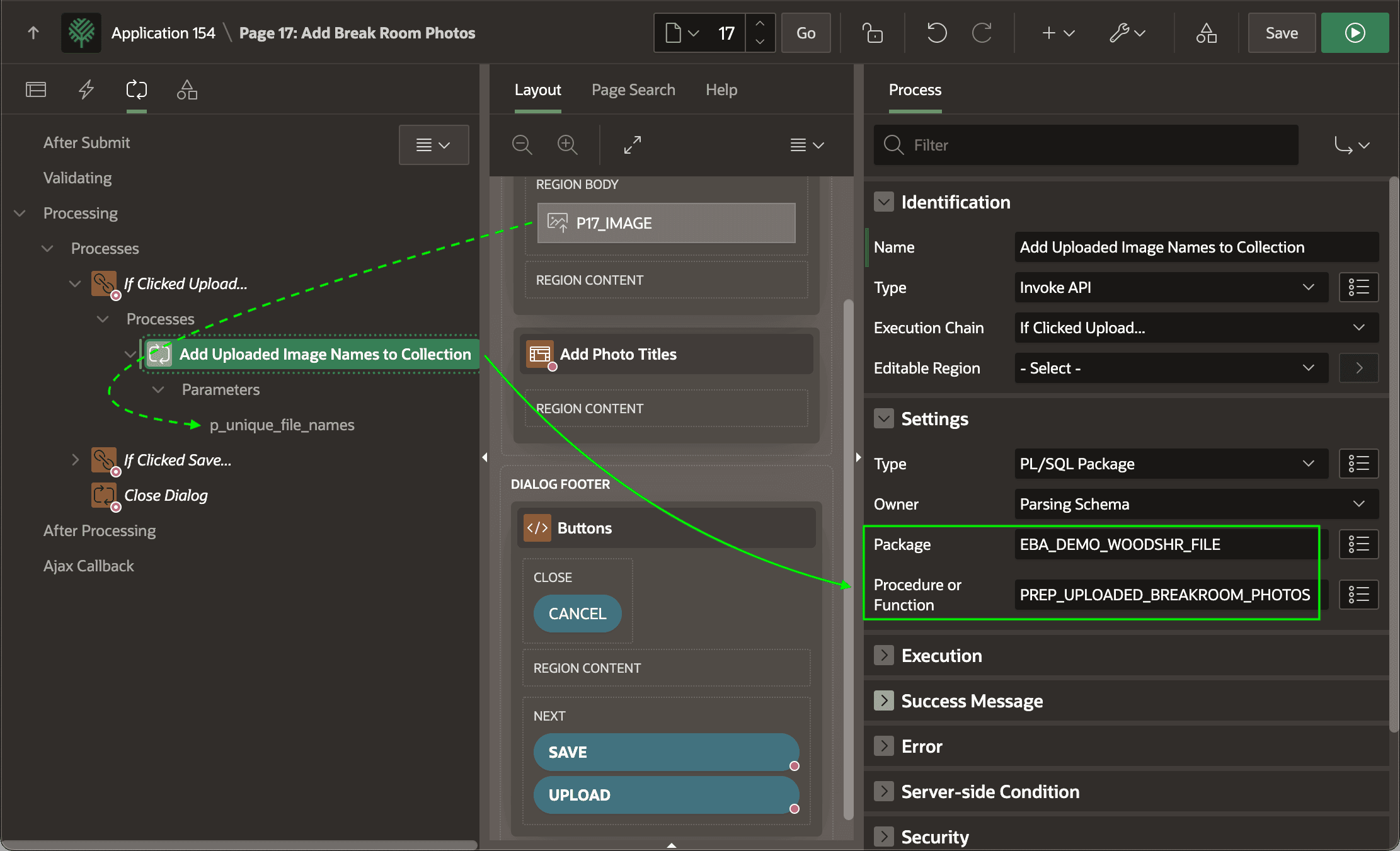
Description of the illustration add-image-names-collection.png
As shown below, the Close Dialog page process uses a server-side condition to only execute when user clicks the SAVE button, labelled (Post Photos) in the page. So, then the user first clicks the UPLOAD button to submit the image files, the dialog close is skipped and the user remains on this page to preview the uploaded images and enter the corresponding titles.
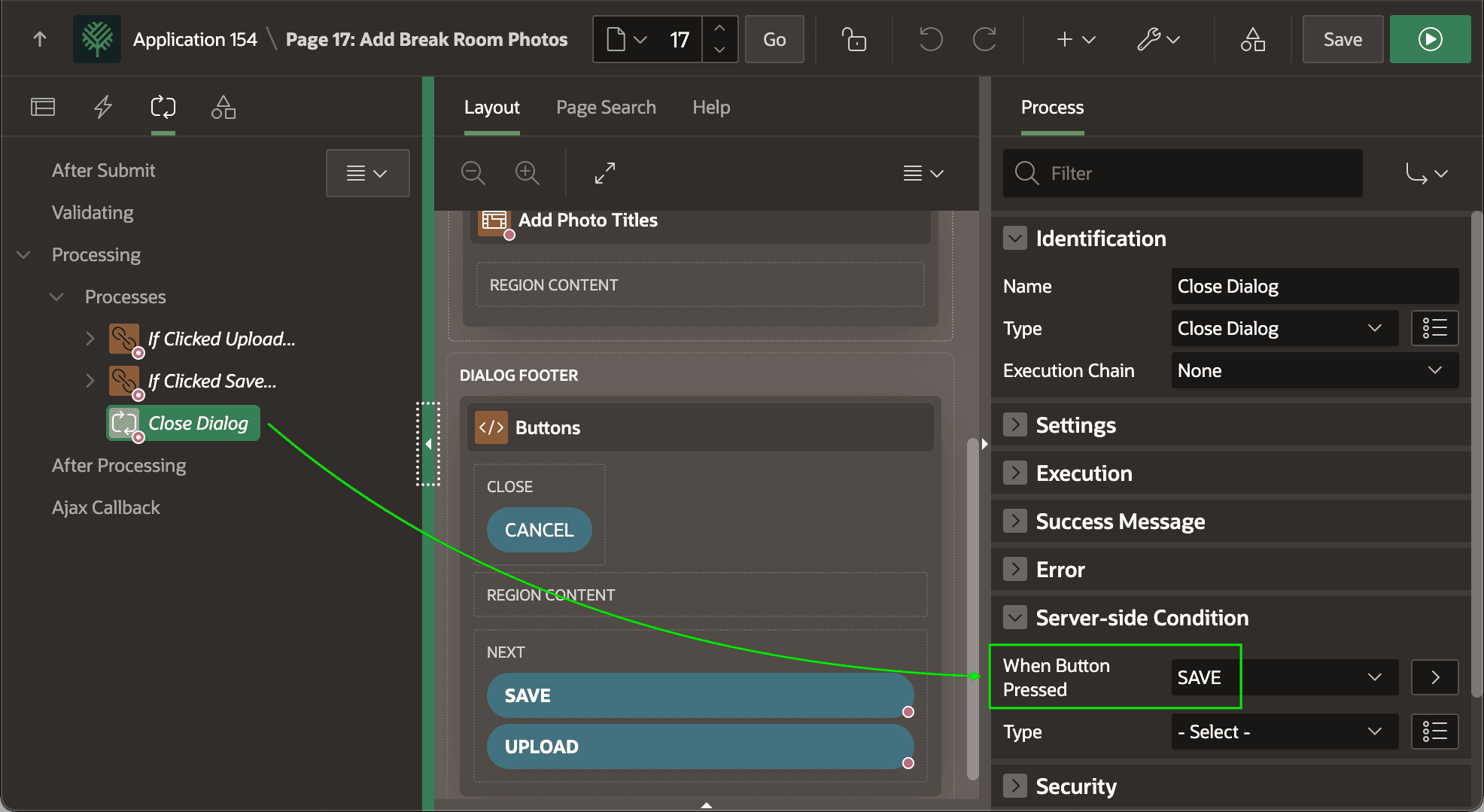
Description of the illustration conditional-close-dialog.png