Pushing a Smile to a Colleague
Send a push notification to an opted-in user from a native page process.
Push notifications usually flag something important; they can also deliver a laugh. In a Send Chuckle page like the one below, users can “gift” a colleague a random line that might make them smile.
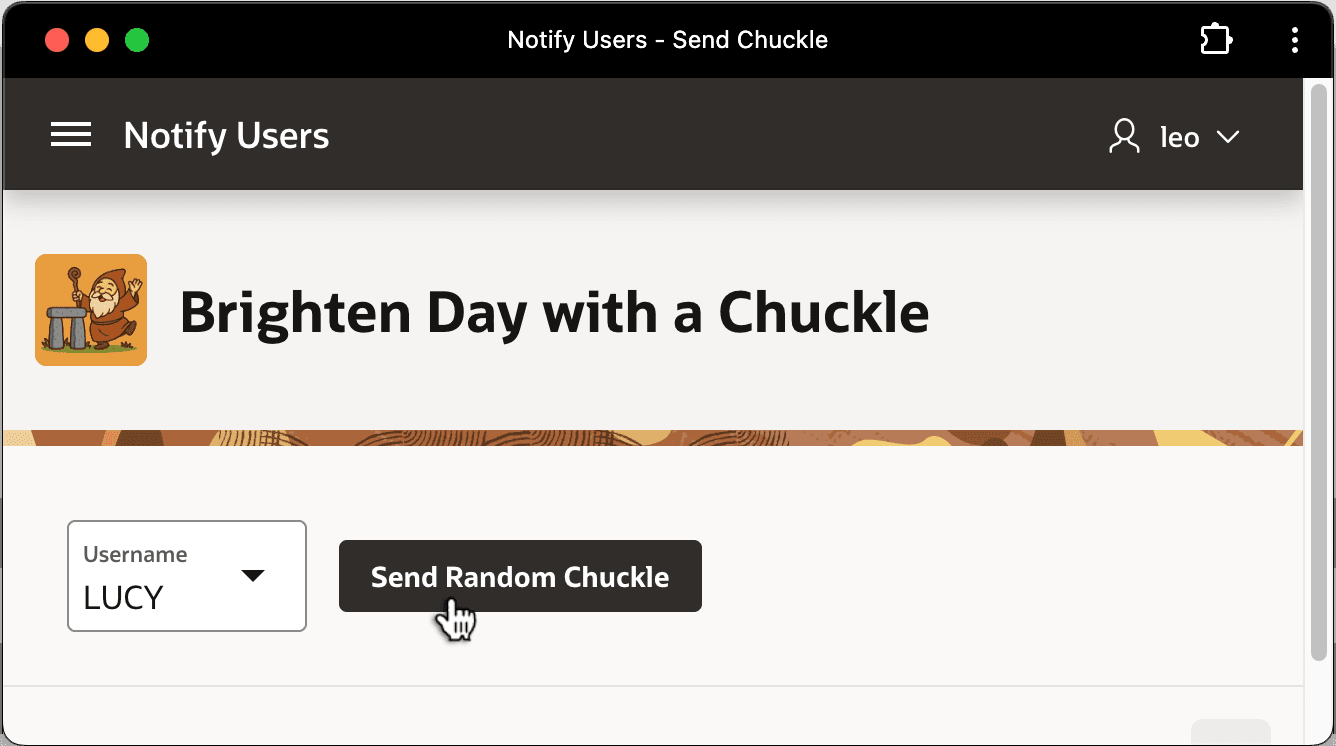
Description of the illustration send-chuckle-rt.png
The page uses a Get Random Chuckle page process of type Invoke API to call the RANDOM_CHUCKLE function. It configures the hidden P11_RANDOM_CHUCKLE page item to receive the result. Then, it uses the Send Push Notification page process shown below to deliver the push notification to the username selected in the P11_USERNAME select list.
APEX optimizes delivery to alert only opted-in users, and automatically sends to all their subscribed devices. If you push a notification to a user who has not opted in, no problem. APEX simply ignores it for that user. This saves you from having to keep track of subscribed users yourself.
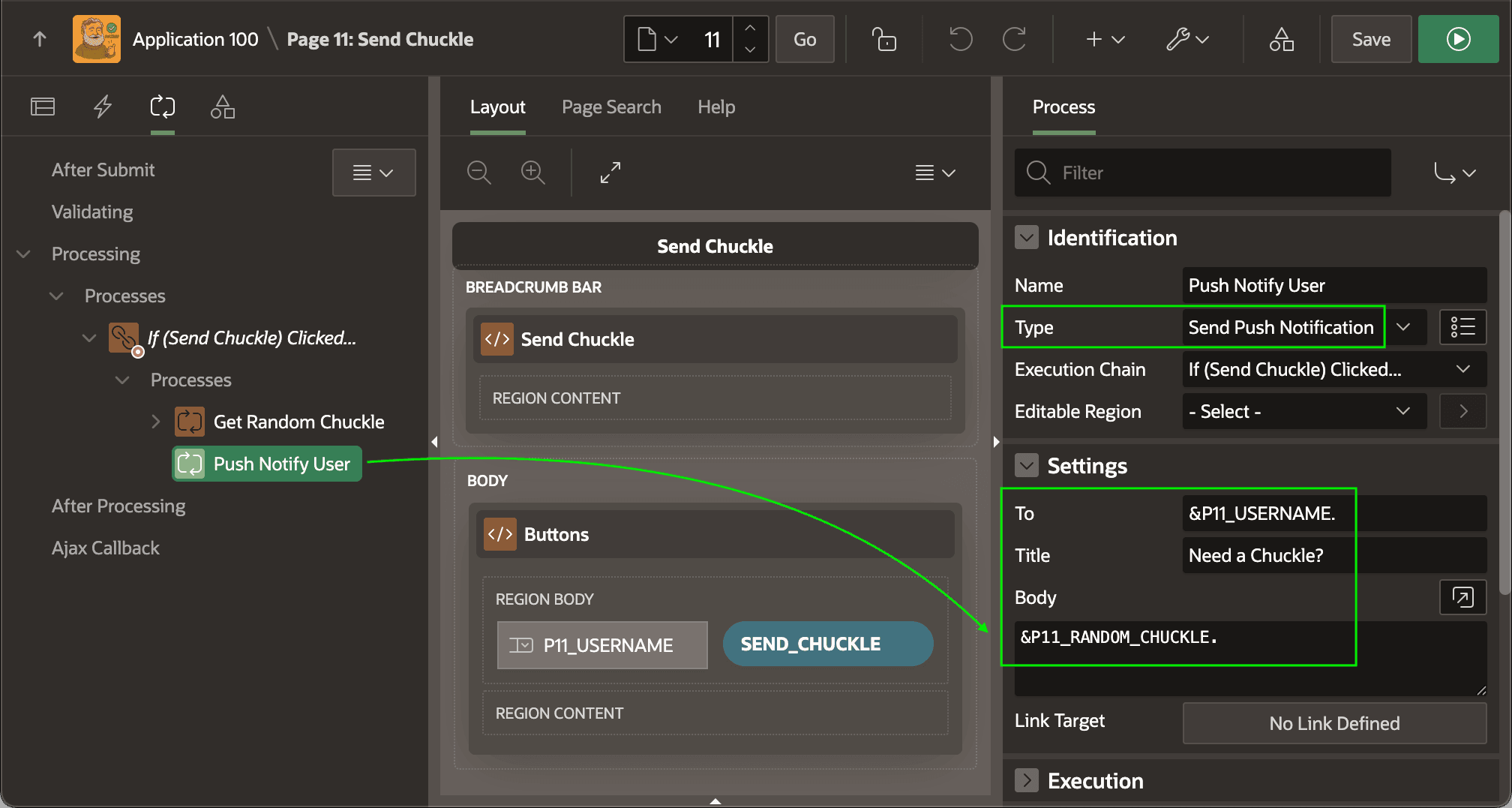
Description of the illustration send-chuckle-dt.png
Since Lucy has opted-in to push notification, she receives the line in a notification on her smartphone and paired watch and smiles thinking about one of her favorite movies.
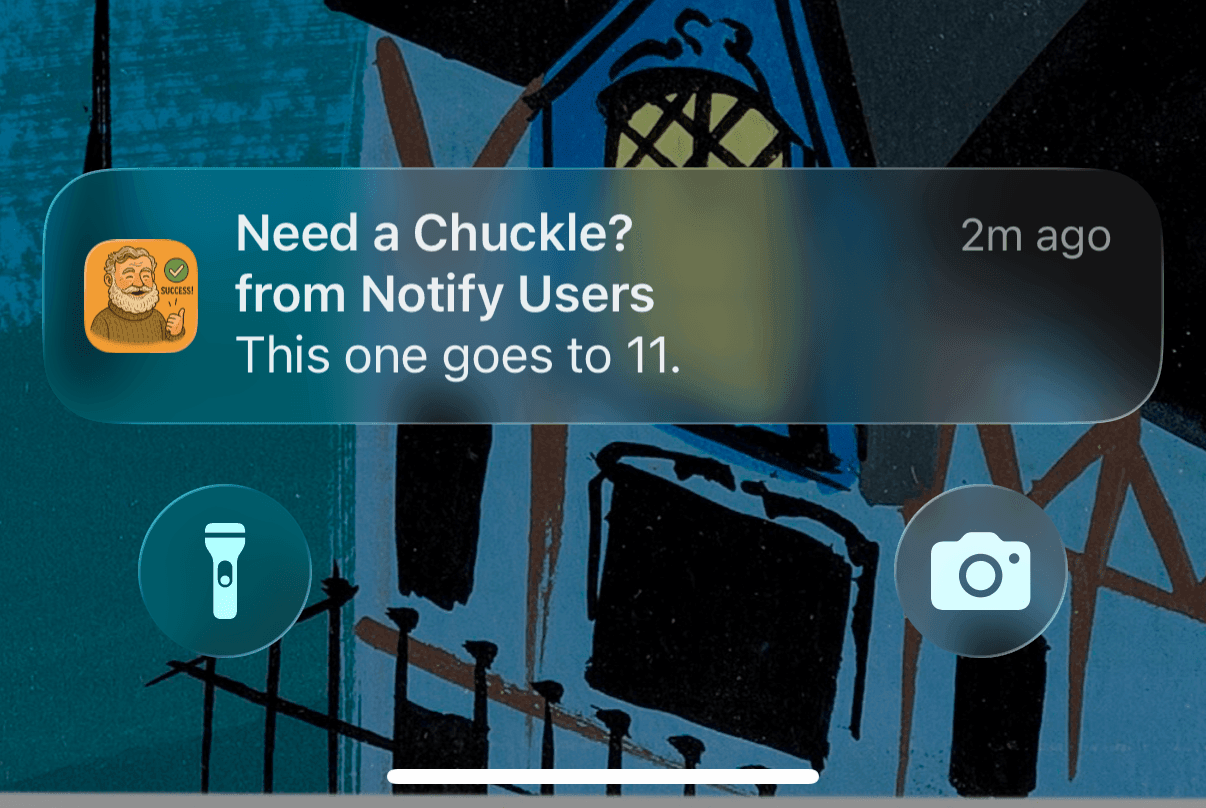
Description of the illustration ios-push-notification-receiving.png