Recognizing Development Mode
Recognize Development Mode by the Developer Toolbar or APP_BUILDER_SESSION value.
During development, when you run your app from App Builder, it’s in “Development Mode”. The Developer Toolbar appears when in this mode. Using its settings menu, as shown below, you can change its default display position, auto-hide behavior, and button display style.
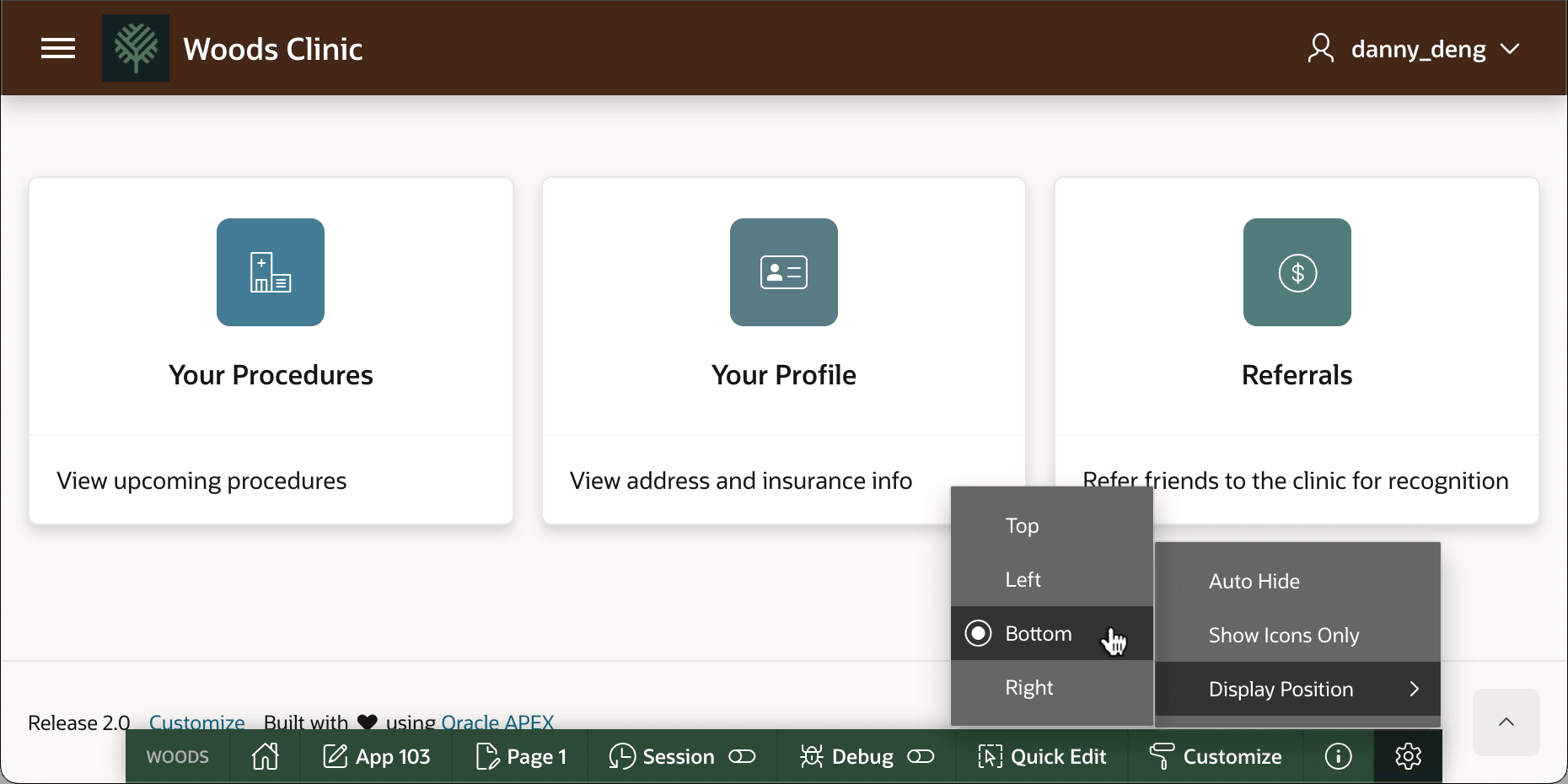
Description of the illustration developer-toolbar.png
Tip: To test at runtime if your app is running in Development Mode, you can use the condition V('APP_BUILDER_SESSION') IS NOT NULL, which returns true in this mode.
You can disable the Developer Toolbar in Development Mode session if necessary. As shown below, change the Availability > Status setting in Shared Components > Application Definition to Available instead of the default Available with Developer Toolbar.
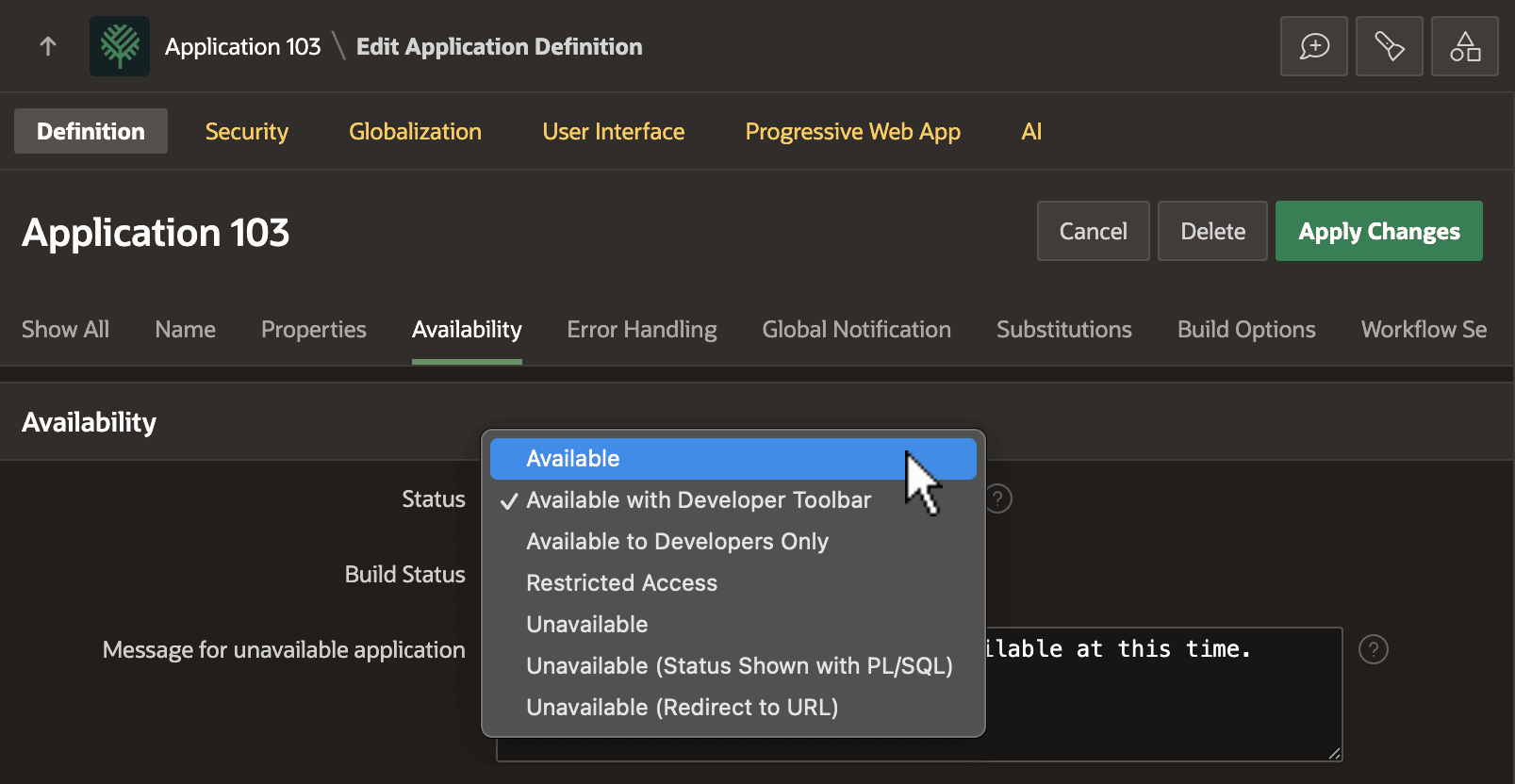
Description of the illustration availability-setting.png
Tip: Check your app’s Availability > Status setting if you don’t see the Developer Toolbar when running from App Builder, but do want it to display. Make sure it’s set to Available with Developer Toolbar.