Referencing a REST-Enabled SQL Service
Define a REST-Enabled SQL reference to work with the data in a REST-Enabled SQL Service.
A REST-Enabled SQL reference is a workspace-level definition. Once created, you can use it in any application.As shown below, the Create REST Enabled SQL Service wizard in Workspace Utilities lets you assign a meaningful name to the endpoint.
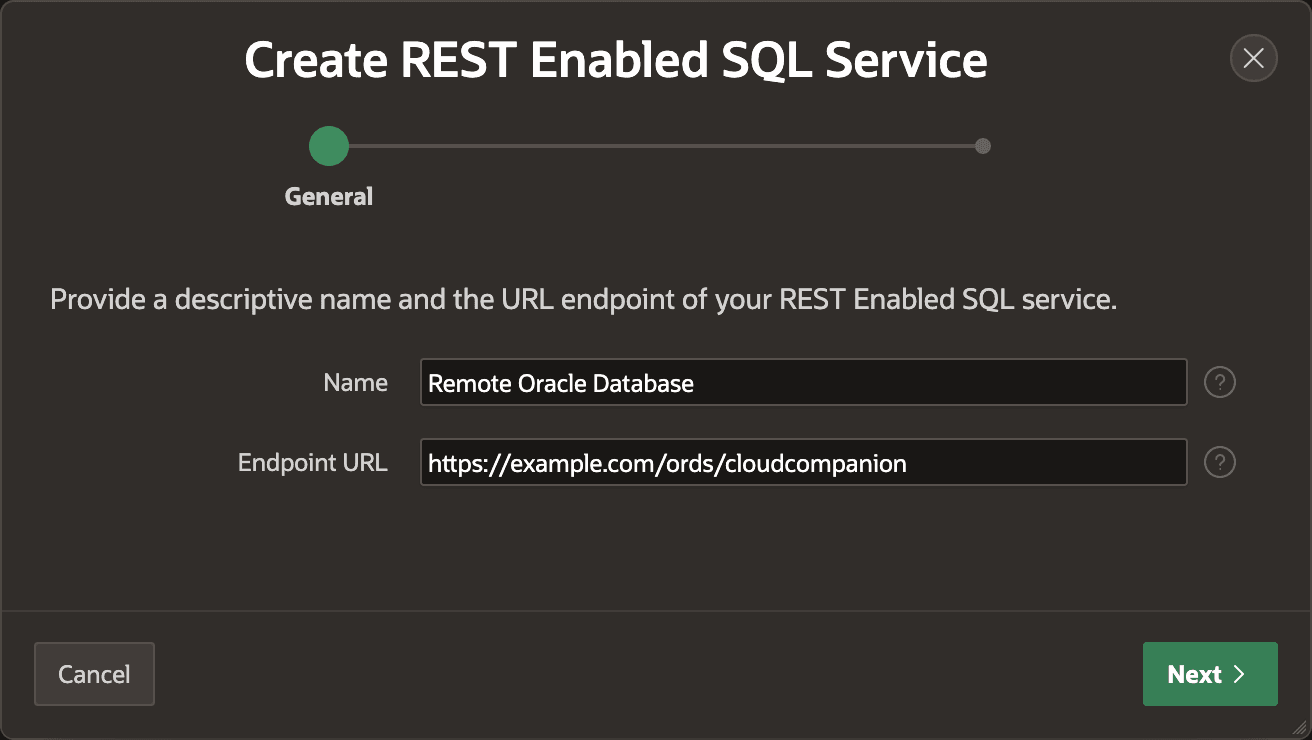
Description of the illustration rest-enabled-sql-step1.png
As shown below, you can enter new authentication credentials on the second step of the wizard, or choose a credential you might have defined previously. Most REST-Enabled SQL services use basic authentication over HTTPS. This includes ones on-premises and in Autonomous AI Database.
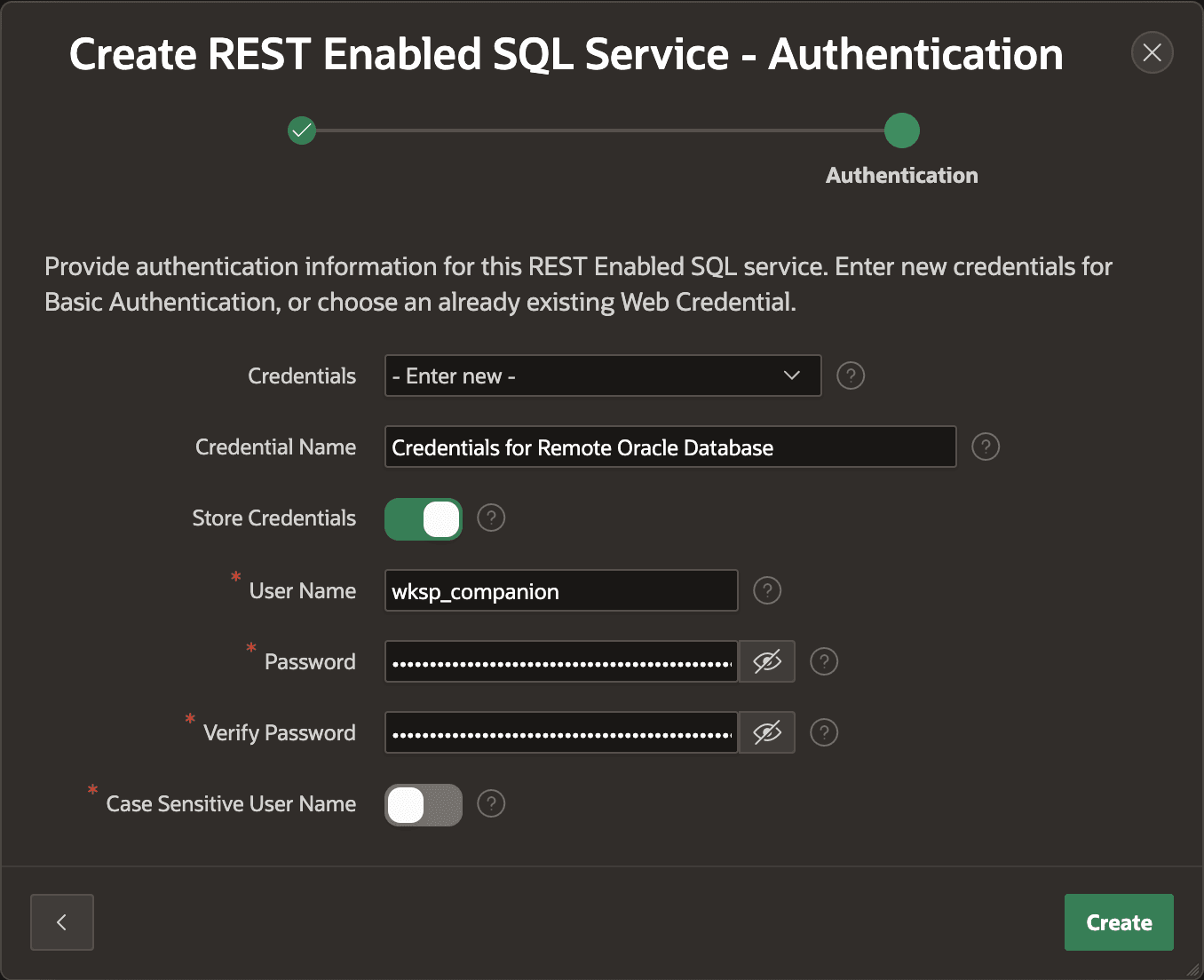
Description of the illustration rest-enabled-sql-step2.png
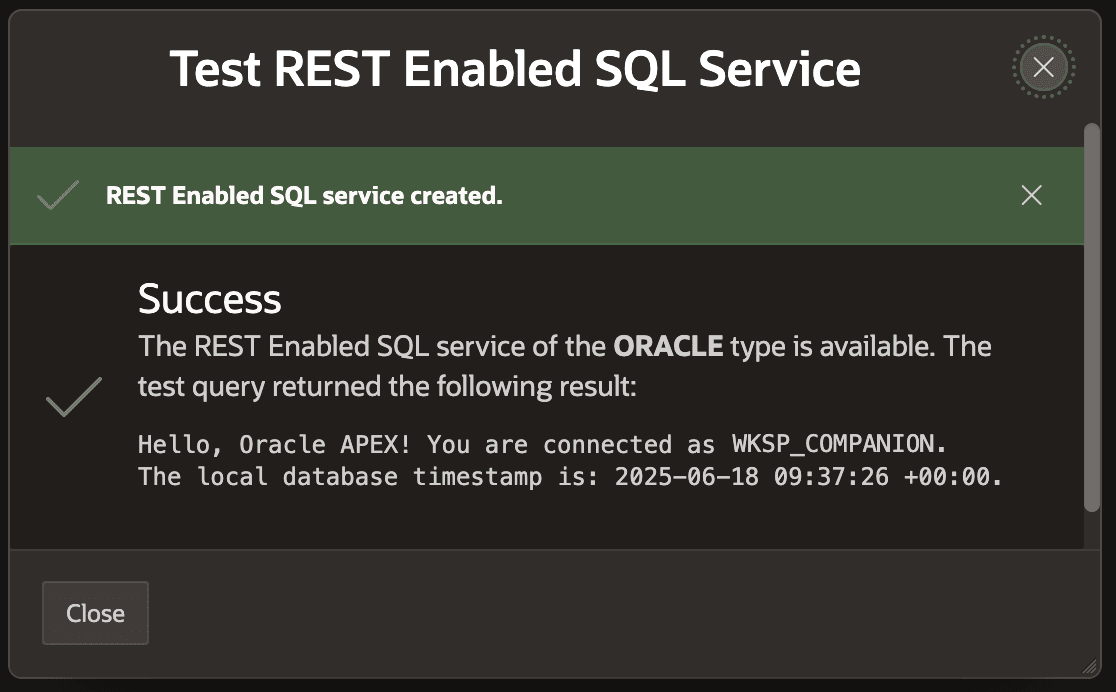
When you click (Create) APEX validates the endpoint URL and authentication to confirm everything is working. As shown below, if all is well, you’ll see a confirmation to that effect.