Regenerating Invoice in Background
Regenerate an invoice in the background while preventing duplicate runs for the same procedure.
After David enters the definitive amount Danny Deng’s insurance provider will reimburse, he can regenerate the invoice to reflect the updated value. As shown below, he does this using the Regenerate option on the invoice three-vertical-dots dropdown menu.
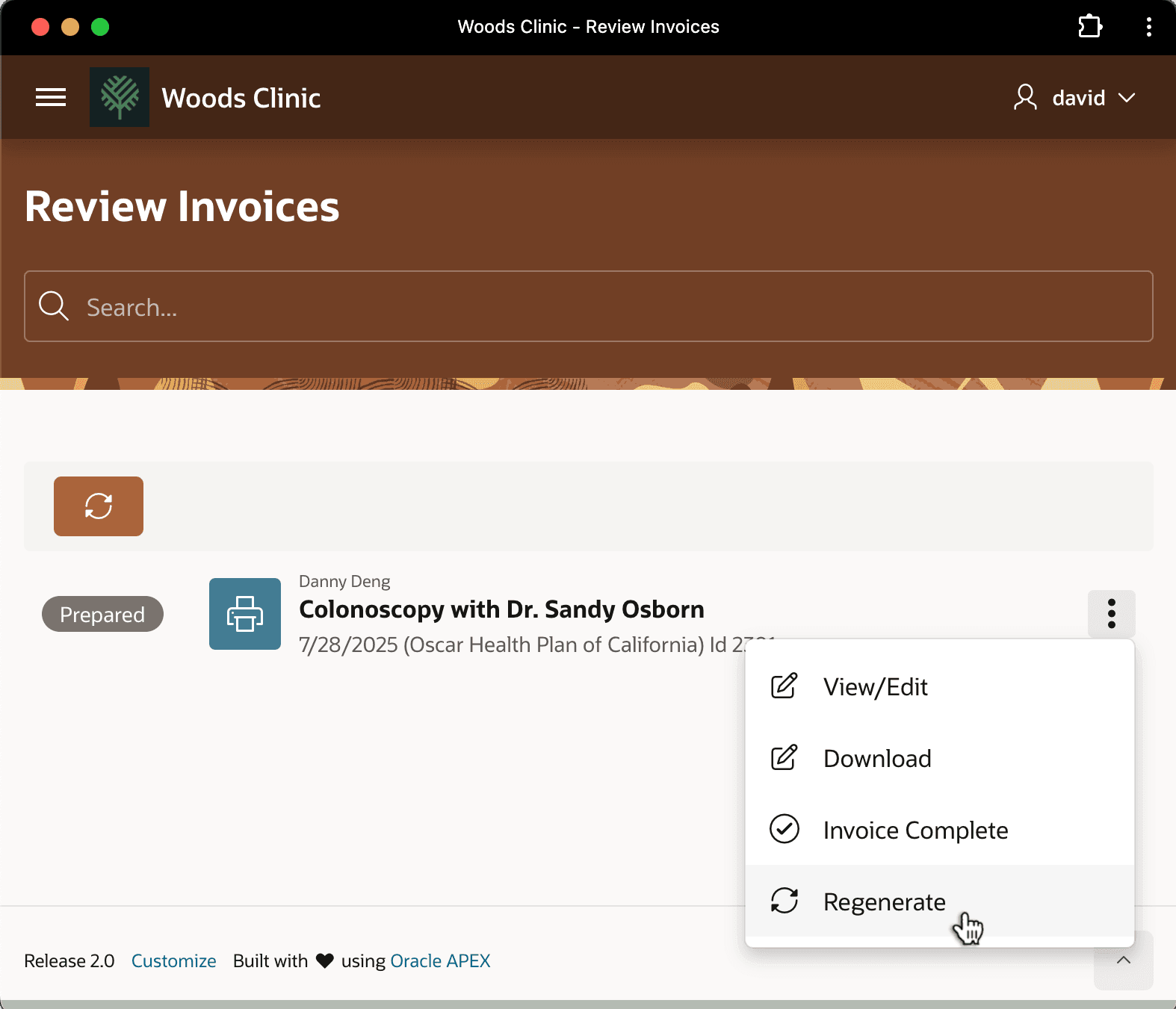
Description of the illustration walkthrough-regenerate.png
Since the invoice generation happens in the background, David is free to continue using the Woods Clinic app in the meantime. For example, as shown below, he visits the Overview page for a glance at the dashboard of four charts showing various clinic trends.
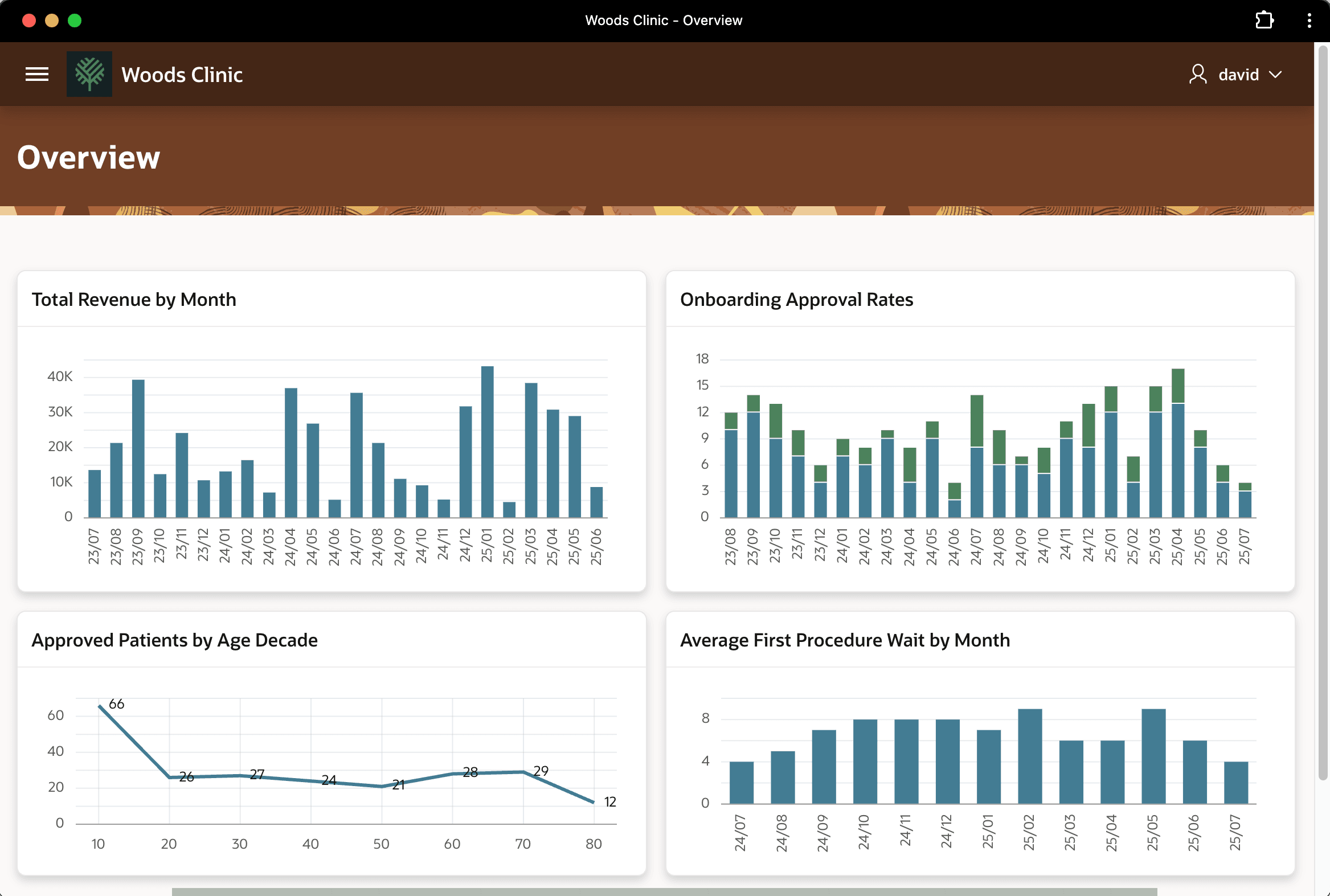
Description of the illustration walkthrough-dashboard.png
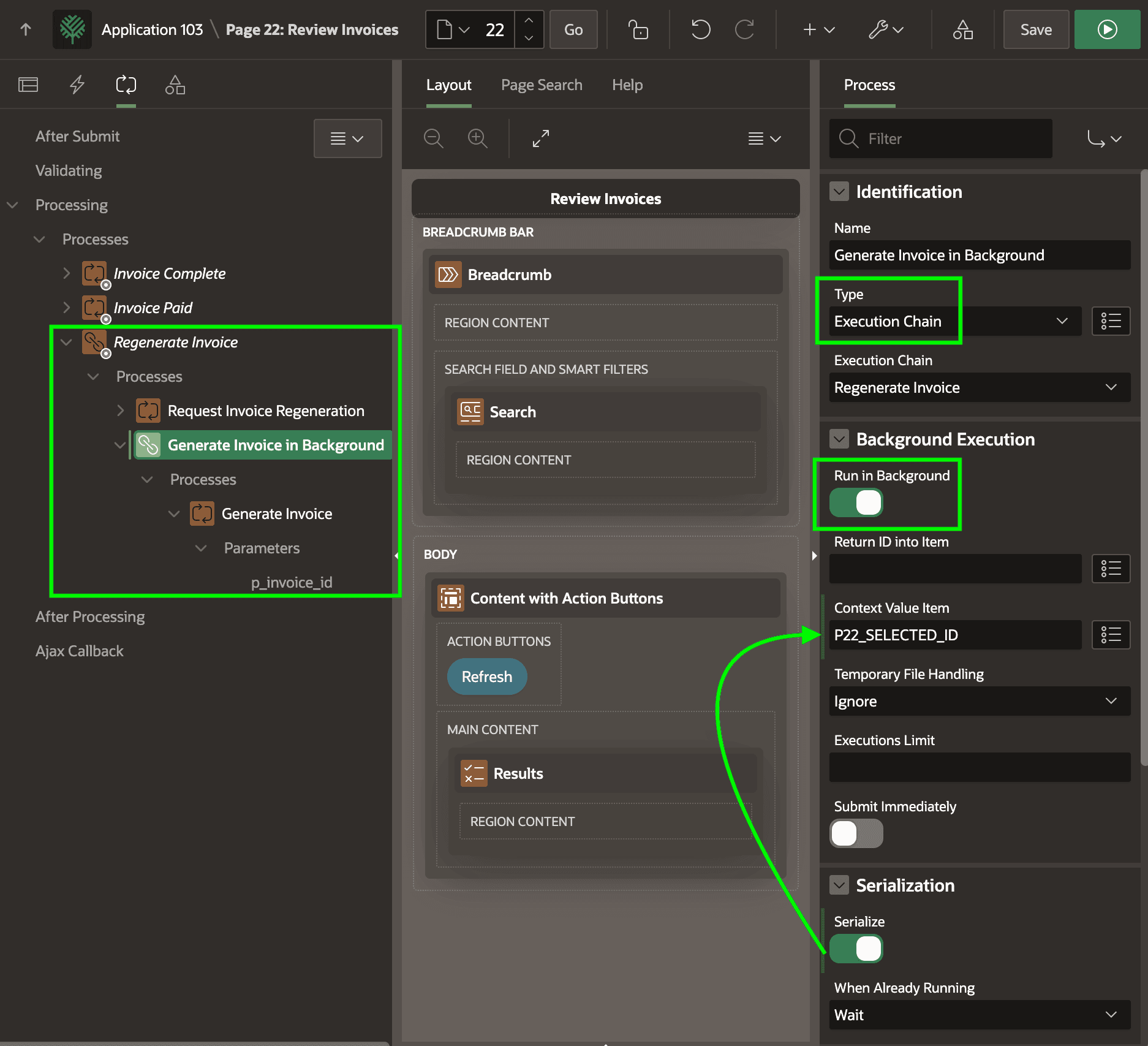
Your Review Invoices page makes quick work of offloading the invoice generation to the background using an Execution Chain page process type. It groups child processes, and they automatically run asynchronously when you enable its Run in Background switch. You enable its Serialize switch as well, and configure a Context Value Item. This combination ensures the APEX engine only lets one invoice generation per medical procedure ID happen simultaneously. The Generate Invoice child process invokes the same GENERATE_INVOICE procedure the workflow uses to prepare the original invoice draft.