Searching Your Page
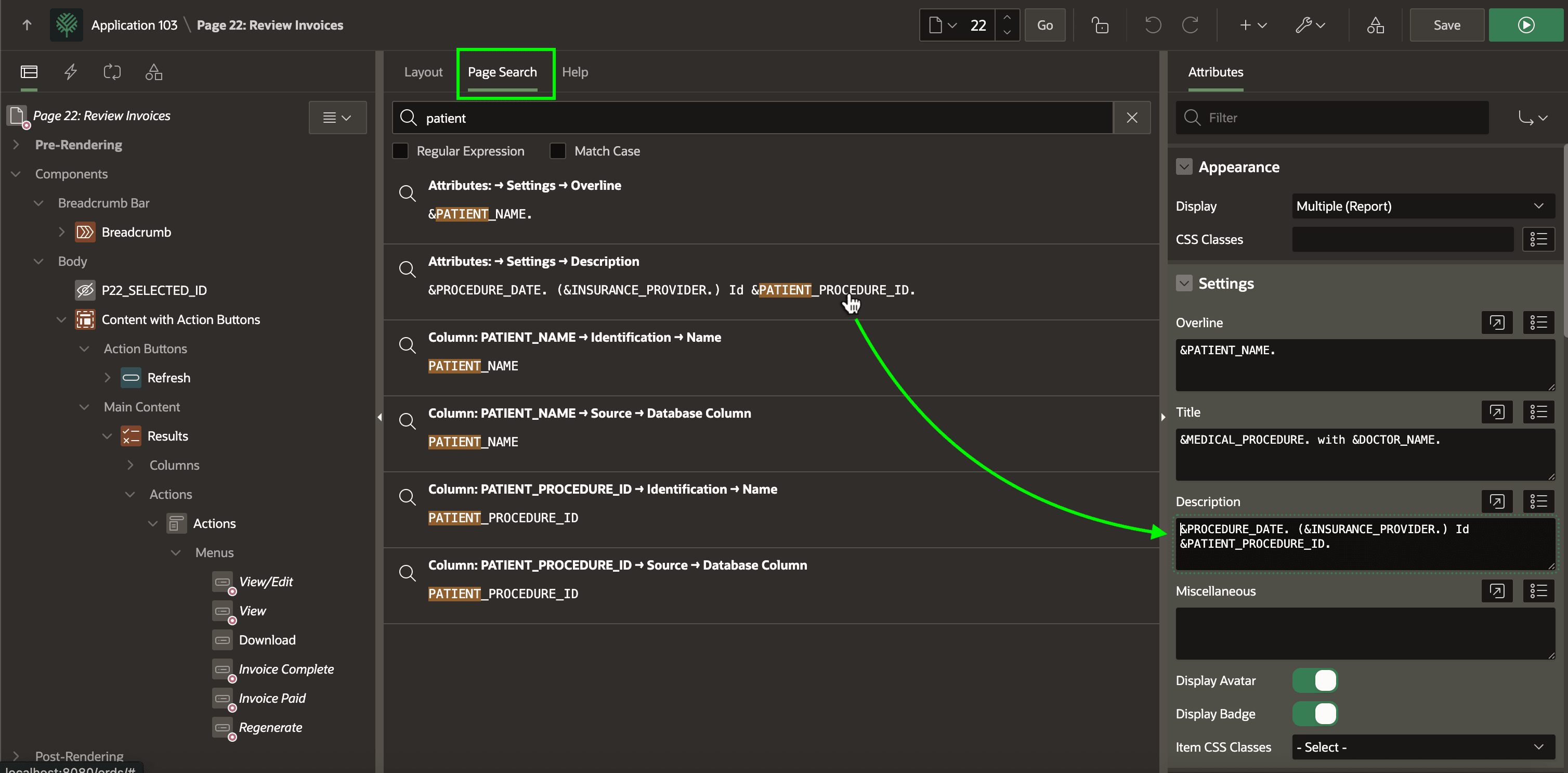
The Page Search tab lets you search your page to find anything you’re looking for.
Clicking on any search result in the Page Search tab shows its settings in the Property Editor. The figure shows the results of searching the Review Invoices page (22) for the text patient, followed by clicking on the second result. Its properties display immediately in the Property Editor.