Synchronizing Text Messages Anytime
Sync Text Messages to prepare newly added UI text for the next translation update.
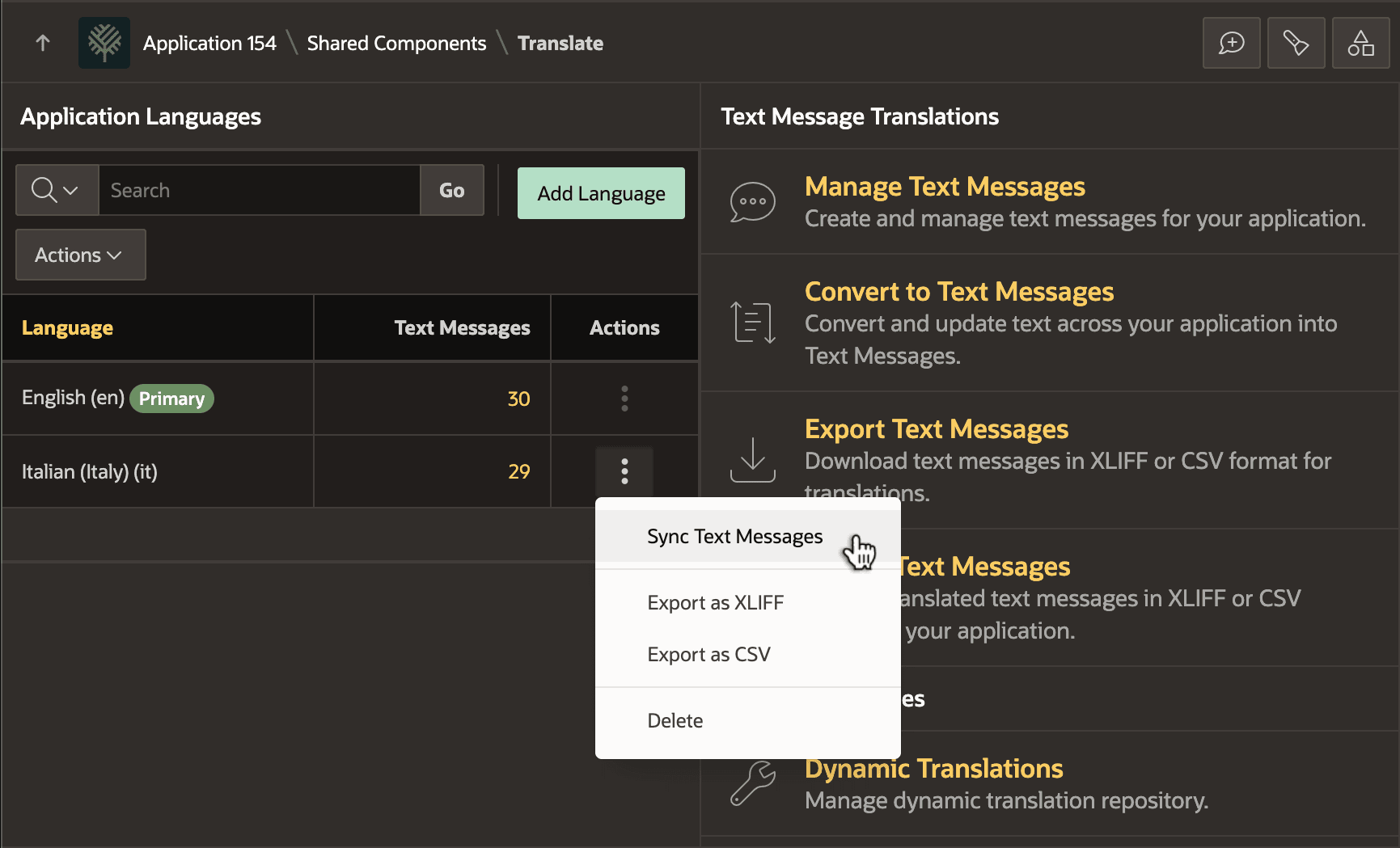
When you are ready to translate the newly added text, as shown below, use the Sync Text Messages option on the three vertical dots menu for the Italian language. Then click (Synchronize) in the dialog that appears. This action:
-
Adds the missing Italian version of
INCREASE_SALARYtext message, -
Creates new primary language text messages
DATA_PRIVACYandPLUG_SOURCE -
References the new messages in the Employee page with substitution syntax, and
-
Copies the two new text messages to Italian entries, initially with primary language text.
Note: To convert literal text in your application into Text Messages without synchronizing the base language and the target language, use the Convert to Text Messages option in this page. When doing a sync on a target language, App Builder always performs this step implicitly before synchronizing the base language and target language.