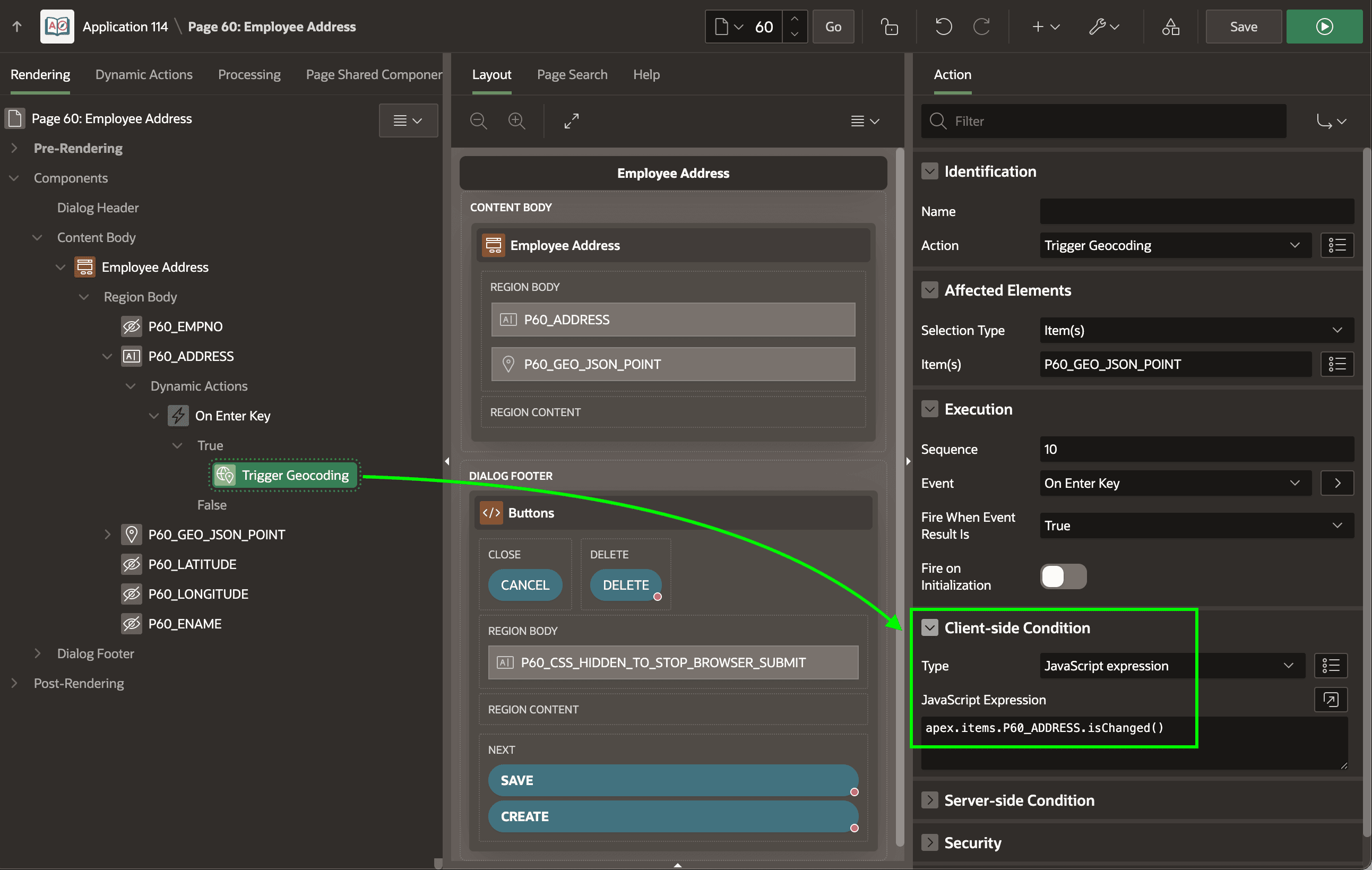
Triggering Geocoding with Enter Key
Use a native Trigger Geocoding dynamic action step to do address confirmation on-demand.
For example, as shown below, you can use it from a dynamic action event handler on the Key Press event of the P60_ADDRESS page item. Use the following JavaScript expression in the event handler’s Client-side Condition to target the pressing of the [Enter] key:
this.browserEvent.key === "Enter"In the Client-side Condition of the Trigger Geocoding action step, use this JavaScript expression to ensure it only happens if the user has changed the address before pressing [Enter].
apex.items.P60_ADDRESS.isChanged()With these configurations in place, now the user gets immediate geocoding feedback if they press this [Enter]. When they later click (Apply Changes), the Automatic geocode trigger is smart enough to avoid repeating the process if it was already done on-demand.