Using BLOB Column Image URLs Anywhere
While the Interactive Grid requires it, use your preferred image URL generation approach anywhere that supports an image URL.
For example, the Static Content region has a convenient Image template with numerous declarative options for image aspect ratio, scale, shape, and filter. In a Pre-Rendering computation, compute the value of the image URL with a SQL query like the following.
select apex_page.get_url(
            p_page      => 9000,
            p_x01       => id,
            p_plain_url => true)
       end as image_url
from eba_demo_emp_breakroom_photo_v
where id = :P7_BREAKROOM_IMAGE_ID
Tip: Pass true for p_plain_url when using GET_URL to generate image URLs for a modal dialog or drawer. It avoids including JavaScript code to close the dialog.
Then, you can reference the URL using &P7_BREAKROOM_IMAGE_URL. in the region’s File URL property as shown below. Click the Template Options button to configure the declarative image formatting settings.
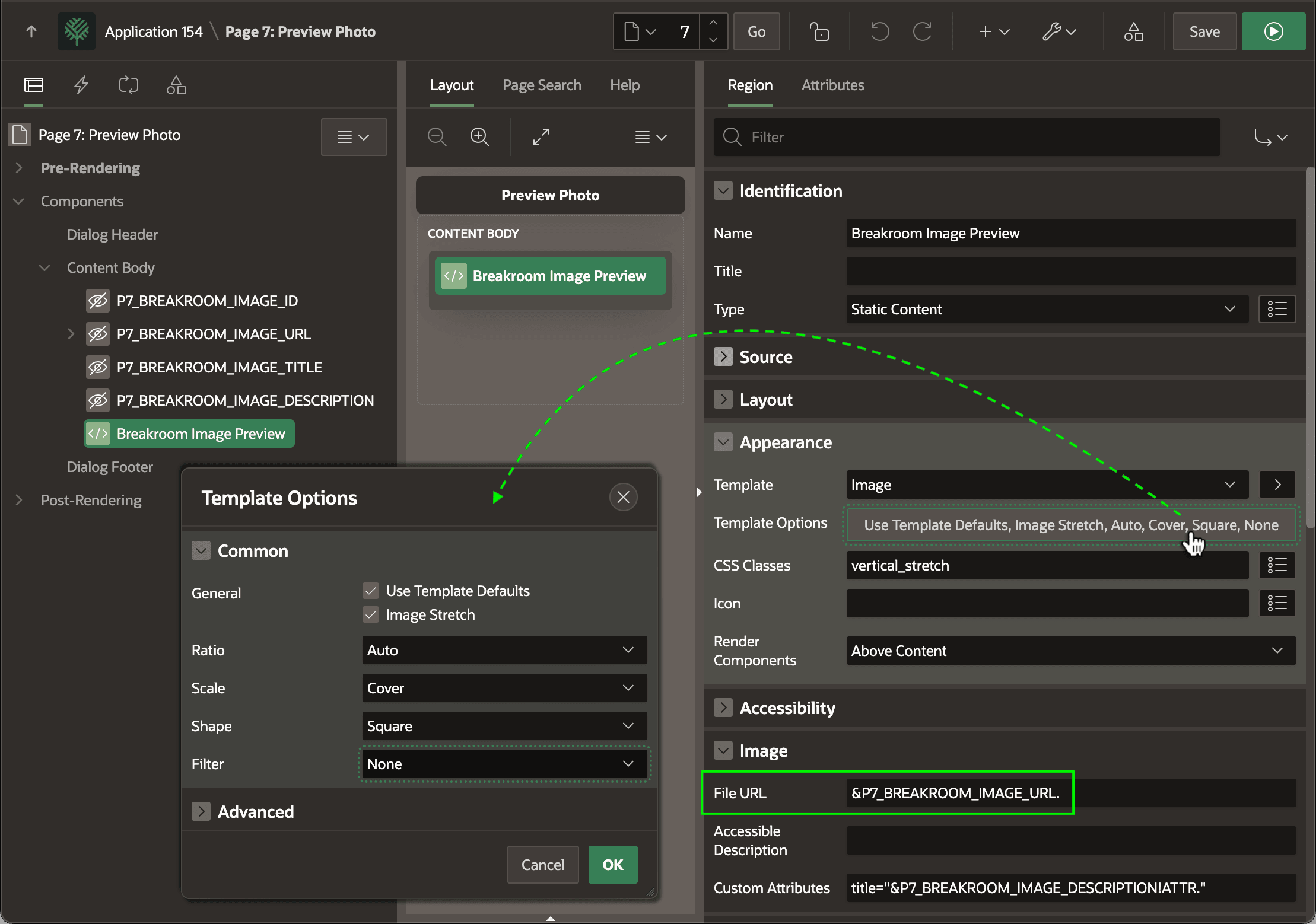
Description of the illustration static-content-image-url.png