Using an Inline Image Serving Page
Generate an image URL with APEX_PAGE.GET_URL and pass the image ID to your image-serving page.
With the image-serving page 9000 in place, use APEX_PAGE.GET_URL to generate an image URL. Pass the image ID in the x01 parameter as shown below in the modified source query for an Interactive Grid:
select id,
       title,
       case
           when     image is not null
                and dbms_lob.getlength(image) > 0
           then apex_string.format('<img alt="%s" title="%s" **src="%s"**>',
                apex_escape.html_attribute(title),
                apex_escape.html_attribute(title),
                **apex_page.get_url(
                    p_page => 9000,
                    p_x01  => ID)**)
       end as image,
       file_name,
       posted,
       posted_by,
       updated
from eba_demo_emp_breakroom_photo_v
Tip: If using APEX_PAGE.GET_URL in a modal dialog or drawer page to reference an inline image, pass true to the optional p_plain_url parameter to avoid including JavaScript code to close the dialog before navigating to the supplied URL.
As shown below, this produces the same image-in-a-grid result as before without requiring the hidden form page item the GET_BLOB_FILE_SRC function needs.
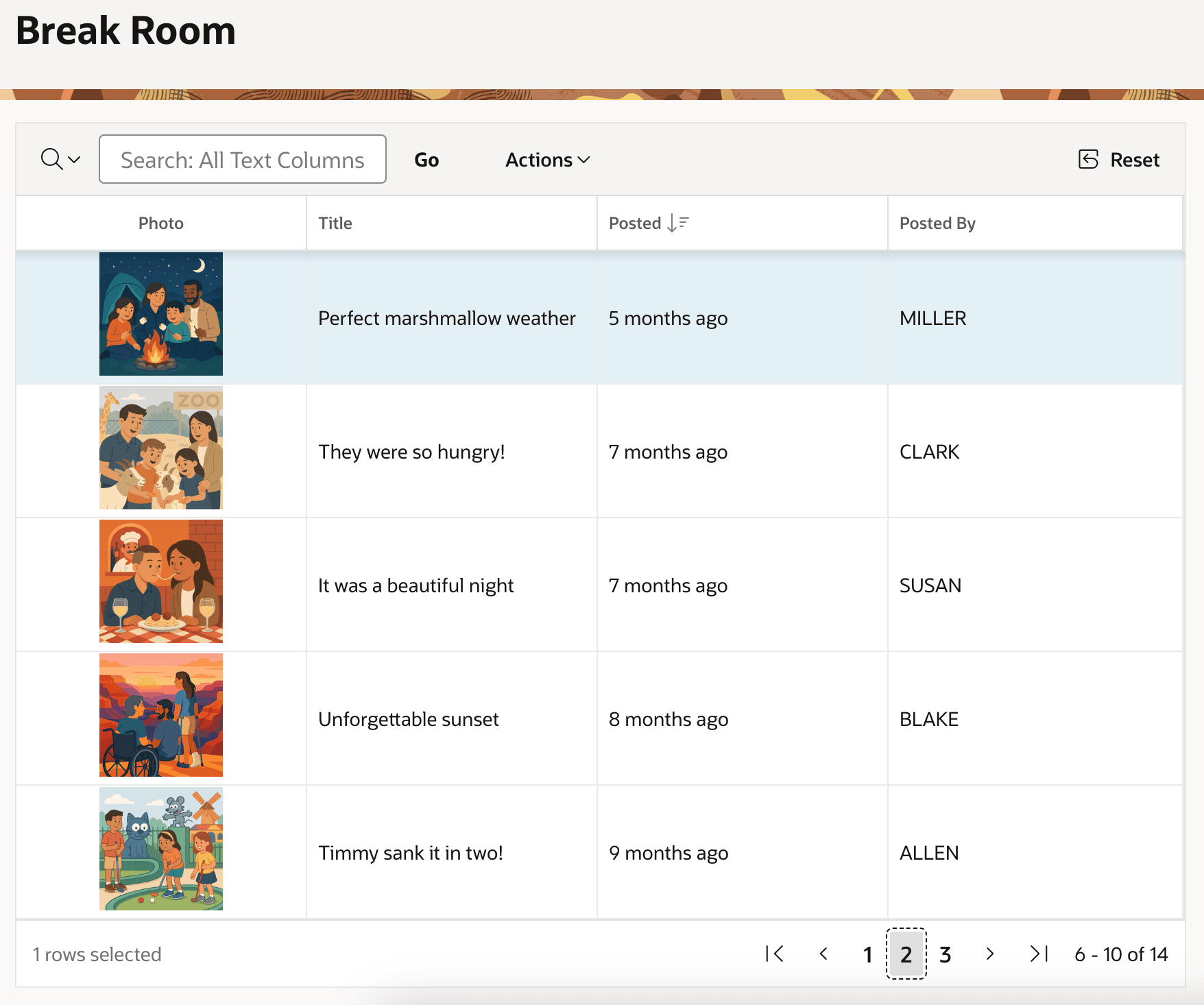
Description of the illustration grid-items-using-image-serving-page.png