Using Interval Builder to Schedule Job
Use the Interval Builder to create an automation schedule expression.
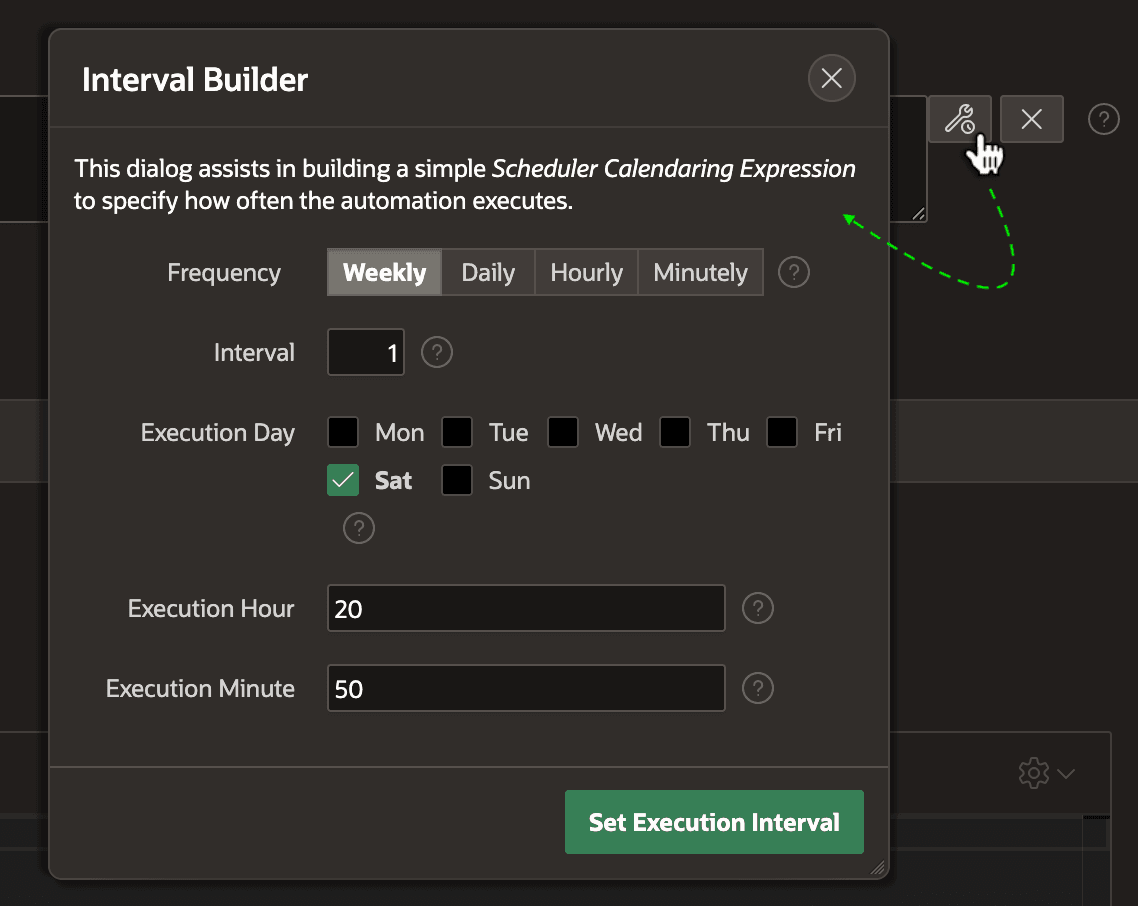
Your automation’s Schedule Expression uses a compact syntax to establish when the job runs and how often. Use the Interval Builder dialog to configure the most common use cases. For example, as shown below, choosing the following options:
-
Frequency –
Weekly -
Interval –
1 -
Execution Day –
Sat -
Execution Hour –
20 -
Execution Minute –
50
yields an expression that means “Weekly on Saturday at 20:50”:
FREQ=WEEKLY;INTERVAL=1;BYDAY=SAT;BYHOUR=20;BYMINUTE=50The figure shows the Interval Builder dialog you can open using the button in the Automation edit page containing a wrench and a clock.