Using Translatable Text in JavaScript
Consider using a translatable Text Message when setting a dynamic dialog title from JavaScript.
Once your app helper function “namespace” is available application-wide, your Employee Address modal drawer page’s Page Load dynamic action can now set its dynamic title using the one-liner below:
app.setDialogTitle('Address for Employee ' + $v('P60_ENAME'));However, if your application may ever need to be translated, rather than hard-coding the dialog title text, use a shared component Text Message instead. For the dialog title in this example, navigate to Shared Components >Text Messages to create a translatable text message as shown below with name ADDRESS_FOR_EMPLOYEE. Notice its corresponding Text for the English (en) language is the following. It includes the numbered parameter %0 as a placeholder.
Address for Employee %0Importantly, you enable the Used in JavaScript switch since your call to set the dynamic dialog title happens in JavaScript. The figure shows the Create/Edit Text Message dialog for the ADDRESS_FOR_EMPLOYEE text message with this switch enabled.
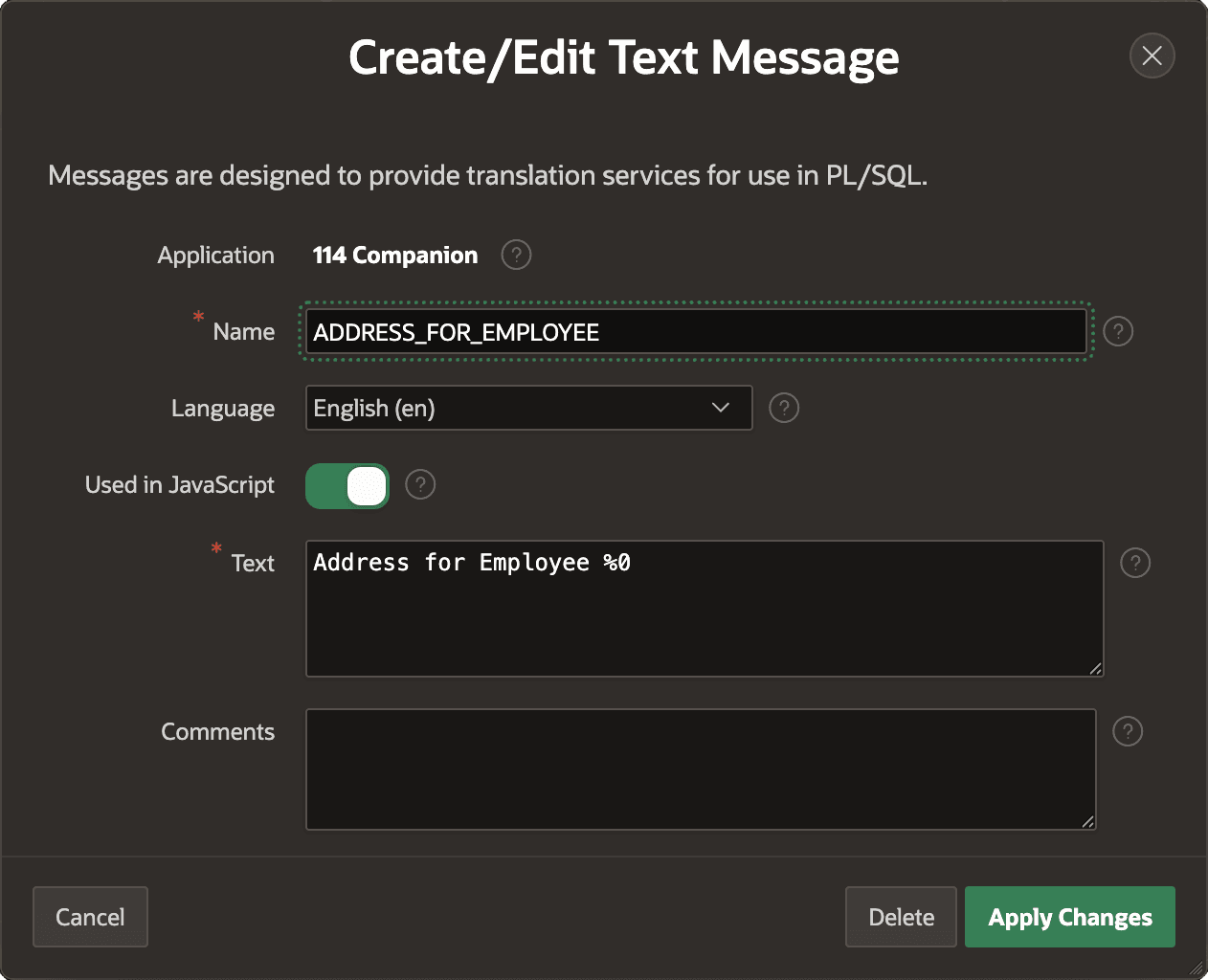
Description of the illustration text-message-use-js.png
After defining this text message, you can reference it in your Page Load dynamic action’s call to set the dynamic dialog title as follows:
app.setDialogTitle(
    apex.lang.formatMessage(
        'ADDRESS_FOR_EMPLOYEE',
        apex.items.P60_ENAME.value));