Validating By Returning True/False Result
Validate input with a PL/SQL expression that returns true for valid data and false for invalid data.
The Error Message you configure on a PL/SQL Expression-type validation shows if the expression evaluates to false. A validation named Can’t both start with a 4 uses the expression below. You can read it:
- the data is valid if it’s “not the case that both page items’ first character is a
4”
**not**(    substr(:P3_MULTIPLE_OF_TEN,1,1)      = '4'
    **and** substr(:P3_ODD_MULTIPLE_OF_FIVE,1,1) = '4')
Tip:
Logically, this is identical to the alternative expression below that you can read:
- the data is valid “if either one has a first character that’s not equal to
4”:
   substr(:P3_MULTIPLE_OF_TEN,1,1)      **!=** '4'
**or** substr(:P3_ODD_MULTIPLE_OF_FIVE,1,1) **!=** '4'
The translatable Text Message named CANNOT_BOTH_START has a single placeholder named first_digit:
Cannot both start with a **%first_digit**The validation Error Message references it by name, and provides the value 4 for the named placeholder:
&{**CANNOT_BOTH_START** **first_digit**="4"}.The figure shows the Can’t both start with a 4 validation selected in the processing tree and highlights the PL/SQL Expression it uses to test validity as well as the Error Message configured to display when the validation fails by evaluating to false.
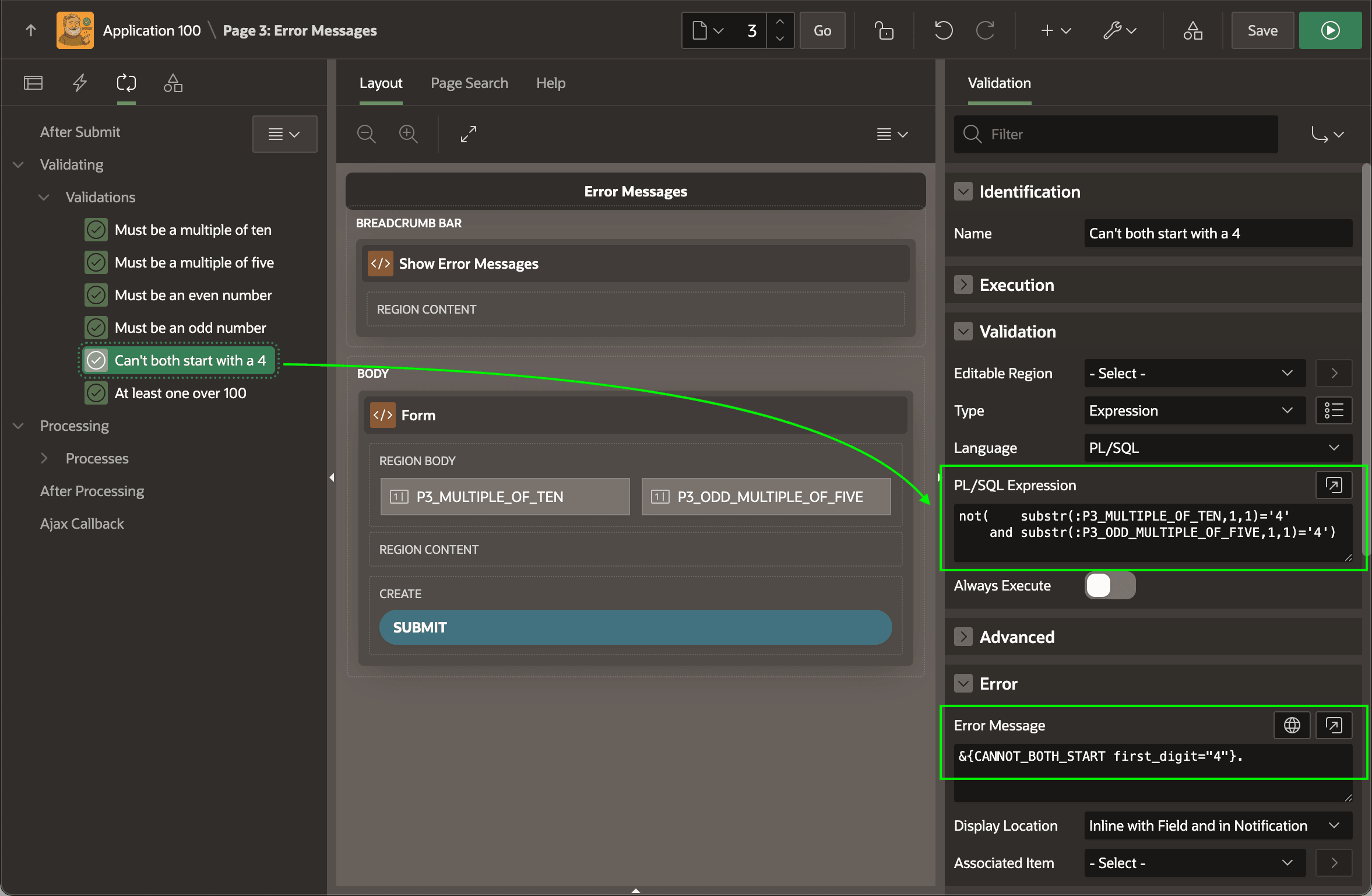
Description of the illustration boolean-validation-err-msg.png