Waiting Until Application Logic Continues
Pause a workflow with a Wait activity until application logic continues it.
To pause a workflow until your app tells it to continue, use a Wait activity with no Timeout Type set. The Static ID you set on the activity is the value you pass to CONTINUE_ACTIVITY in the APEX_WORKFLOW package. Notice below that the Wait activity’s Static ID is user_provide_two_values and that it leaves Timeout Type with no selection.
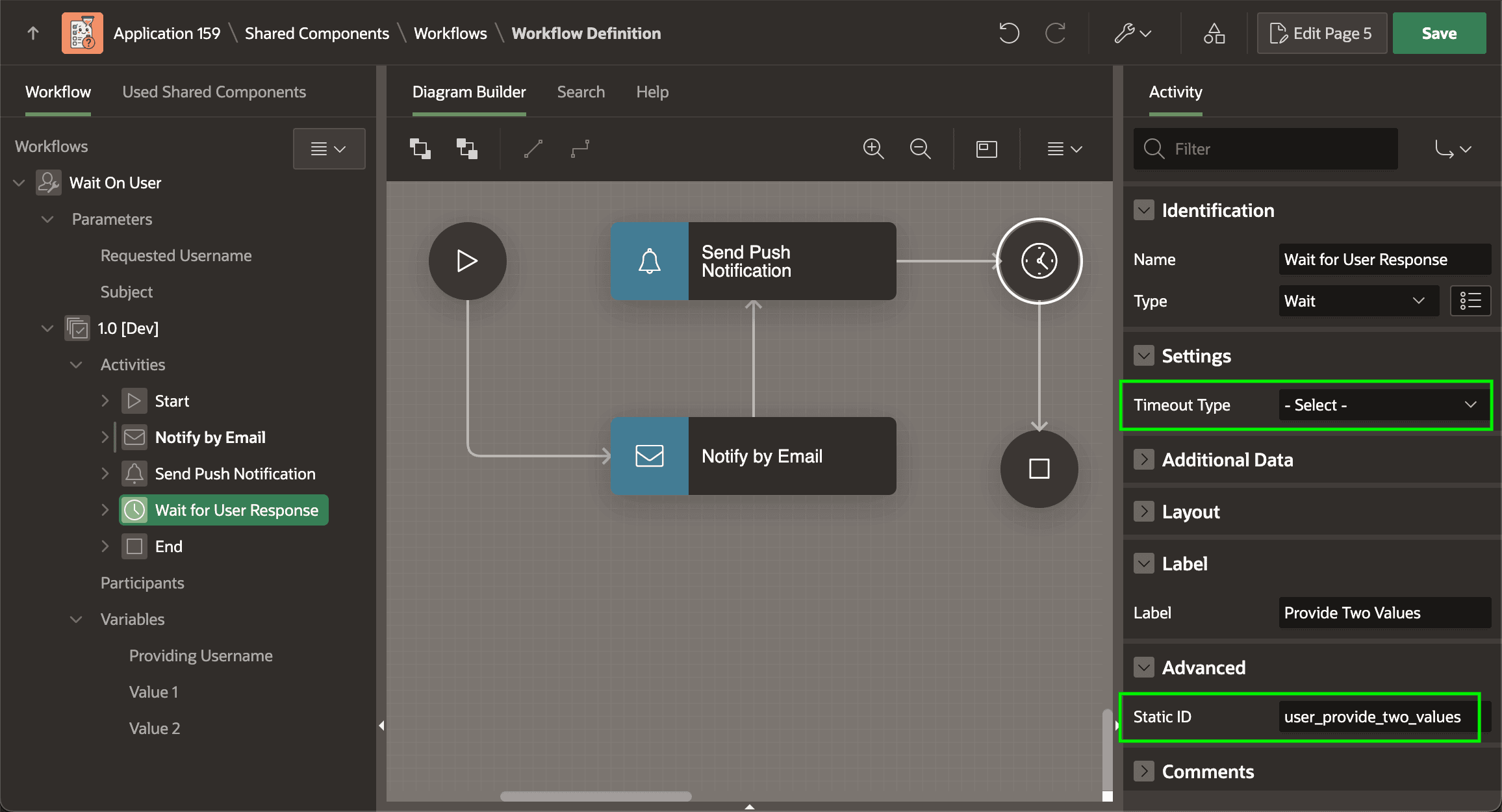
Description of the illustration workflow-provide-two-values-waitact.png
Tip: A native Wait activity with no Timeout Type is the most common subject of a CONTINUE_ACTIVITY call. However, a custom workflow activity you create can also wait for completion in the same way. In your process type plug-in with its Workflow Activity checkbox checked in the Supported For section, check the Wait for Completion checkbox in the Standard Attributes section. It can also provide a Completion Function the APEX engine executes when the custom activity continues.