About Page Designer
Use Page Designer to maintain and enhance pages within an Oracle APEX application.
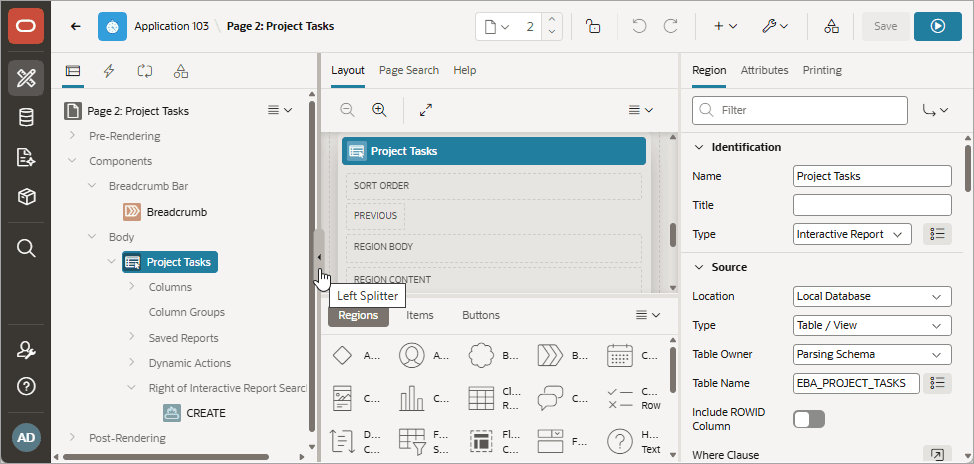
Page Designer is a full featured Integrated Development Environment (IDE) that includes a toolbar and multiple panes.
Description of the illustration pg1.png
The Page Designer window is divided into three main panes:
-
Left Pane - Includes four tabs that display as a tree: Rendering, Dynamic Actions, Processing, and Shared Components.
-
Central Pane - Includes the following tabs: Layout, Page Search, and Help.
-
Right Pane - Displays the Property Editor. Use the Property Editor to update attributes for the selected component. When you select multiple components, the Property Editor only displays common attributes. Updating a common attribute updates that attribute for all of the selected components.
You can adjust the size of each pane by selecting and dragging the horizontal and vertical splitters. To expand or collapse a pane, click the small triangle labeled Collapse in the center of each splitter.
Tip: You can view an online summary that describes the Page Designer window. View a page in Page Designer, click the Help menu at the top of the page, and selectGetting Started with Page Designer.
For more information, see: