About Working Copy Menus and Tasks
Learn about menus and tasks available in a Working Copy.
Working Copy Menu on the Application Home Page
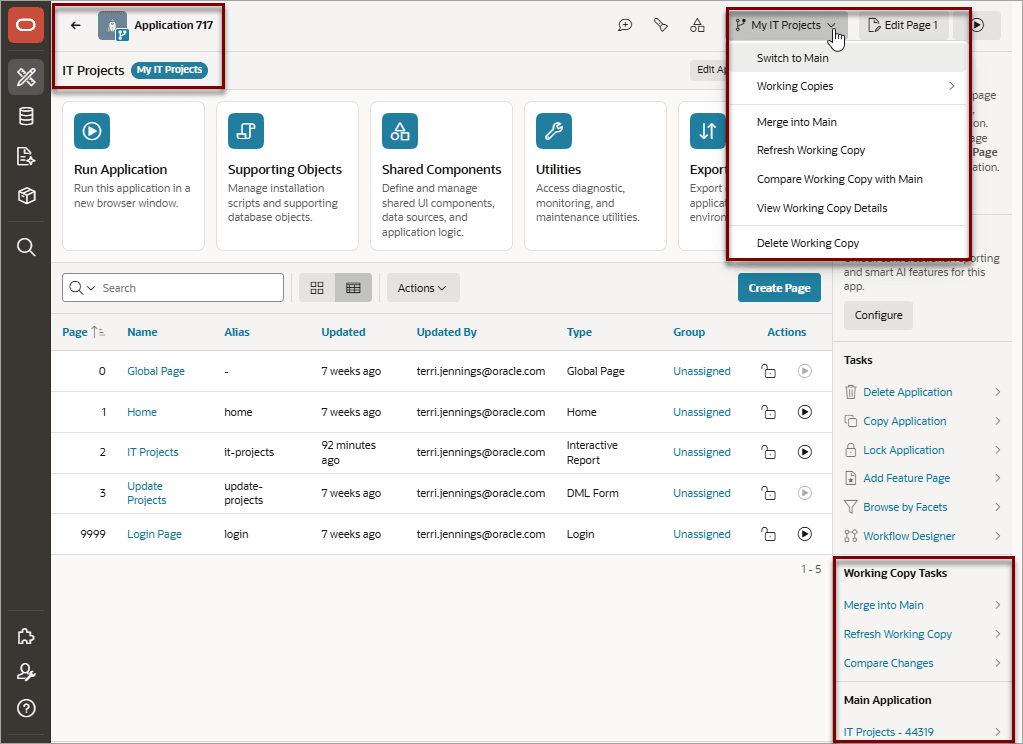
When viewing a Working Copy on the Application Home page, the Working Copy Name displays next to the application name and a Working Copy: Name menu displays on the menu bar between Shared Components and Edit Page.
Description of the illustration working_copy_menus_app_home.png
Options on the Working Copy: Name menu include:
-
Switch to Main - Links to the Main application.
-
Working Copies - Displays links to existing working copies.
-
Merge into Main - Merge changes from the Working Copy into the Main application.
Note: If the Main application for a Working Copy is locked by another user then the Merge into Main option is not available.
-
Refresh Working Copy - Import changes from the Main application into the Working Copy.
-
Compare Working Copy with Main - Compare changes between the Working Copy and Main application.
-
View Working Copy Details - View or edit the Working Copy Name or Description.
-
Delete Working Copy - Delete the current Working Copy.
The side bar on Application home page features links to these commonly used options:
-
Working Copy Tasks:
-
Merge to Main
-
Refresh Working Copy
-
Compare Changes.
-
-
Main Application - Include a link to the Main application.
Viewing a Working Copy in Page Designer
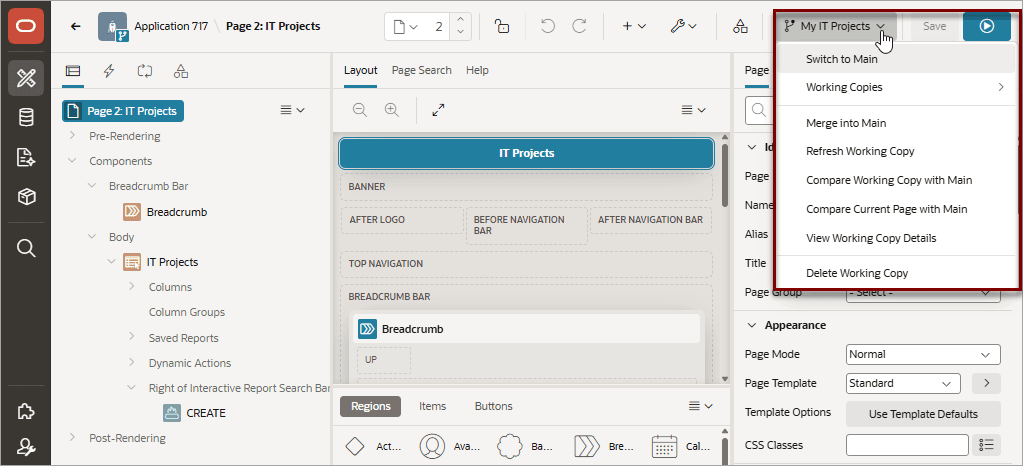
A Working Copy: Name menu also appears between Shared Components and the Save on the Page Designer toolbar. This menu features the same options available on the Application home page and described previously. One additional option available on this menu:
- Compare Current Page with Main - Compare changes between the last saved version of the current page of the Working Copy open in Page Designer with the same page in Main.
Description of the illustration working_copy_menus_page_designer.png
Tip: Detailed discussions of using most Working Copy: Name menu options can be found later in this topic.