Configuration of Database Environments
This topic provides configuration information of database environment types.
Oracle® Database Navigator enables you to create new database environments, configure them and assign those environments to database connections.
To manage environment types, from the Main menu of Oracle® Database Navigator, select DB Navigator > Settings > General tab and refer the Environment Types section.
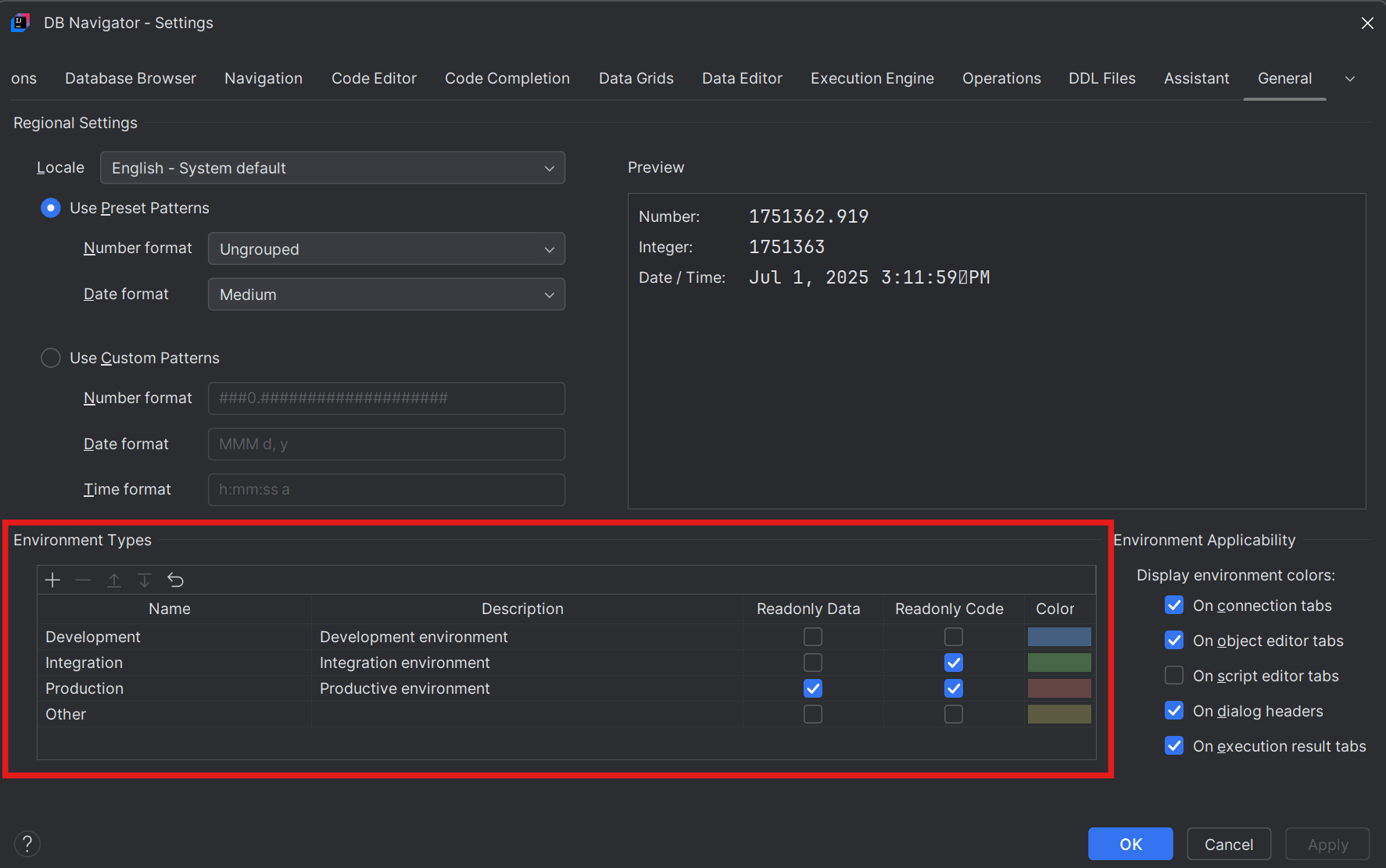
If a database connection is not associated with any environment type, there are no restrictions on the read/write transactions that you can perform on the data. The environment types can be configured to be non-editable (read-only) where you cannot make changes to the Data and/or the Code, based on the environment settings.
By default, for any environment type, there are no restrictions on editing the data or the code. To make an environment non-editable, select the Readonly Data and/or Readonly Code check boxes, respectively.
For convenience, each listed environment type is color-coded so that you know what behavior to expect when you use the database connection in the DB Browser window. You can change the color coding by clicking the Color bar and selecting the desired color from the color wheel or entering the RGB color code on the Select Environment Color window.
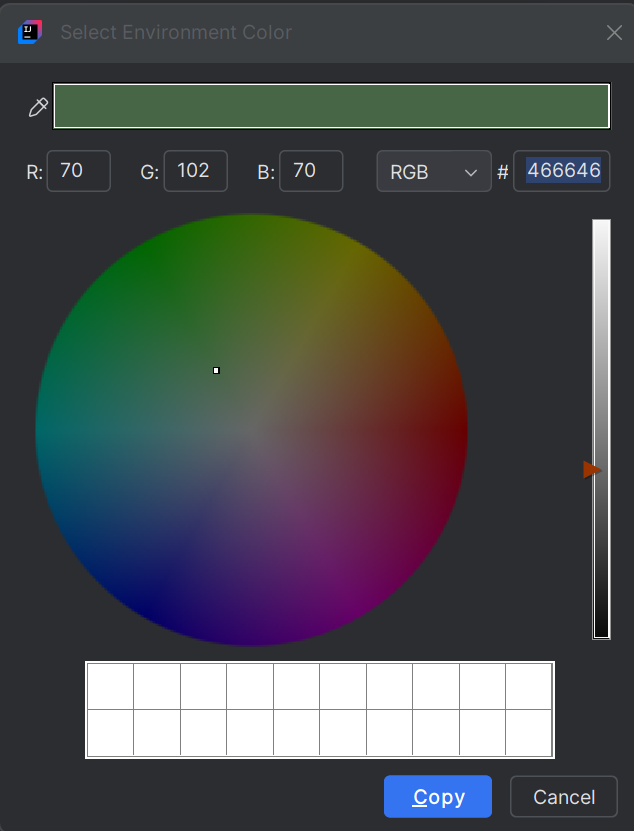
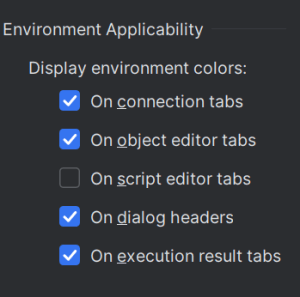
The color you set for each environment type is visible on the following interface segments:
- Connection tabs
- Object editor tabs
- Script editor tabs
- Dialog headers
- Execution result tabs
You can enable or disable the color-coded environment display from the Environment Types section > Environment Applicability settings.
Parent topic: Environment Types