Executing Java Programs
This topic describes the procedure to execute Java programs.
Oracle® Database Navigator tool enables you to compile and execute Java programs and display the result on the DB Execution Console window. With OJVM support in place, when you execute a Java program in Oracle database through the plug-in interface, the following background processes take place:
- Java files are loaded in the DB schema
- The Java execution wrapper (or SQL wrapper) is created around a public static method within the Java file.
- The corresponding SQL script is written to call the wrapper class and execute the Java program on Oracle database.
To execute a Java method:
- Select the public static method in the Java class file you want to run.
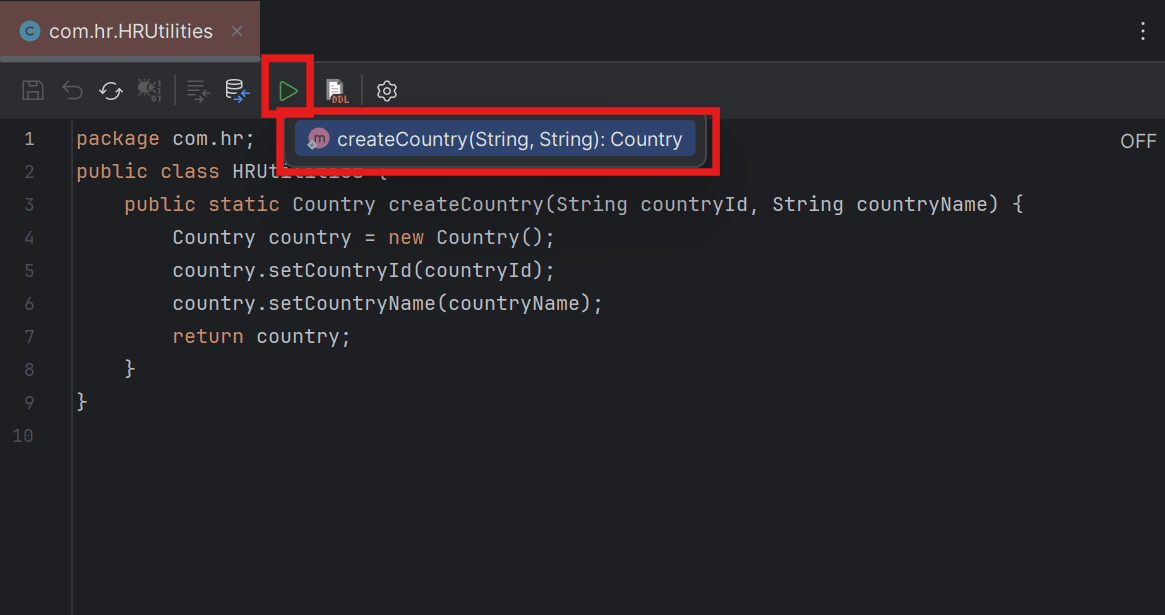
- Alternatively, from the DB Browser window, right-click the Java Class file (or a public static method within it) and select Execute from the context menu.
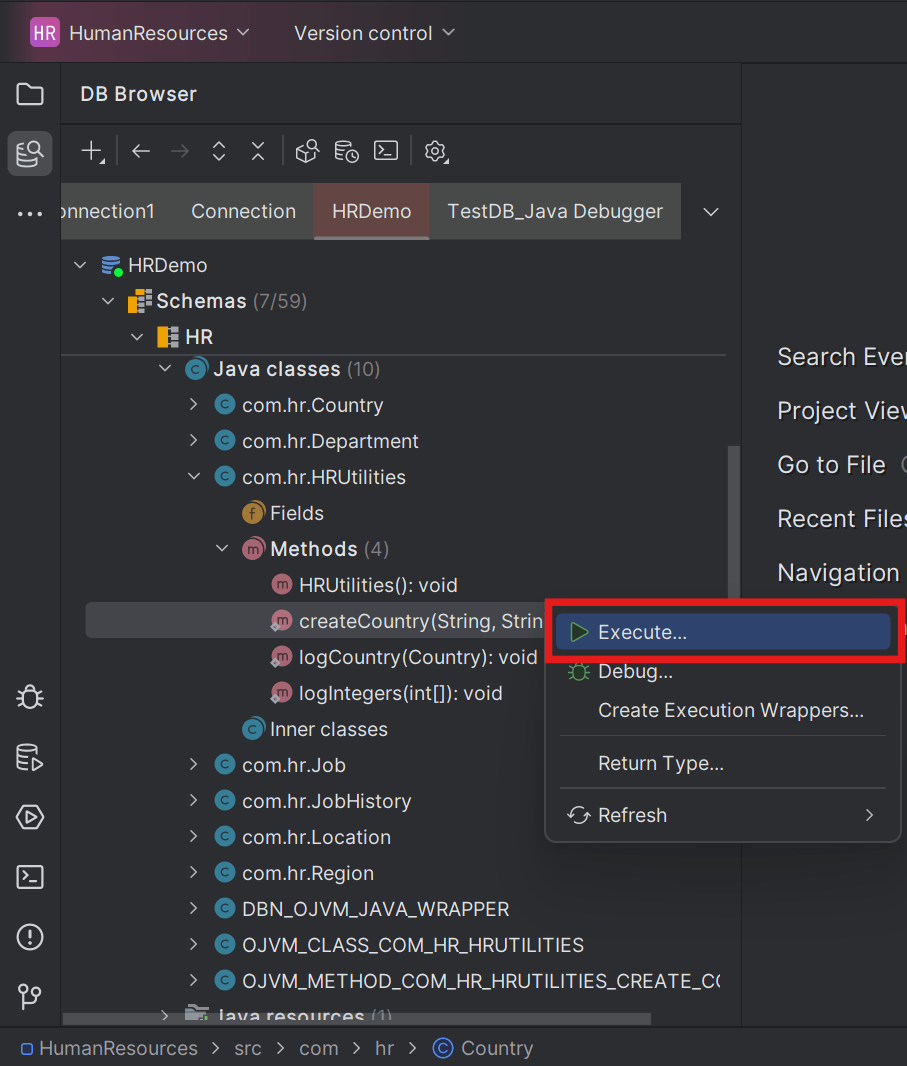
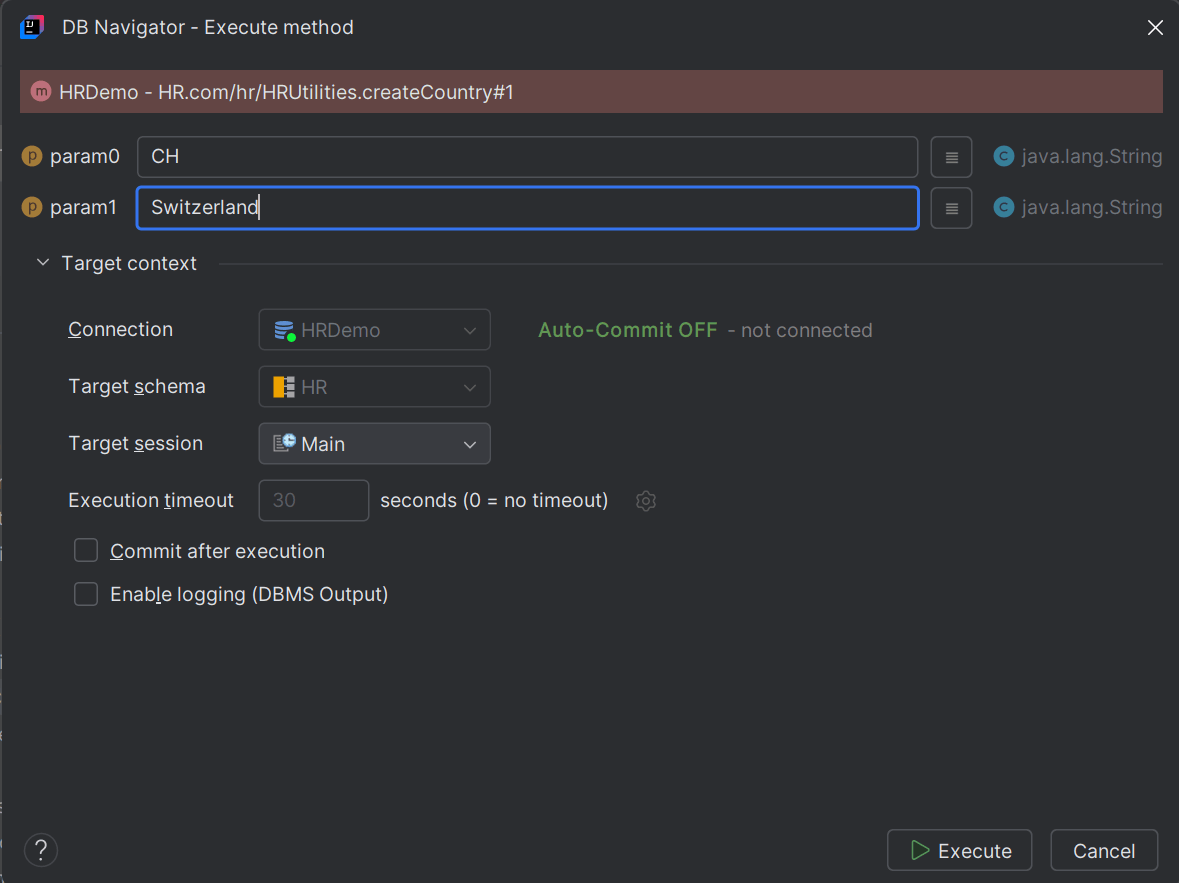
The DB Navigator - Execute Method dialog box opens with details of the target database connection, schema, and session in which the Java method will be run.
- Alternatively, from the DB Browser window, right-click the Java Class file (or a public static method within it) and select Execute from the context menu.
- Enter the values of the input parameters in the text box. The permissible character type and max character length for the input parameter(s) displays for each text box. Clicking the Open Value History icon displays the history of parameter values used for previous Java method execution.
Executing Java Methods having Scalar Arrays as Input Parameters
If the input parameter is defined as an array of scalar type, then clicking the ellipsis (...) icon next to the parameter field opens the Array Editor.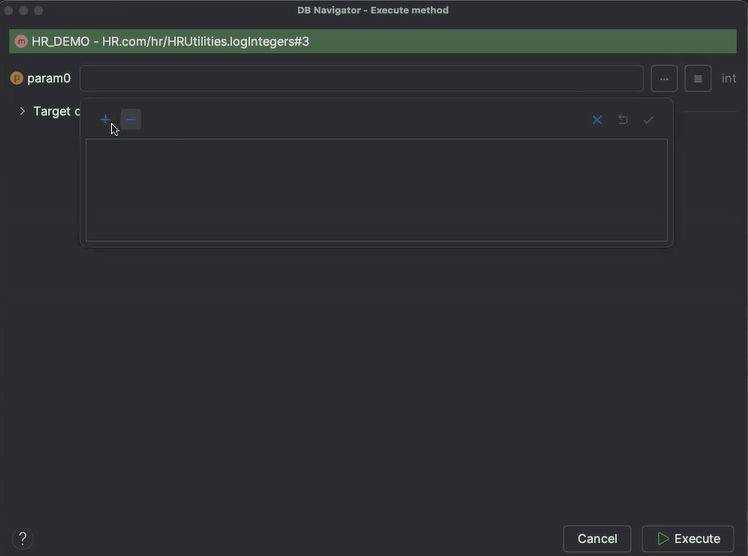 You can add rows in to insert the values to the array (of the declared data type) and save the entry. The input parameter field displays the entered array of values.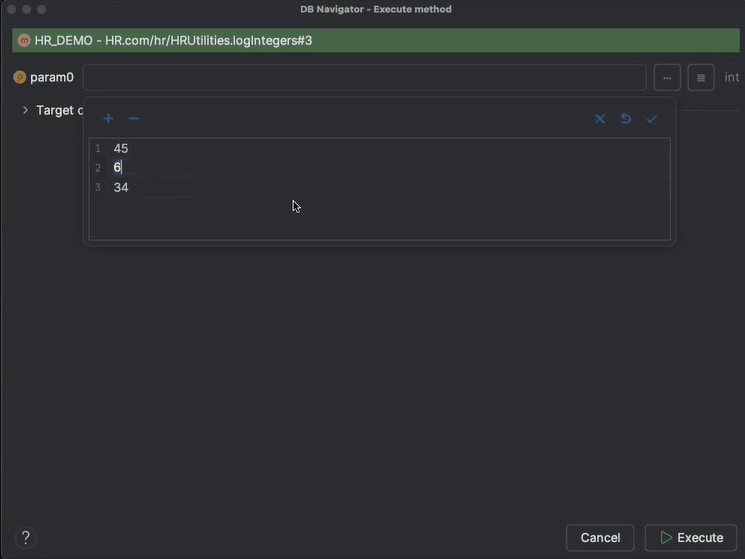
Executing Java Methods having Complex Input Parameters
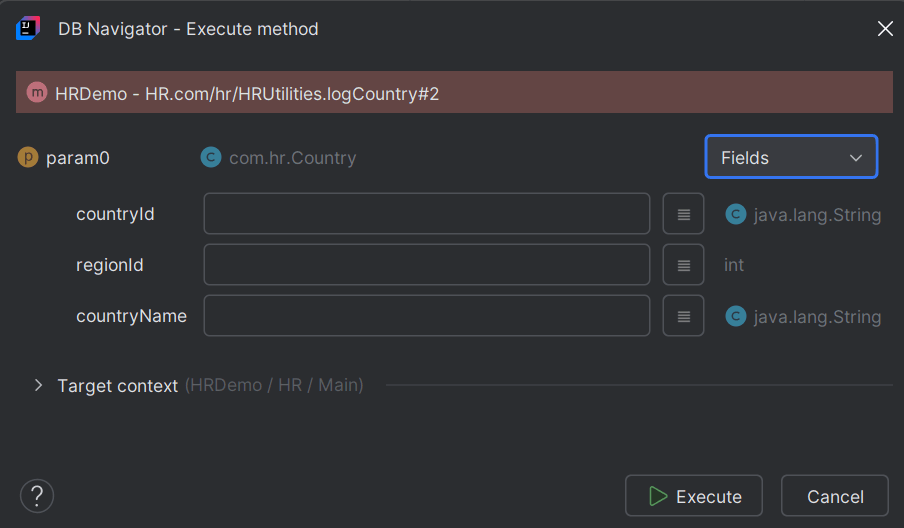
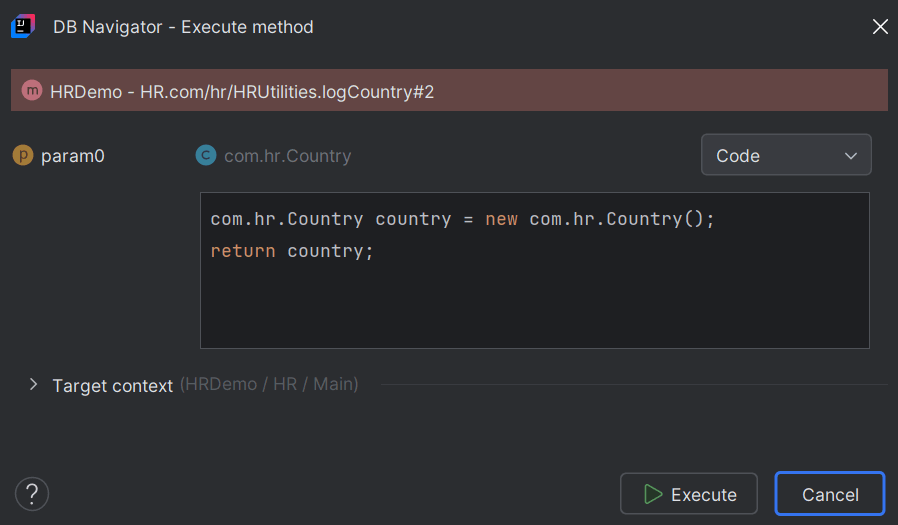
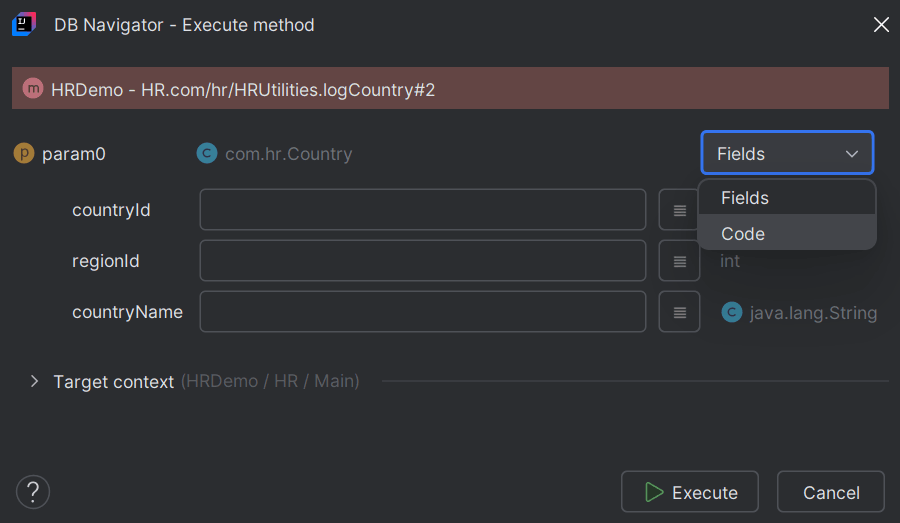
For complex parameters where the input data type is an object, a collection, or special syntax like generics, or variable arguments (Varargs), a drop-down field displays for each parameter type:, to represent the parameter either as a Field, or as a Code expression:
- Field - If the parameter can be represented as a Plain Old Java Object and does not comprise of complex arrays or objects, the drop-down only displays Field as is disabled. Enter the parameter value against each parameter field.
- Code - If the parameter is complex and cannot be represented as a plain old Java object, the drop-down only displays Code and is disabled. In the text box area write a plain Java initialization code expression initializing the parameter.
For parameters which can be represented both as POJO or initialized through Java expressions, the drop-down is enabled and you can select either Field or Code, and enter parameter values, or write the code expression, respectively.
- Field - If the parameter can be represented as a Plain Old Java Object and does not comprise of complex arrays or objects, the drop-down only displays Field as is disabled. Enter the parameter value against each parameter field.
- Click Execute.
Once the execution is successfully complete, the results of the executed method displays in the DB Execution Console window. The results include the method input parameter(s) and its output string.
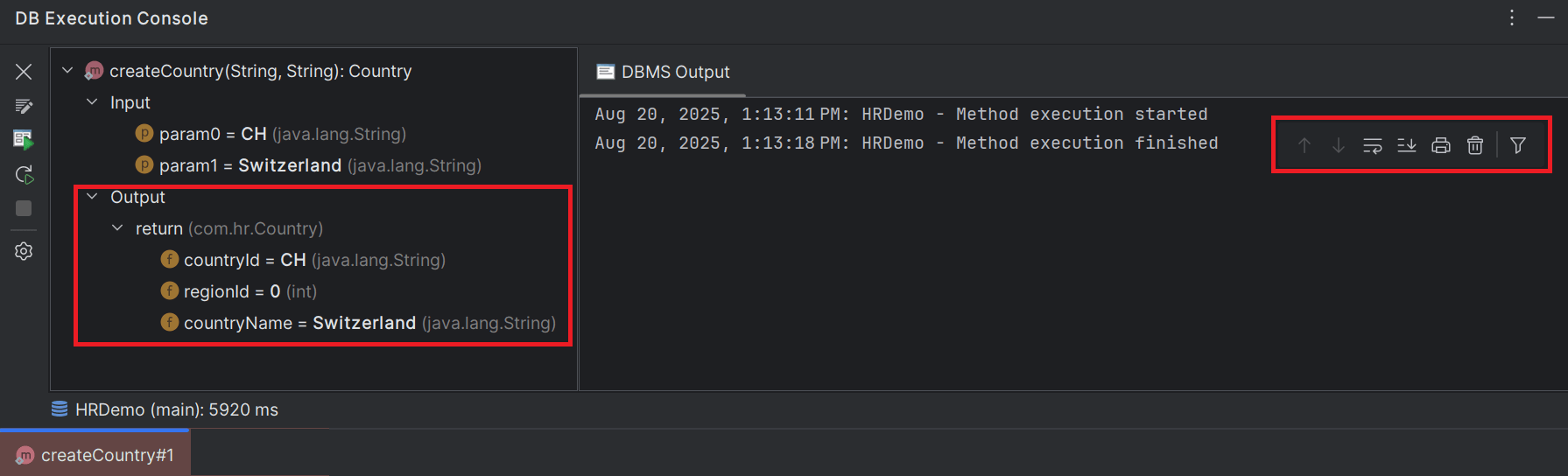
If the Enable logging (DBMS Output) option was enabled, the DBMS Output tab displays the method execution event statistics.
- Java Execution History
This topic provides an overview of maintaining a history of input parameters for executed Java programs. - Creating Java Execution Wrappers
This topic describes the procedure for creating Java execution wrappers in Oracle® Database Navigator. - Project Code Base Synchronization
This topic provides an overview of synchronizing Java code base in a Java project.
Parent topic: Execution Engine