Restore Database Dialog
The Restore Database Dialog assists the user in restoring the database from a backup. After the restore operation has begun, the Transaction Processing/Lakehouse/JSON Nodes icon and properties will indicate the status of the operation.
Opening the Restore Database Dialog
You can open the Restore Database Dialog from an Transaction Processing/Lakehouse/JSON Nodes, Restore Database menu item.
Using the Restore Database Dialog
The Restore Database Dialog appears as follows:
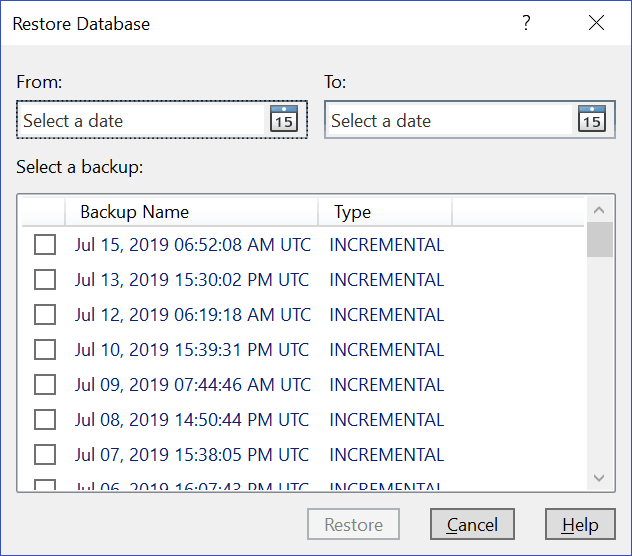
The Restore Database Dialog has the following controls:
| Control | Description |
|---|---|
|
From: |
Select the start date for filtering the list of backups |
|
To: |
Select the end date for filtering the list of backups |
|
Select a backup |
Choose a single backup to be used to restore the database. The backup name and type are provided. |
|
Restore |
Begins the restore operation and the dialog closes. The Transaction Processing/Lakehouse/JSON Nodes icon and properties will indicate the status of the operation. |
|
Cancel |
The entire operation is aborted and no file is written to disk. The dialog is closed. |
|
Help |
Opens this help page |