Copy Credentials Files Dialog
The Copy Credentials Files Dialog opens if there are existing file conflicts when the credentials files are attempted to be copied.
Opening the Copy Credentials Files Dialog
This dialog opens automatically when there are conflicts when credentials files are downloaded.
Using the Copy Credentials Files Dialog
The Copy Credentials Files Dialog appears as follows:
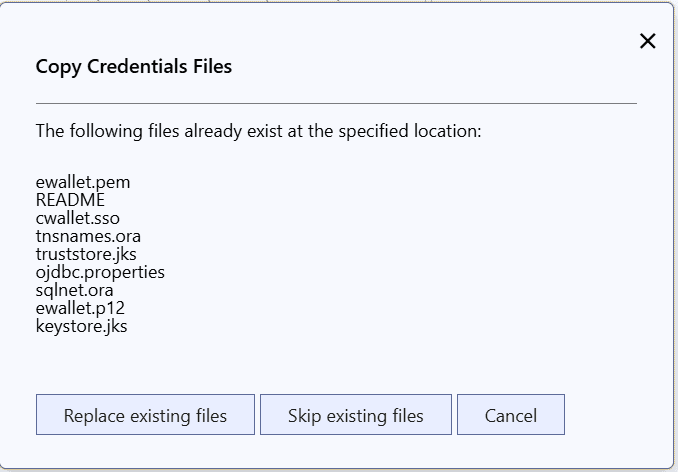
The Copy Credentials Files Dialog has the following controls:
| Control | Description |
|---|---|
| The following files already exist at the specified location | The list of files that already exist when the credentials are attempted to be downloaded |
| Replace Existing Files | Replaces the listed files with a newly downloaded file |
| Skip Existing Files | Does not replace any of the listed files |
| Cancel | Cancels the operation and closes the dialog |