Plug Pluggable Database Dialog
The Plug Pluggable Database Dialog allows you to plug in a pluggable database. A pluggable database is represented by an XML file plus some Oracle Database files (DBF files). These files must reside on the database server filesystem.
Note: The container database must use the same character set as the pluggable database for the Plug operation to be successful.
Note: This is a feature of Oracle Database 12.1 or later.
Starting the Plug Pluggable Database Dialog
To open the Plug Pluggable Database Dialog, connect to Server Explorer with a user that has SYSDBA privileges. Right-click on the Pluggable Databases Node and choose Plug.
The Plug Pluggable Database Dialog appears as follows:
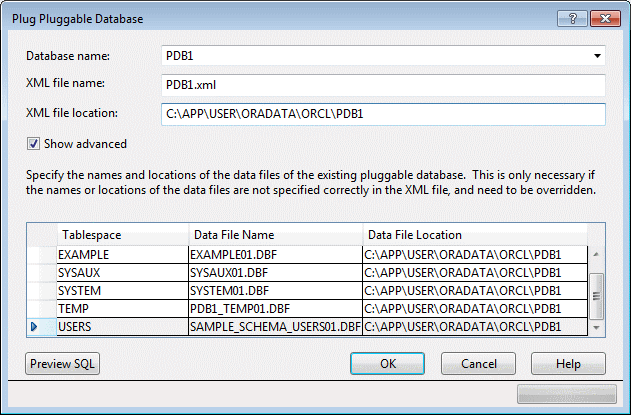
Description of the illustration plug.gif
Using the Plug Pluggable Database Dialog
The Plug Pluggable Database Dialog has the following controls:
| Control | Description |
|---|---|
| Database name | Select the name of the pluggable database to be plugged in. |
| XML File Name | Enter the name of the XML file that contains the metadata for the pluggable database. |
| XML File Location | Enter the path to the XML file that contains the metadata for the pluggable database on the database server filesystem. |
| Show Advanced | Check this check box to display additional fields, allowing you to specify the data file names and locations for the new pluggable database. |
| Specify the names and locations of the datafiles of the existing pluggable database | Lists pluggable database datafile names and their locations on the database server filesystem. Both the Data File Name and Data File Location field can be modified as desired. |
| Preview SQL | View the SQL to be executed when the OK button is pressed. |
| OK | Plugs in and opens the pluggable database and closes this dialog. |
| Cancel | Closes this dialog without making any changes to the database. |
| Help | Opens this help page. |