Change Administrator Password Dialog
The Change Administrator Password Dialog allows users to modifiy the credentials for a new Autonomous Transaction Processing Database or an Autonomous Data Warehouse.
Opening the Change Administrator Password Dialog
You can open the Change Administrator Password Dialog from an Transaction Processing/Lakehouse/JSON Node, Change Administrator Password menu item.
Using the Change Administrator Password Dialog
The Change Administrator Password Dialog appears as follows:
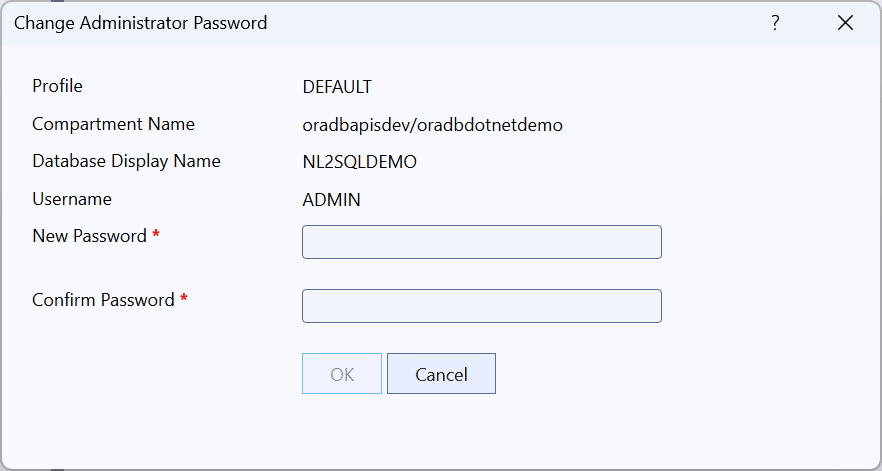
The Change Administrator Password Dialog has the following controls:
| Control | Description |
|---|---|
| Profile | The profile being used from your OCI config file. Currently only the DEFAULT profile can be used. |
| Compartment Name | Displays the compartment that the database is located in |
| Database Display Name | The name used in Server Explorer to represent this database |
| Username | The username that is used for administration |
| Password | The new password for this username. See the dialog for password requirements |
| Confirm Password | Retype the new password to confirm it |
| OK | Updates the Password and closes the dialog if successful |
| Cancel | Cancels the operation and closes the dialog |