Access AutoML UI
You can access AutoML UI from the Oracle Machine Learning UI home page.
To access AutoML UI, you must first sign in to Oracle Machine Learning from Autonomous AI Database:
-
To sign in to Oracle Machine Learning from an Autonomous AI Database instance:
-
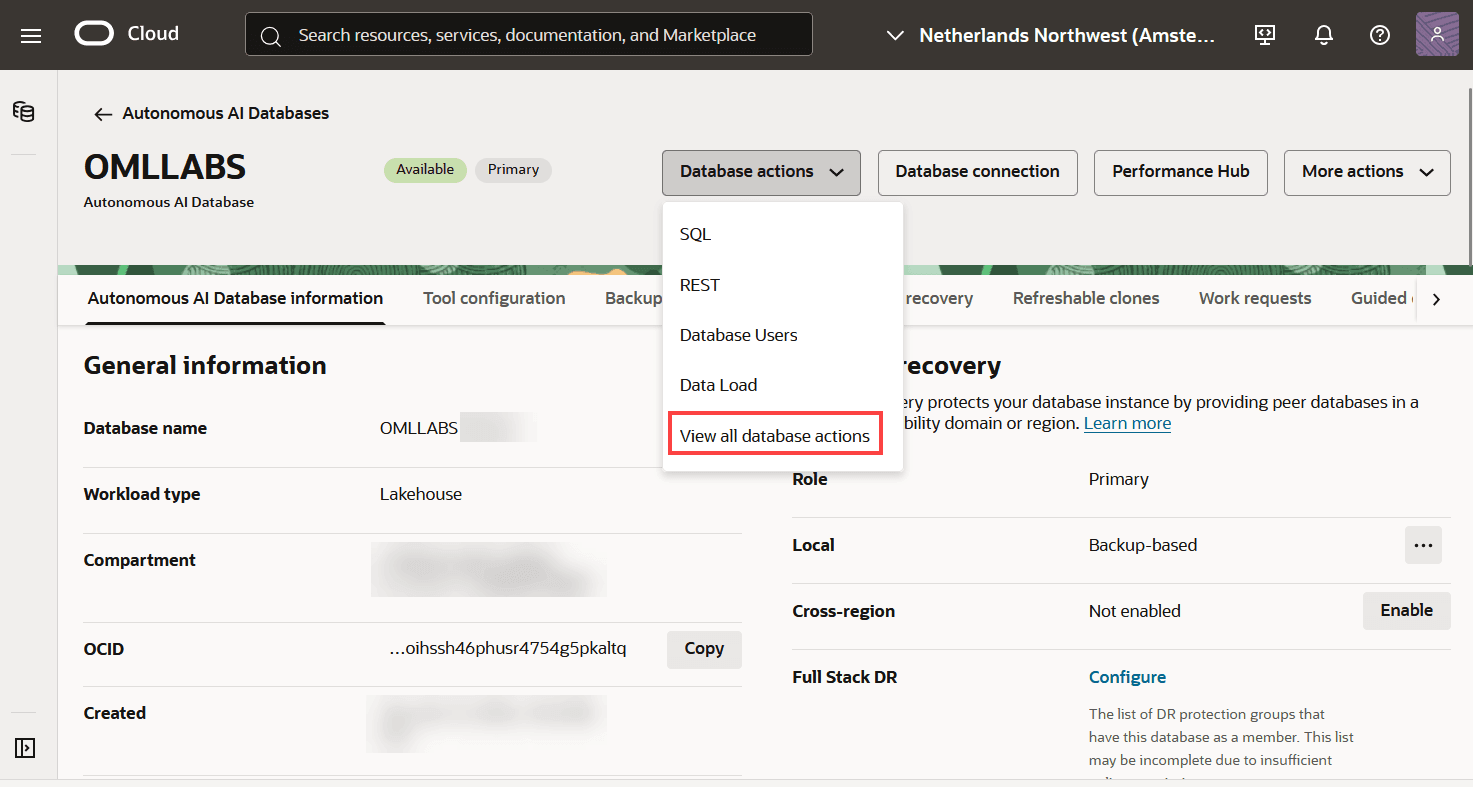
Select an Autonomous AI Database instance and on the Autonomous AI Database information page, click Database actions and then click View all database actions.
Figure 2: Database Actions
-
On the Database Actions page, go to the Development section and click Machine Learning.
Figure 3: Machine Learning option in Database Actions Launchpad
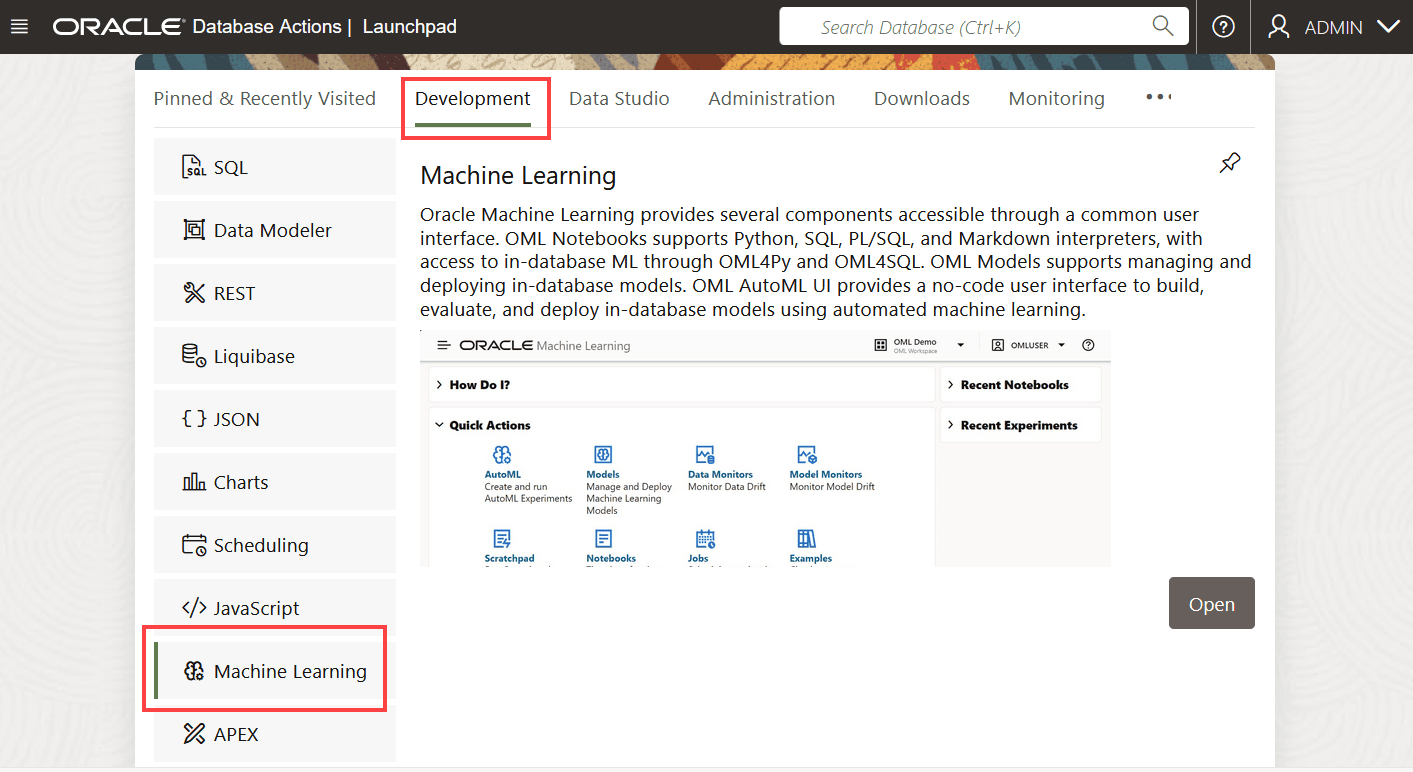
Description of the illustration adb-development-oml.png
The Oracle Machine Learning UI sign in page opens.
-
Enter your username and password, and click Sign in.
This opens the Oracle Machine Learning UI home page.
-
-
On your Oracle Machine Learning UI home page, click AutoML..
Figure 4: OML UI home page
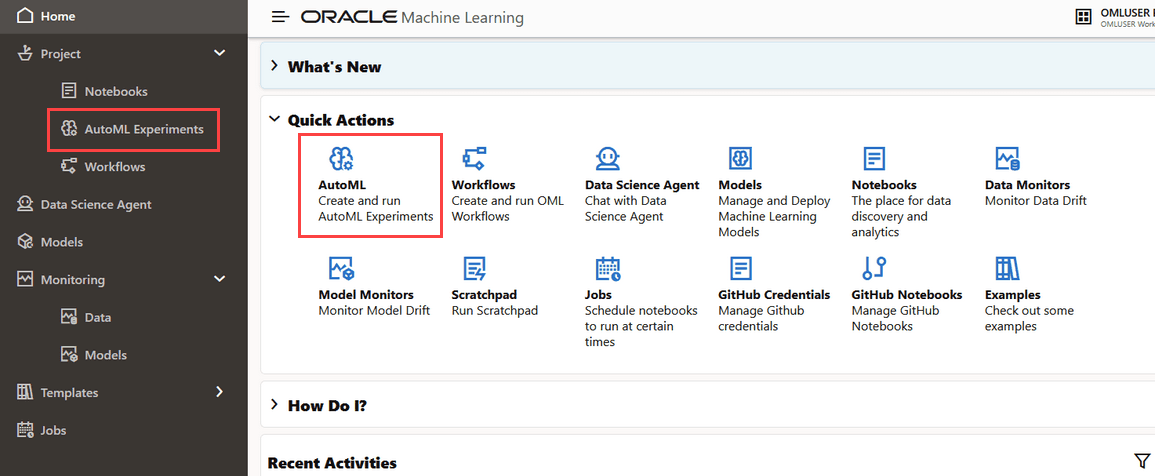
Description of the illustration developer_homepage_automl.png
Alternatively, you can click the Cloud menu icon and click AutoML Experiments under Projects. This opens the AutoML listing page.