Use the Scratchpad
The Scratchpad provides you convenient one-click access to a notebook for running SQL statements, PL/SQL, R, and Python scripts that can be renamed. The Scratchpad is available on the Oracle Machine Learning User Interface (UI) home page.
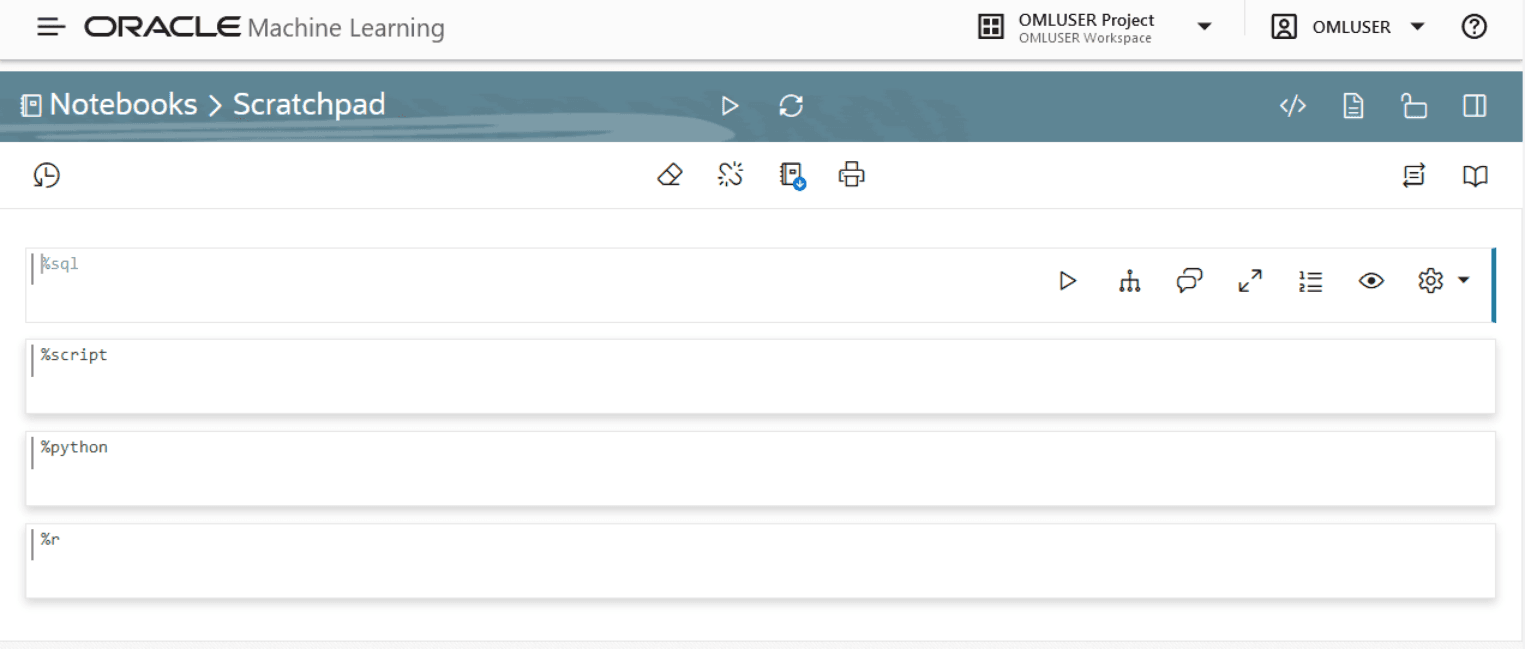
Note: The Scratchpad is a regular notebook that is prepopulated with four paragraphs - %sql, %script, , %python and %r.
After you run your scripts, the Scratchpad is automatically saved as a notebook by the default name Scratchpad on the Notebooks page. You can access it later on the Notebooks page. You can run all the paragraphs together or one paragraph at a time.
-
To open and use the scratchpad, click Scratchpad on the Oracle Machine Learning UI home page under Quick Actions. The Scratchpad opens. The Scratchpad has four paragraphs each with the following directives:
-
%sql: Allows you to run SQL statements. -
%script: Allows you to run PL/SQL scripts. -
%python: Allows you to run Python scripts. -
%r: Allows you to run R scripts.
Figure 98: Scratchpad
-
-
To run SQL script:
-
Go to the paragraph with the
%sqldirective. -
Type the following command and click the Run icon. Alternatively, you can press Shift+Enter keys to run the paragraph.
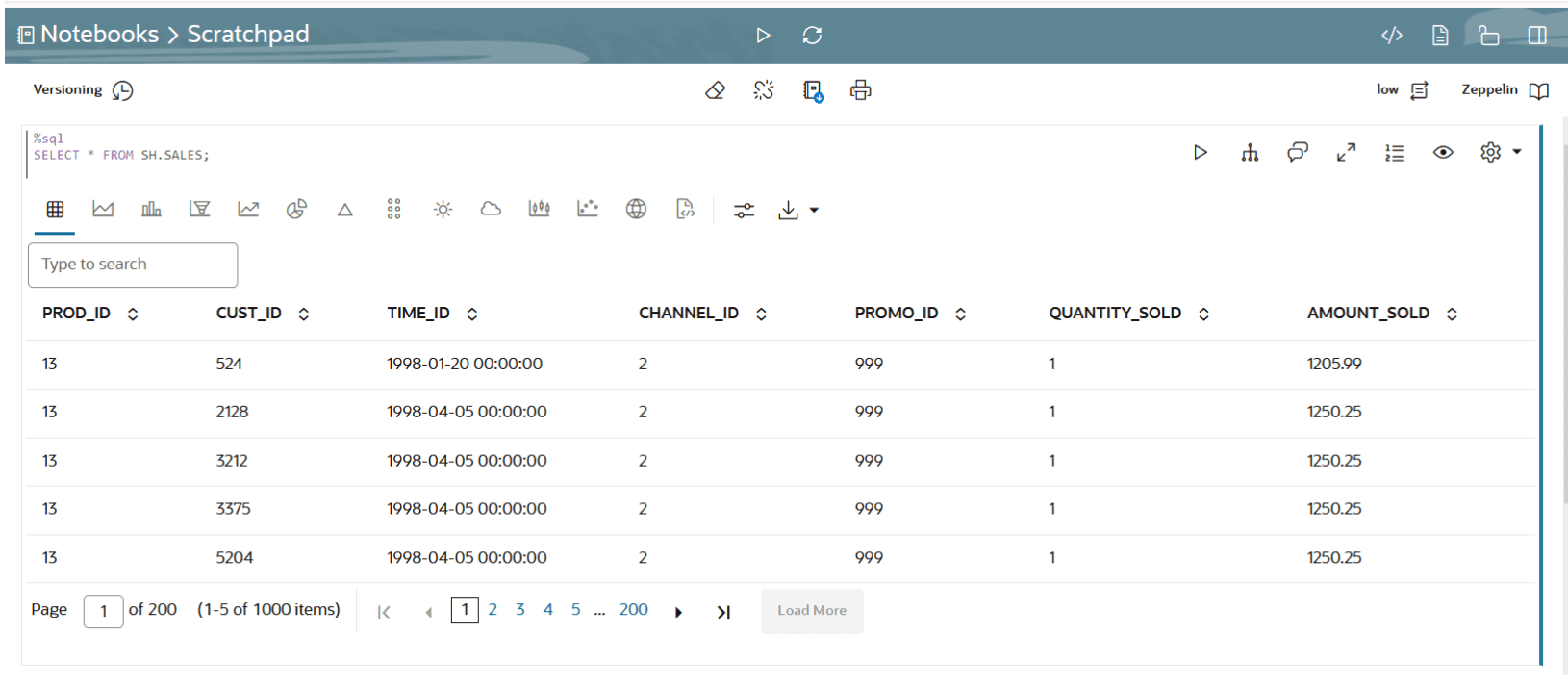
SELECT * FROM SH.SALES;
In this example, the SQL statement fetches all of the data about product sales from the table SALES. Here, SH is the schema name, and SALES is the table name. Oracle Machine Learning UI fetches the relevant data from the database and displays it in a tabular format. Figure 99: SQL Statement in Scratchpad
-
-
To run PL/SQL script:
-
Go to the paragraph with the
%scriptdirective. -
Enter the following PL/SQL script and click the Run icon. Alternatively, you can press Shift+Enter keys to run the paragraph.
CREATE TABLE small_table
    (
     NAME VARCHAR(200),
     ID1 INTEGER,
     ID2 VARCHAR(200),
     ID3 VARCHAR(200),
     ID4 VARCHAR(200),
     TEXT VARCHAR(200)
    );

    BEGIN
        FOR i IN 1..100 LOOP
                INSERT INTO small_table VALUES ('Name_'||i, i,'ID2_'||i,'ID3_'||i,'ID4_'||i,'TEXT_'||i);
        END LOOP;
        COMMIT;
    END;
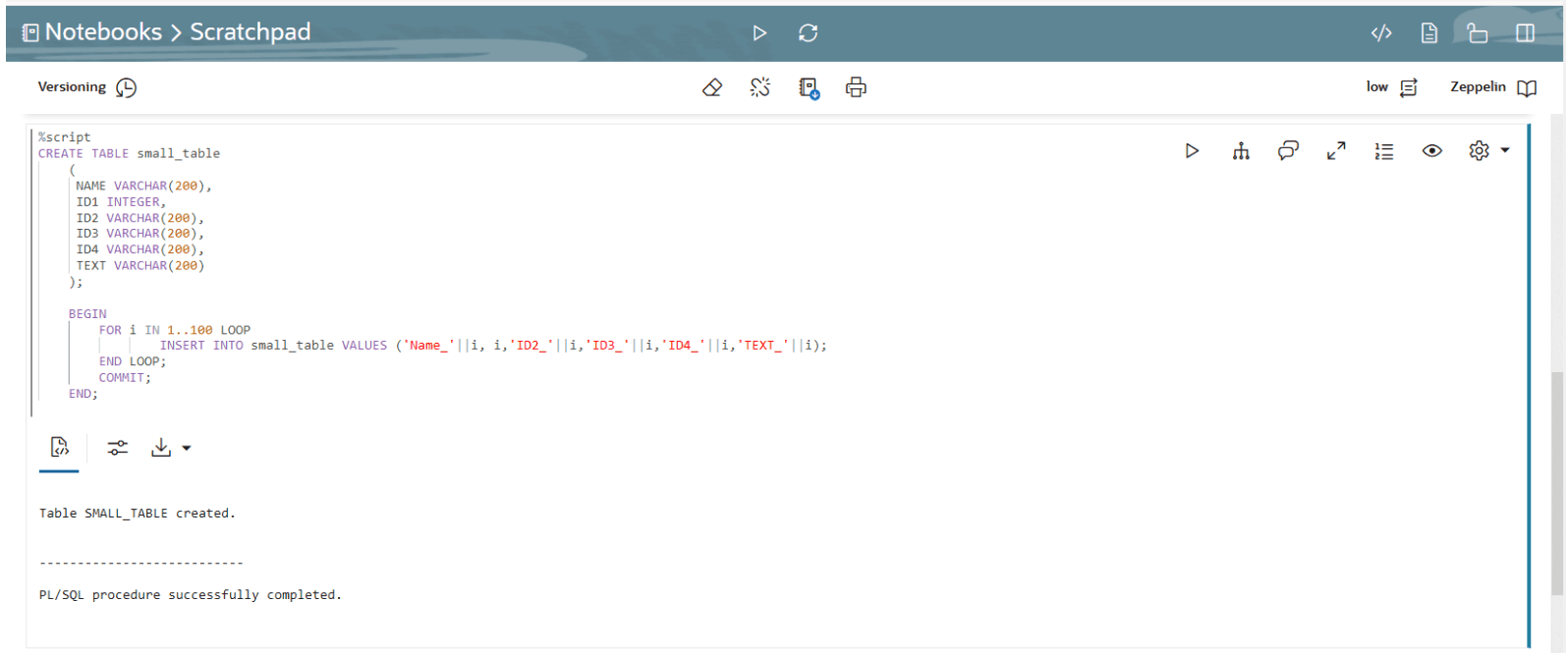
The PL/SQL script successfully creates the table SMALL_TABLE. The PL/SQL script in this example contains two parts:
-
The first part of the script contains the SQL statement
CREATE TABLEto create a table namedsmall_table.It defines the table name, table column, data types, and size. In this example, the column names areNAME, ID1, ID2, ID3, ID4,andTEXT. -
The second part of the script begins with the keyword
BEGIN.It inserts 100 rows in to the tablesmall_table.
Note: When using the
CREATEstatement with a primary key, it fails and displays the error message Insufficient privileges. This error occurs due to lockdown profiles in the database. If you encounter this error, contact your database administrator or the designated security administrator to grant the required privileges.Figure 100: PL/SQL Script in Scratchpad
-
-
-
To run python script:
-
To use OML4Py, you must first import the
omlmodule.omlis the OML4Py module that allows you to manipulate Oracle AI Database objects such as tables and views, call user-defined Python functions using embedded execution, and use the database machine learning algorithms. Go to the paragraph with%pythondirective. To import theomlmodule, type the following command and click the Run icon. Alternatively, you can press Shift+Enter keys to run the paragraph.import oml -
To check if the
omlmodule is connected to Oracle AI Database, typeoml.isconnected()and click the Run icon. Alternatively, you can press Shift+Enter keys to run the paragraph.oml.isconnected() -
You are now ready to run your Python script. Type the following Python code and click the run icon. Alternatively, you can press Shift+Enter keys to run the paragraph.
import matplotlib.pyplot as plt
import numpy as np

list1 = np.random.rand(10)*2.1
list2 = np.random.rand(10)*3.0

plt.subplot(1,2,1) # 1 line, 2 rows, index nr 1 (first position in subplot)

plt.hist(list1)
plt.subplot(1, 2, 2) # 1 line, 2 rows, index nr 2 (second position in subplot)

plt.hist(list2)
plt.show()
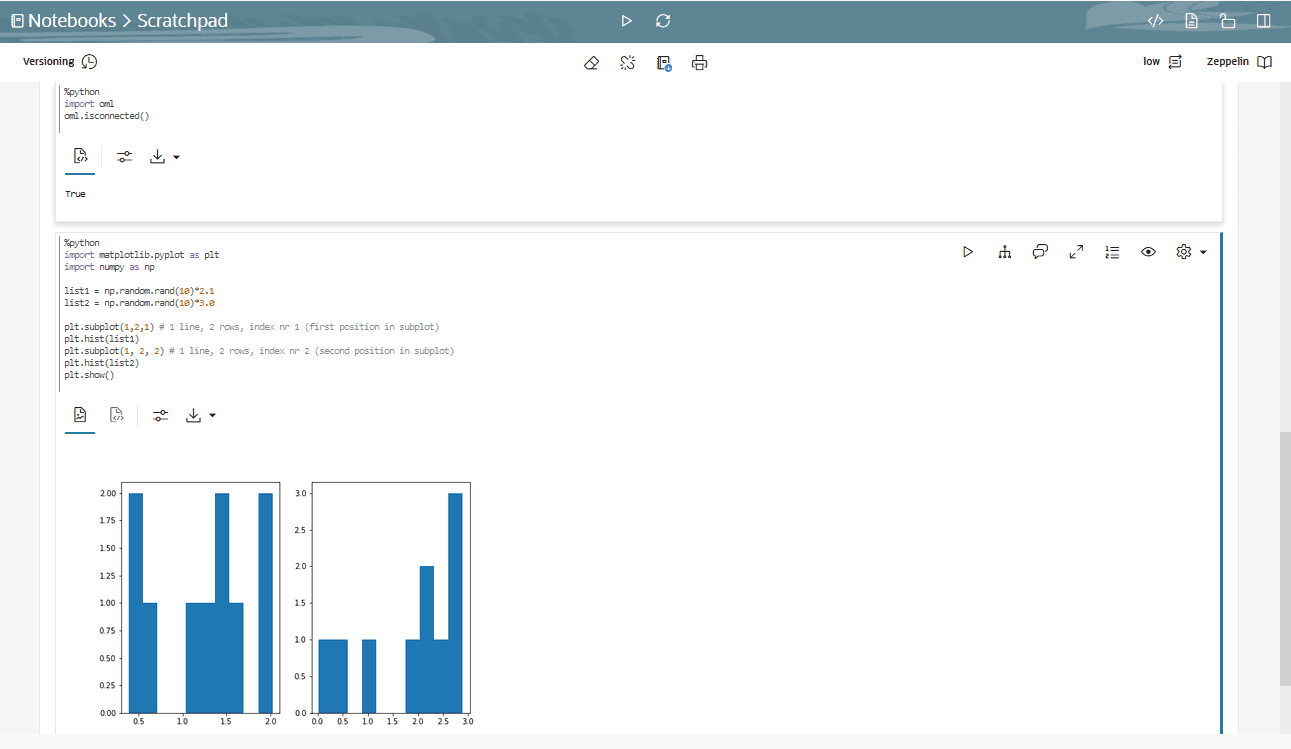
In this example, the commands import two python packages to compute and render the data in two histograms for
list1andlist2.The Python packages are:-
Matplotlib: Python package to render graphs.
-
Numpy: Python package for computations.
Figure 101: Python script in Scratchpad
Description of the illustration scratchpad_python.png
The two graphs for
list1andlist 2are generated by the python engine, as shown in the screenshot here. -
-
-
After you have created and run your scripts in the Scratchpad, the Scratchpad is automatically saved as a notebook by the name default name Scratchpad on the Notebooks page. You can edit the name of the notebook and save it with the new name by clicking Edit.