Plan the Deployment and Access Model
Confirm the Deployment Capabilities
Before configuring an endpoint or credential, confirm all of the following for the target deployment and release update:
- The required file format, table format, and provider combination are supported.
DBMS_CLOUDis available and configured. Customer-managed deployments can require installation and network configuration.DBMS_CATALOGis installed when a catalog must be mounted. Generic Oracle Database 26ai documents it as an installable option beginning with release update 23.26.2; managed services can provision it differently.- The database can reach every catalog, token, storage, and sharing endpoint required by the path.
- The selected authentication method is supported by that Oracle deployment and by the target operation.
Preflight Example
Run these checks as the schema that will own the lakehouse objects:
SELECT product, version_full, status
FROM product_component_version
WHERE product LIKE 'Oracle%Database%';

SELECT object_name, object_type, status
FROM all_objects
WHERE object_name IN ('DBMS_CLOUD', 'DBMS_CATALOG')
  AND object_type IN ('PACKAGE', 'SYNONYM')
ORDER BY object_name, object_type;
Scope of the check - These queries report the database release and package visibility in the current container. They do not establish support for a particular provider, catalog type, storage combination, authentication method, or operation.
For details, see Install and Configure the DBMS_CLOUD Package and DBMS_CATALOG.
Understanding the Access Model
Image 2-1. Independent Authorization Paths
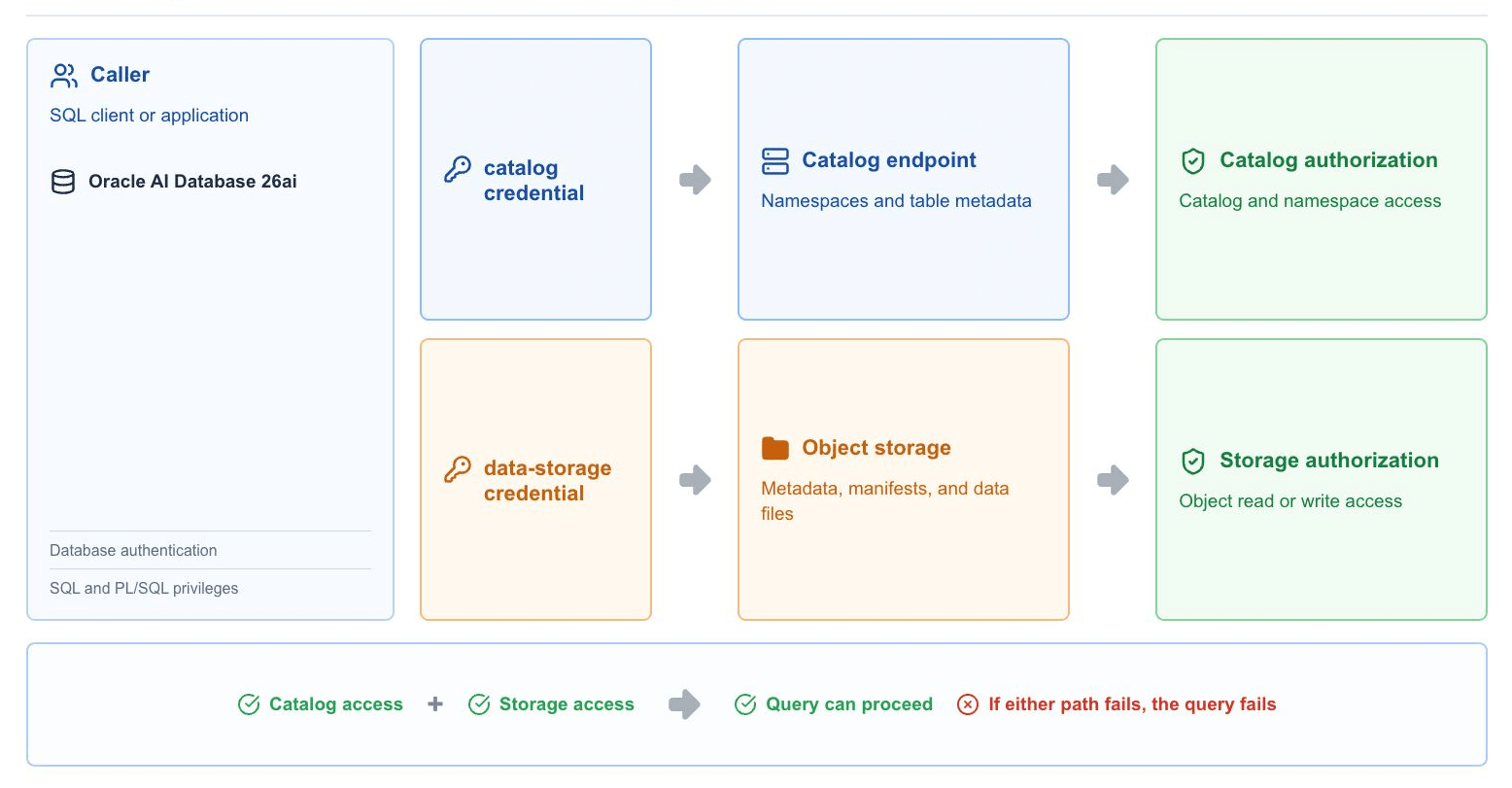
Catalog access and data access are independent - A table can be visible in a catalog while its query fails because the data-storage identity cannot read a referenced metadata, manifest, delete, or data file.