Integrate Trusted Answer Search with Applications
Application developers can embed a Search Bar or Search Icon widget in an existing web page. The widgets call Trusted Answer Search through Oracle REST Data Services (ORDS). Developers building a custom service can also call the DBMS_TRUSTED_SEARCH.SEARCH PL/SQL procedure directly.
Search Widgets
Use the Trusted Answer Search widgets when you want to embed search directly into an existing application page without building a custom search interface. The widget package includes:
- Search Bar: a compact inline search box that can be placed in a page header, navigation area, or application page.
- Search Icon: a floating launcher that opens a conversational search panel.
Both widgets use the same ORDS-backed search endpoint and the same configuration attributes.
For a complete local example with OCI IAM sign-in, PKCE, and widget embedding, see Configure SSO for an Application Hosting the Search Widget.
Administrator Setup
The guided tas-install.sh installer installs and verifies the widget REST endpoints. Before application developers embed a widget, a Trusted Answer Search administrator should confirm the endpoint URL printed by the installer and decide whether the deployment requires JWT authentication. The following widget-package procedure configures JWT for the example in this guide.
-
Verify prerequisites Confirm that the guided Trusted Answer Search installation completed and that Oracle REST Data Services is available for the database. On Autonomous Database Serverless (ADB-S), ORDS is available by default. For on-premises deployments, configure ORDS as required for the database.
-
Extract the widget package From the Trusted Answer Search release archive, extract
widget_ship.zip. -
Configure the widget installer Edit
install_widget.confand provide the database connection, installer user, andTASADMINpassword. The installer account requiresCREATE ANY PROCEDUREandEXECUTE WITH GRANT OPTIONonORDS_METADATA.ORDS. Have a database administrator provide the required privileges for your environment.Example:
DB_CONNECT_STRING='myadb_high' INSTALLER_USER=ADMIN INSTALLER_USER_PASSWORD='<admin_password>' TASADMIN_PASSWORD='<tasadmin_password>' -
Configure JWT authentication Set
JWT_AUTHENTICATION_ENABLED=TRUEininstall_widget.confand supplyJWT_ISSUER,JWT_AUDIENCE, andJWT_JWK_URLtogether. The installer requires an explicit authentication mode and rejects missing or incomplete JWT parameters when JWT authentication is enabled.JWT_AUTHENTICATION_ENABLED=TRUE JWT_ISSUER='<issuer-from-discovery>' JWT_AUDIENCE='<api-primary-audience>' JWT_JWK_URL='<jwks-uri-from-discovery>' JWT_SCOPE_NAME=search_accessFor the SSO flow in this guide, keep JWT authentication enabled so requests use an authenticated user identity. Setting
JWT_AUTHENTICATION_ENABLED=FALSEexplicitly disables JWT authentication; supplied JWT values are then ignored. Anonymous search and preview are limited to public search spaces with a published version. Private and unpublished versions remain inaccessible to anonymous requests. -
Apply the JWT endpoint configuration
cd widget_ship
./install_widget.sh --config install_widget.conf
Record the widget REST endpoint URL reported by this installation under
<ORDS_BASE_URL>/trusted-search/search-api/. -
Verify endpoint access Use the
identity/endpoint to confirm that the endpoint is reachable and that JWT identity resolution works when JWT authentication is configured.curl -i -H "Authorization: Bearer <ACCESS_TOKEN>" \ "https://<adb-host>/ords/trusted-search/search-api/identity/"A successful authenticated response includes the resolved user identity:
{ "remote_ident": "user@example.com", "tas_ctx_username": "user@example.com", "tas_ctx_source": "ORDS", "client_identifier": "user@example.com", "session_user": "TASADMIN", "apex_app_user": null }
Application Developer Setup
After the administrator installs and verifies the widget endpoints, application developers can host the widget files and embed them into target pages.
-
Host the widget JavaScript files From
widget_ship.zip, copy one or both widget files to a web server or static asset location that your application can load:search_bar_widget.jssearch_icon_widget.js
Serve the files over HTTPS when the application page is served over HTTPS.
-
Configure authentication before loading the widget When JWT authentication is enabled, the host application must obtain an access token for the signed-in end user. The widget does not display a login screen or contact the identity provider. Complete login before loading the widget.
Use Authorization Code with PKCE for a browser application. Supply an access token, not an ID token or a client credentials token.
Define
window.SEARCH_WIDGET_CONFIGbefore loading the widget script. ItsgetAuthHeadersfunction must synchronously return the headers containing the current bearer token. The host application’s authentication library manages login and token renewal.<script> window.SEARCH_WIDGET_CONFIG = { showTargetInputs: true, placeholder: "Powered by Oracle Trusted Answer Search", debounceMs: 150, getAuthHeaders: function () { const token = window.myApplicationAuth.getCurrentAccessToken(); return token ? { Authorization: "Bearer " + token } : {}; } }; </script>window.myApplicationAuth.getCurrentAccessToken()represents your application’s authentication code; it is not a TAS API. Replace it with a synchronous accessor for your current access token. For a complete implementation, see Add the Authentication Code. -
Embed the widget Add the script tag for the widget you want to use. Set
data-ords-search-urlto the Trusted Answer Search ORDS search endpoint anddata-search-spaceto the search space that users should query.Inline Search Bar:
<script src="/assets/js/search_bar_widget.js" data-ords-search-url="https://your-host.example.com/ords/trusted-search/search-api/search/" data-search-space="wikimedia"> </script>Floating Search Icon:
<script src="/assets/js/search_icon_widget.js" data-ords-search-url="https://your-host.example.com/ords/trusted-search/search-api/search/" data-search-space="wikimedia"> </script>On ADB-S, find the ORDS base URL on the database details page under Tool Configuration, Web Access (ORDS), Public access URL.
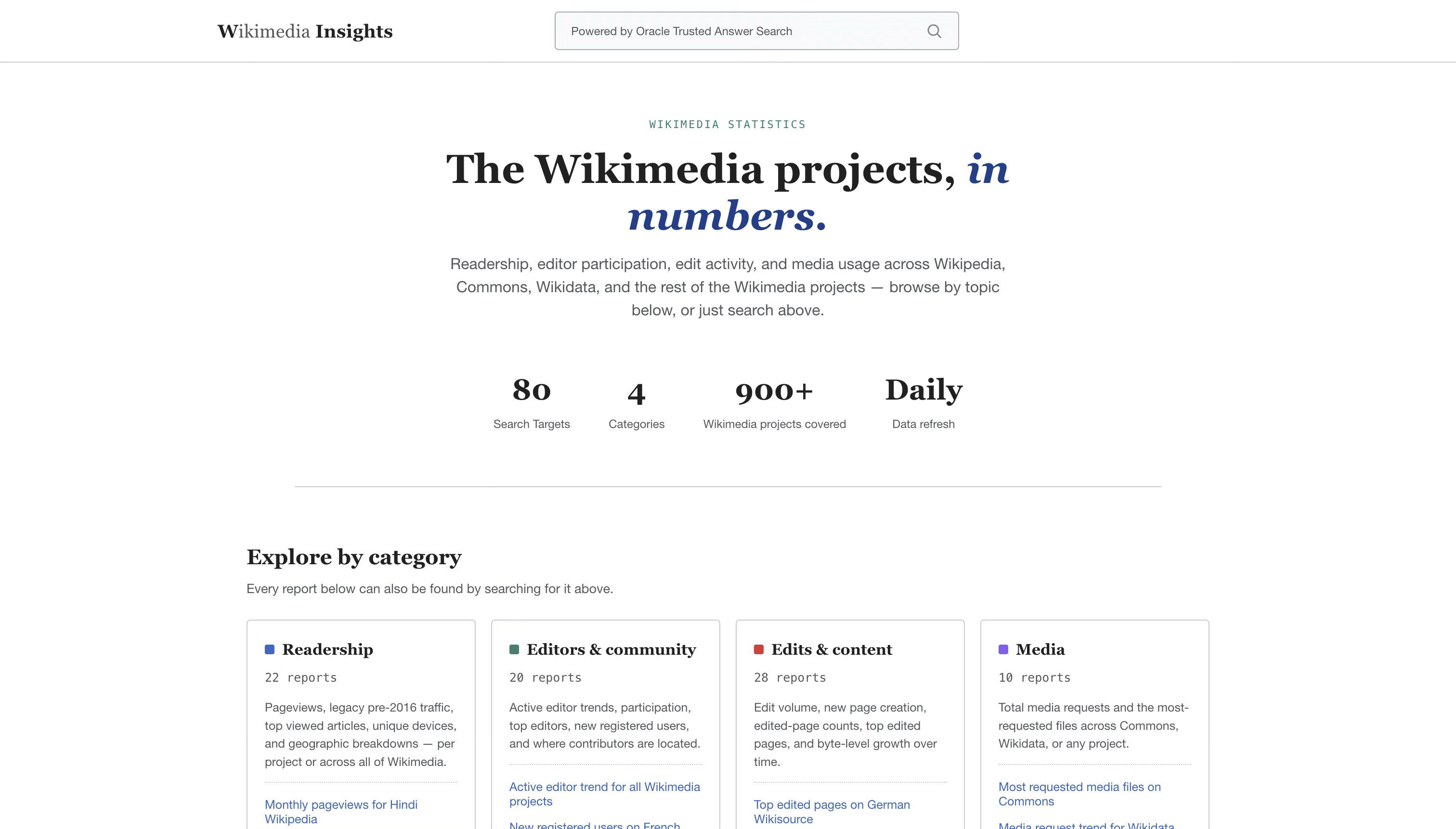
The following image shows an example of embedding the Search Bar widget in a Wikimedia Insights application page:
-
Optionally configure widget display Set display options in the same
window.SEARCH_WIDGET_CONFIGobject before loading the widget. PreservegetAuthHeaderswhen customizing these options:showTargetInputs: set totrueto display target input values beneath each result card.placeholder: sets the placeholder text for the Search Bar widget.debounceMs: sets the delay, in milliseconds, before the widget runs a search after the user stops typing.
-
Confirm network access and CORS Confirm that the application page can reach the Trusted Answer Search ORDS endpoint. If the widget is hosted from a different origin than ORDS, configure Cross-Origin Resource Sharing (CORS) for the TAS API.
As an authorized TAS administrator, set
TRUSTED_SEARCH_WIDGET_ALLOWED_ORIGINSto the exact, comma-separated origins. Include existing origins that must retain access; this example supplies two origins:BEGIN dbms_trusted_search.update_config_parameter( p_name => 'TRUSTED_SEARCH_WIDGET_ALLOWED_ORIGINS', p_value => 'https://wikimedia-insights.example.com,https://wikimedia-reports.example.com:8443' ); END; / COMMIT;Each origin contains the scheme, host, and optional port, without a path or wildcard. Verify that preflight requests permit the API headers, including
Authorization,X-Q,X-N, andContent-Type.Configure the identity provider’s allowed origins separately when the browser calls its endpoints. See Configure IAM Browser Access and Collect Metadata.
-
Test the widget Load the page, issue a few searches such as
What are the total editors on all Wikimedia pages?, and verify that results are returned from the expected search space. If results do not appear, inspect the browser developer tools for authentication, network, or CORS errors.
Widget REST Endpoints
The widget endpoints are available under <ORDS_BASE_URL>/trusted-search/search-api/ after installation.
The widget also uses preview/ and selection/ for preview and result-selection requests. Set their URLs with data-ords-preview-url and data-ords-selection-url. When these attributes are omitted, the widget derives the URLs from a search URL ending in /search/. The SSO example supplies all three widget URLs explicitly.
identity/
Use the identity/ endpoint to verify that authentication and user identity resolution are configured correctly.
curl -i -H "Authorization: Bearer <ACCESS_TOKEN>" \
"https://<adb-host>/ords/trusted-search/search-api/identity/"When JWT authentication is configured, a request without a valid bearer token returns 401 Unauthorized.
search/
The widgets use the search/ endpoint to execute searches. The endpoint accepts the query and search space through HTTP headers.
| Header | Description |
|---|---|
X-Q |
User search query text |
X-N |
Search space name |
curl -H "Authorization: Bearer <ACCESS_TOKEN>" \
  -H "X-Q: What are the total editors on all Wikimedia pages?" \
  -H "X-N: wikimedia" \
  "https://<adb-host>/ords/trusted-search/search-api/search/"
The endpoint resolves the user identity, executes the search through DBMS_TRUSTED_SEARCH.SEARCH, and returns the matching results as JSON.
Widget Visuals
Search Bar:
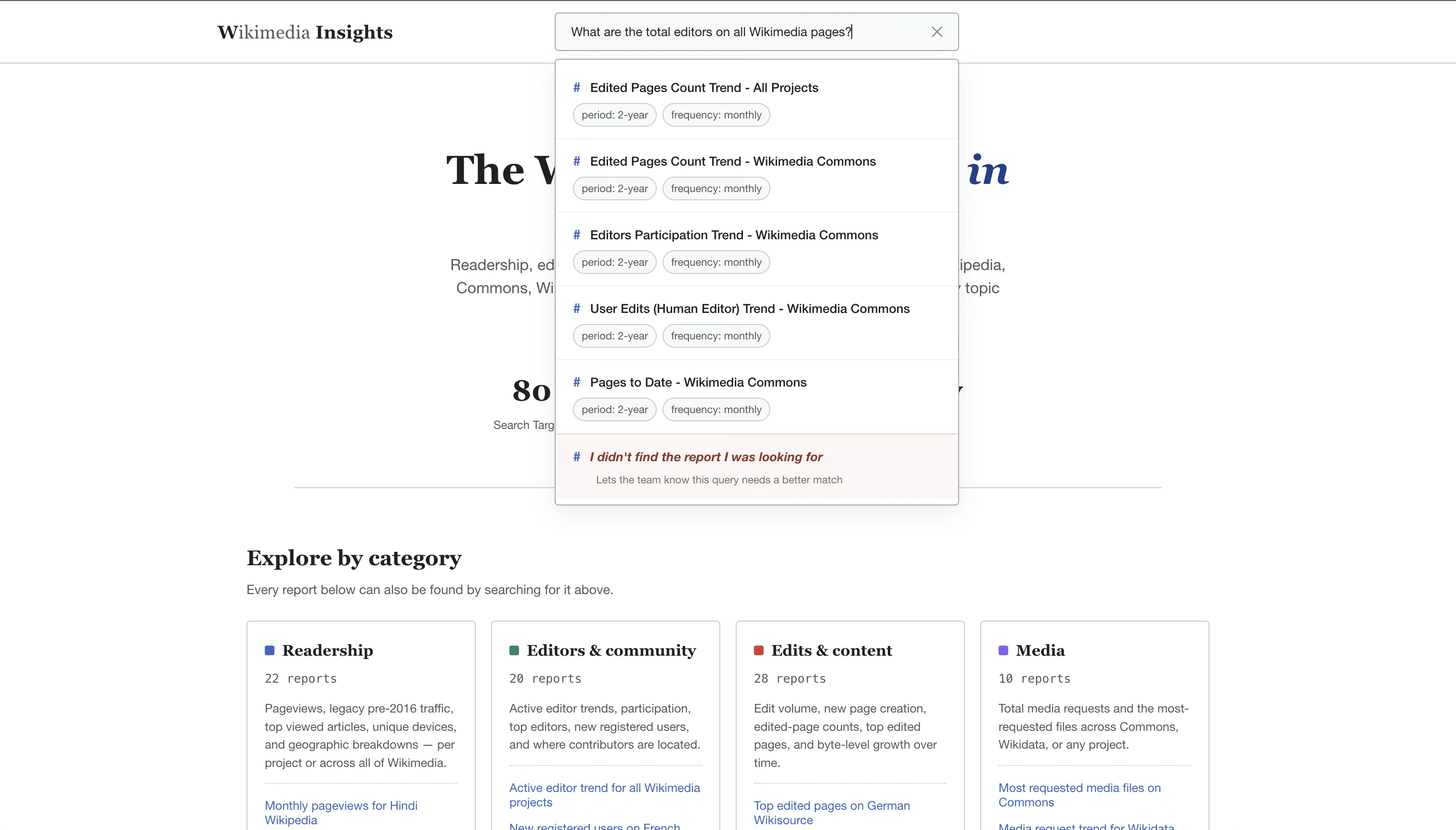
Description of the illustration search-bar-widget.png
Users can report an unsuccessful search by selecting the final option in the results list. In this example, the option is labeled I didn’t find the report I was looking for.
Search Icon:
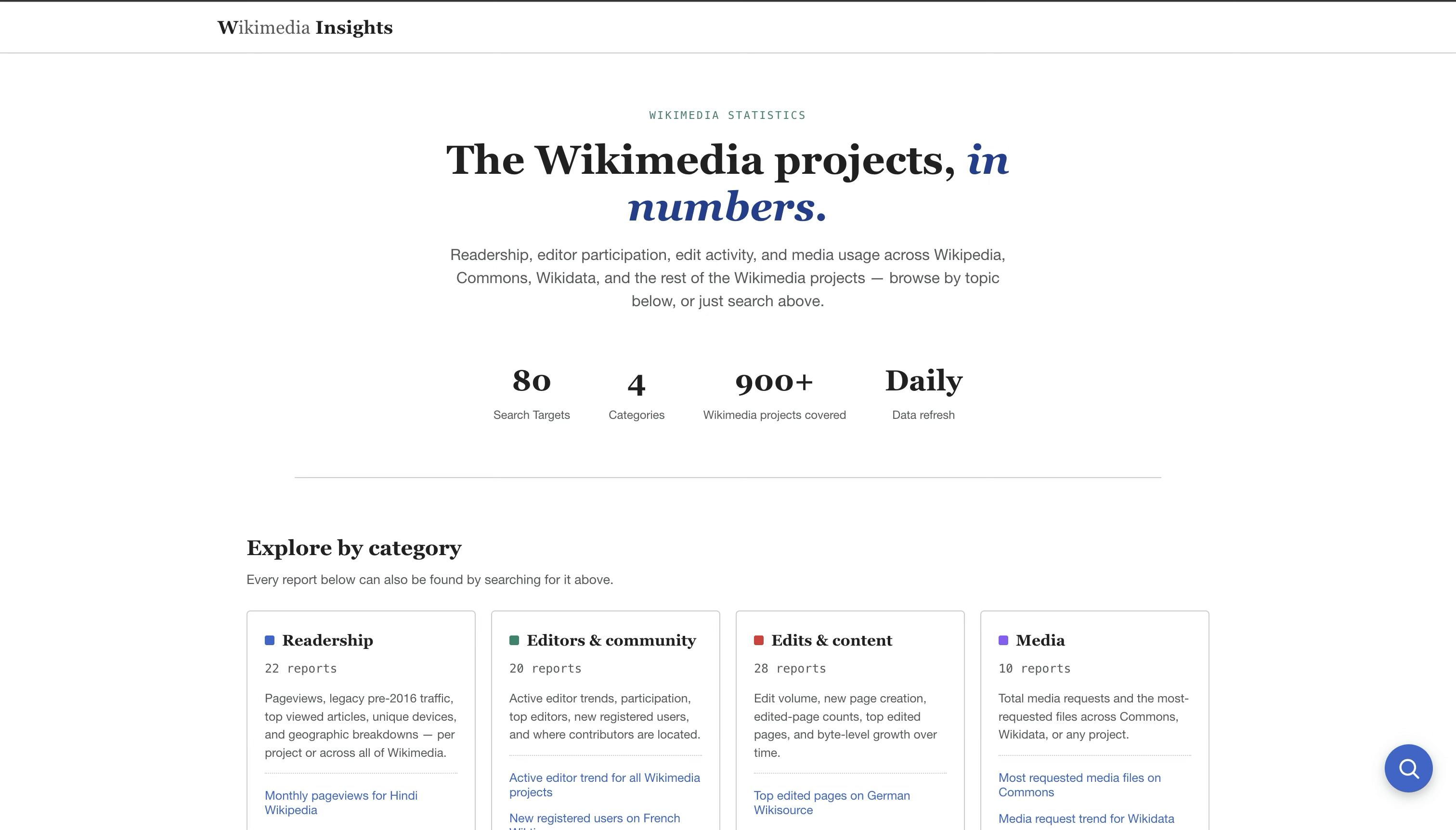
Description of the illustration search-icon-widget-floating.png
When selected, the Search Icon opens a conversational search panel:
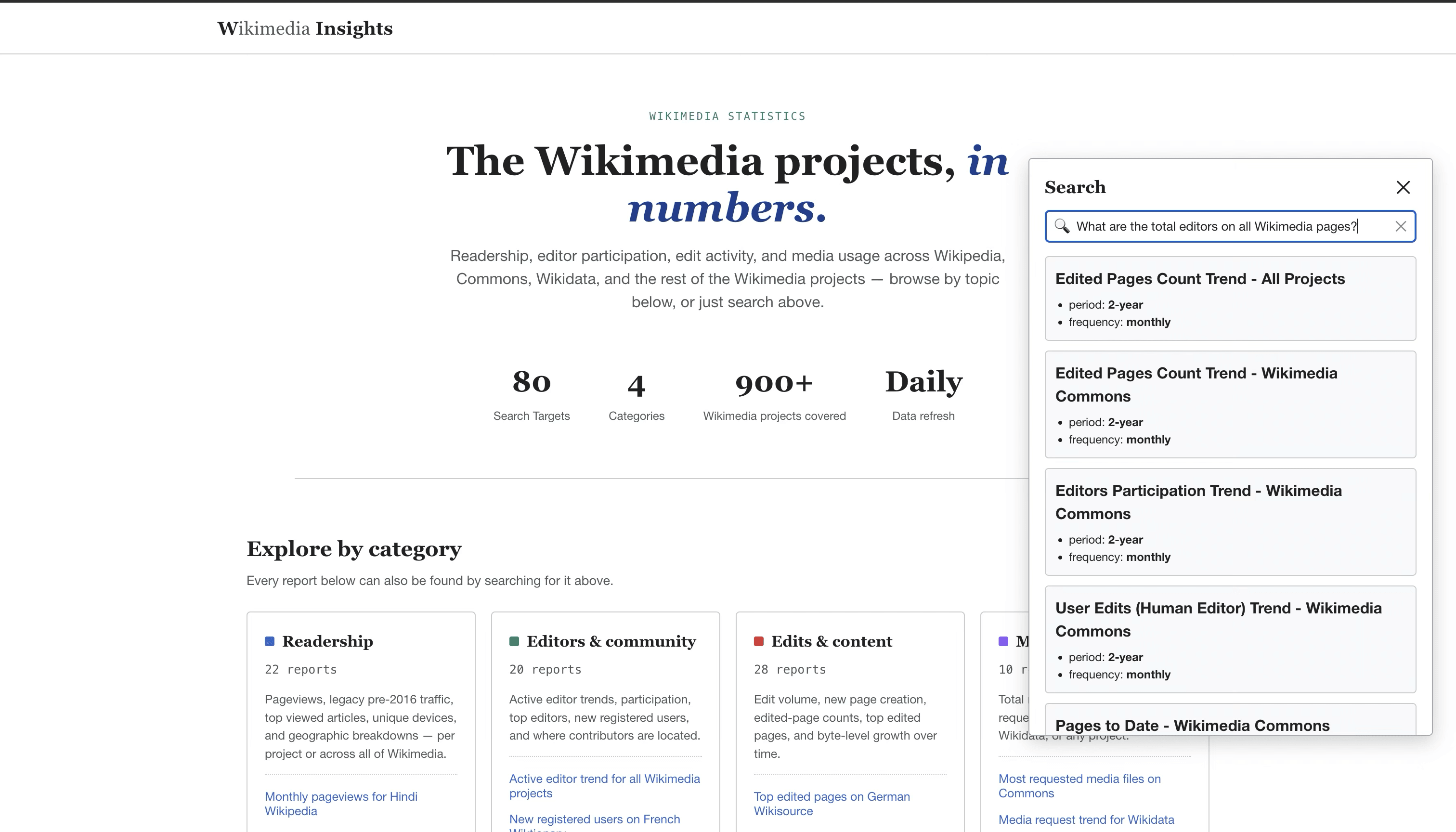
Description of the illustration search-icon-widget-opened.png
Troubleshooting Widget Integration
- Widget does not load: confirm that the JavaScript file URL is valid and that the file is served over HTTPS when the host page uses HTTPS.
- Search requests fail in the browser: check the browser developer tools for network, authentication, or CORS errors.
401 Unauthorized: confirm that the application sends a valid bearer token and that the token issuer, audience, signing key URL, and scope match the JWT configuration ininstall_widget.conf.remote_identisnullfrom theidentity/endpoint: confirm that JWT authentication is enabled for the endpoint and that the request is using an end-user token rather than a client credentials flow token.SQL*Plus Not Foundduring installation: confirm that SQL*Plus is installed and available in the shell environment where you runinstall_widget.sh.TRUSTED_SEARCH Schema Not Foundduring installation: run the Trusted Answer Search back-end installer before running the widget installer.
API Experience
If you need to run searches from your own back-end service, call the Trusted Answer Search PL/SQL procedure. The application developer is responsible for authenticating and authorizing end-users in their application and ensuring they are permitted to query the target search space.
Connect to the Trusted Answer Search database using your preferred driver (JDBC, python-oracledb, Oracle Call Interface, etc.) and execute the packaged procedure in the DBMS_TRUSTED_SEARCH PL/SQL package:
PROCEDURE search (
    p_user_query              IN  VARCHAR2,
    p_search_space            IN  VARCHAR2,
    p_search_space_version_id IN  VARCHAR2 DEFAULT NULL,
    p_search_record           OUT JSON
);
Arguments:
p_user_query– Natural-language query supplied by the end-user.p_search_space– Name of the search space (e.g.,wikimedia).p_search_space_version_id– Optional version ID of the search space. It is recommended to omit this argument so that the default version (i.e., the published version) is queried. However, you can get this ID from the Search Space Versions page in the Admin app to pass another version ID.p_search_record– JSON document returned by the procedure containing search results and relevant metadata.
Exceptions / errors:
-20006– Raised whenp_search_spacecannot be resolved (unknown search space name).-20005– Raised whenp_user_queryexceeds 2,000 characters.-20004– Raised when validation fails (query is NULL or empty, vector-like, no published version exists whenp_search_space_version_idis NULL, or the supplied version ID is invalid/mismatched).-20003– Raised when the caller does not have access to the specified search space.
Example (Wikimedia search space):
DECLARE
  l_result JSON;
BEGIN
  dbms_trusted_search.search(
    p_user_query    => 'italian page views',
    p_search_space  => 'wikimedia',
    p_search_record => l_result
  );

  DBMS_OUTPUT.put_line(l_result.to_string);
END;
/
The example prints the JSON returned by your installation. Inspect its search matches and resolved target inputs before deciding which result or action to present to the user. The returned targets, rank, and fields depend on the published Wikimedia version and the search configuration.
Use the returned JSON to render answers, links, or actions from your application.