Use the chat Action
Use the chat action when you want Select AI to generate natural-language content rather than SQL. For example, you can generate personalized emails, recommendations, summaries, or descriptions.
Example: Generate a Personalized Email with the chat Action
To generate content based on database data, first query the relevant data, convert it to JSON, and include the JSON with clear instructions in the prompt.
In this example, the TASK_RULES data instructs the model to personalize the email without explicitly disclosing sensitive demographic details.
The code performs the following steps:
-
Queries customer and task data and formats it as JSON.
-
Builds a prompt using the task instructions and customer data.
-
Calls
DBMS_CLOUD_AI.GENERATEwithaction => 'chat'. -
Displays the generated response.
DECLARE
  v_customer_json CLOB;
  v_response      CLOB;
BEGIN
  SELECT JSON_OBJECT(*) RETURNING CLOB
  INTO v_customer_json
  FROM (
    SELECT task,
           task_rules,
           last_name,
           first_name,
           location,
           age,
           gender,
           has_kids,
           num_cars,
           income_level,
           dog_owner
    FROM v_customer, genai_project_task
    WHERE customer_id = 1
      AND id = 3
  );

  v_response := DBMS_CLOUD_AI.GENERATE(
    prompt       => 'Generate a friendly email using this JSON specification: ' ||
                    v_customer_json,
    profile_name => 'OPENAI',
    action       => 'chat'
  );

  DBMS_OUTPUT.PUT_LINE(v_response);
END;
/
The following output shows a personalized email generated from the customer and task data. The response recommends activities in Paris, follows the requested promotional style, and uses emojis while tailoring the content without explicitly disclosing demographic details.
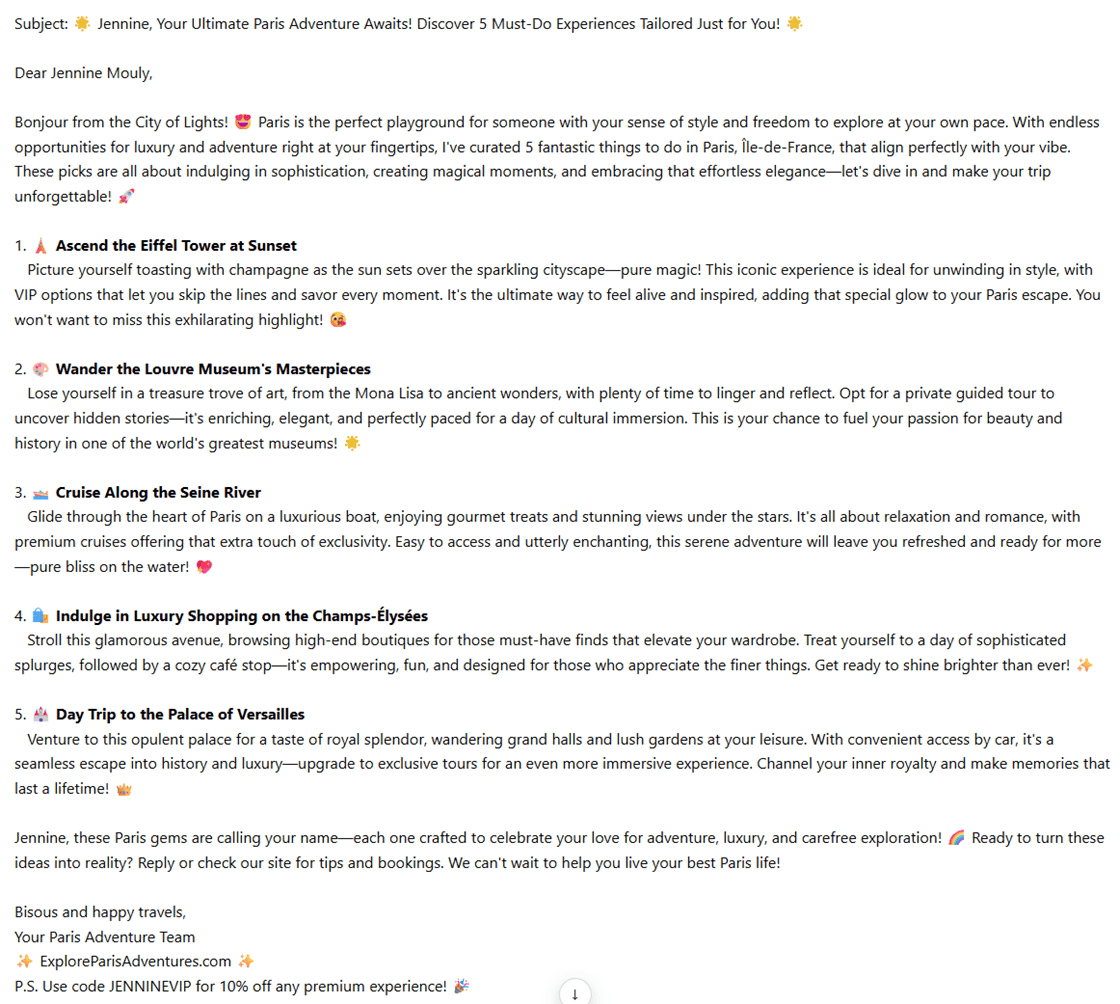
Description of the illustration adb_chat_action_email_generations.png