WFS Administration Console
The WFS administration console uses your WebLogic Server credentials.
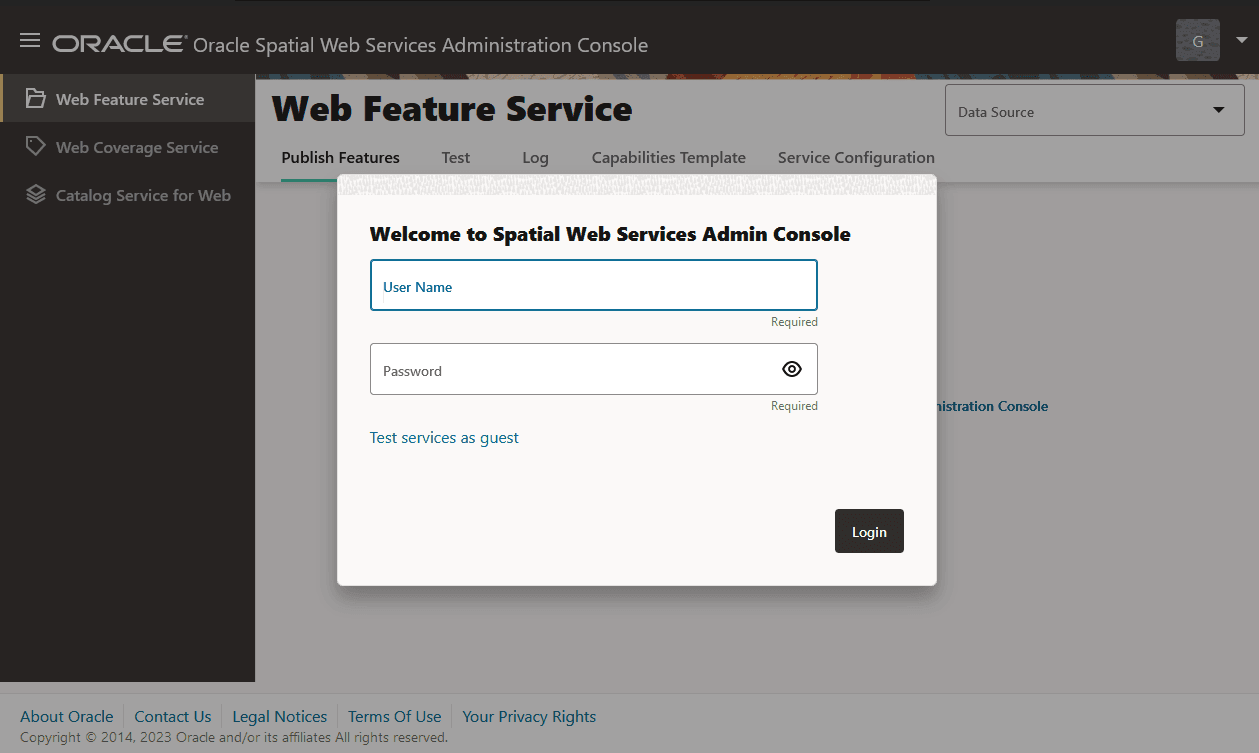
The following figure shows the administration console page for WFS:
Figure: WFS Administration Console
Description of the illustration wfs_admin_console.png
Before you use any Oracle Spatial Service page, select a Data Source from the list of all available data source names. (The currently selected data source is shown in the upper-right corner, and you can change it there at any time.)
The Web Feature Service menu item lets you manage the WFS feature types. It comprises the following tabs:
-
Publish Features: This allows you to publish/unpublish feature types.
-
Service Configuration: This allows you to update the
WFSConfig.xmlfile. -
Capabilities Template: This allows you to update the
GetCapabilitiestemplate. -
Test: This allows you to:
-
Get or query features based on spatial and non-spatial constraints
-
Create a new feature instance (an insert operation)
-
Delete a feature instance
-
Update a feature instance
-
-
Log: This allows you to check the WFS log files. You can click Refresh to see new log messages generated since the screen was loaded. You can also download a specific log file in zip file format.