

 Before You Begin
This 10-minute tutorial shows you how to automate the process of analyzing the overall effect of a database change on a SQL workload.
Select the Oracle Database release:
Background
A SQL Performance Analyzer (SPA) task is a container that encapsulates all of the data about a complete SPA analysis. A SPA analysis comprises at least two SQL trials and a comparison. A SQL trial encapsulates the execution performance of a SQL tuning set under specific environmental conditions. When you create a SPA task, you select a SQL tuning set as its input source, and when you run SQL trials, the SQL tuning set is used as the source for SQL statements.
After you create a SPA task, you create a pre-change SQL trial. Then you make the database change whose SQL performance impact you want to assess. After making the database change, you create a post-change SQL trial. Finally, you compare the two trials.
A SPA analysis shows the impact of the environmental differences between the two trials.
What Do You Need?
- Oracle Database 18c19c
Note: Starting with Oracle Database 19c, Oracle EM Express, the default management option for Oracle Database, is based on Java JET technology. Currently, only the Performance menu is available in the 19c JET version. Therefore, we are using the 18c Flash Oracle EM Express in our tutorials. Use the following command to revert to Flash Oracle EM Express:
SQL> @?/rdbms/admin/execemx emx
To return to JET Oracle EM Express, use the following command:
SQL> @?/rdbms/admin/execemx omx
 Specify
Default Settings for SQL Performance Analyze
Specify
Default Settings for SQL Performance Analyze
Before you use SPA, you have the option of changing the default settings for the tool.
- Log in to Enterprise Manager (EM) Database Express as a
SYSTEM user.
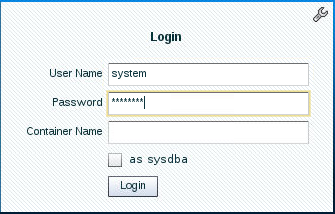
Description of the illustration a1 - On the EM Express page, choose SQL Performance Analyzer from the Performance menu.
- On the Manual Tasks tab, click SPA Default Setup.
- In the SPA Default Values Setup dialog box, specify default
value for the fields and click OK.
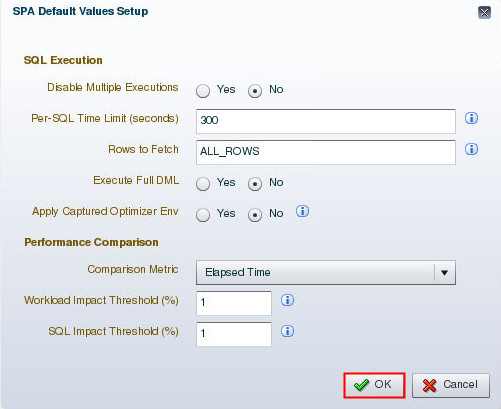
Description of the illustration a4 - The SPA default values are set successfully. Click OK.
 Create
a SQL Performance Analyzer Task
Create
a SQL Performance Analyzer Task
You create a SPA task using a SQL tuning set as its input source.
- On the Manual Tasks tab of the SQL Performance Analyzer page, click Create.
- In the Create SQL Performance Analyzer Task dialog box,
enter values for the fields and then click OK.
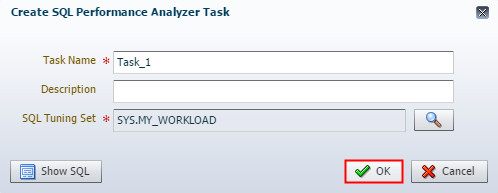
Description of the illustration b2 - The SPA task is created successfully. Click OK.