Access
the Resource Management Page
Access
the Resource Management Page Before You Begin
This 5-minute tutorial shows you how to use the Resource Manager features in Enterprise Manager (EM) Express to manage database resources efficiently.
Select the Oracle Database release:
Background
The Oracle Database Resource Manager (Resource Manager) features in EM Express enable you to manage multiple workloads within a database that are contending for system and database resources. You can use EM Express to create and manage resource plans for non-CDBs, CDBs, and PDBs.
What Do You Need?
- Oracle Database 18c19c
Note:Starting with Oracle Database 19c, Oracle EM Express, the default management option for Oracle Database, is based on Java JET technology. Currently, only the Performance menu is available in the 19c JET version. Therefore, we are using the 18c Flash Oracle EM Express in our tutorials. Use the following command to revert to Flash Oracle EM Express:
SQL> @?/rdbms/admin/execemx emx
To return to 19c JET Oracle EM Express, use the following command:
SQL> @?/rdbms/admin/execemx omx
 Verify
the Active Plan
Verify
the Active Plan
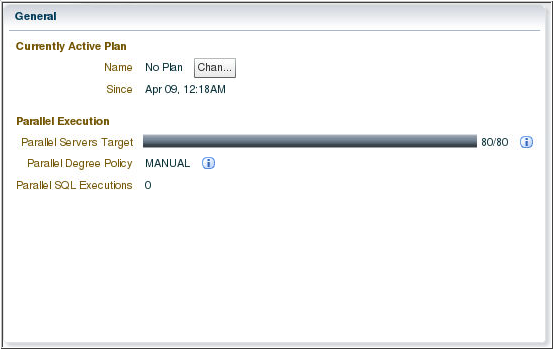
You can access the Resource Management page for non-CDB, CDB, or PDB and verify whether a plan is active for the database or not. From the Resource Management page in EM Express, you can navigate to the resource management features that are available in EM Express. The content of the Resource Management page is specific to the type of database.
- Log in to Enterprise Manager Database Express for pluggable
database (PDB) as a SYSTEM user.
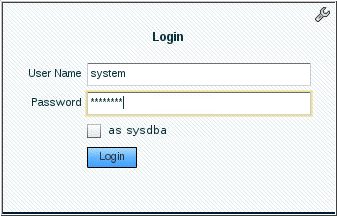
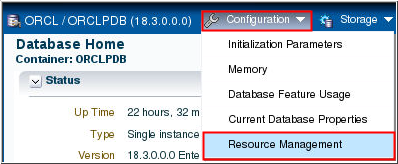
Description of the illustration a1 - In the EM Express home page, click Configuration
menu and select Resource
Management.
Description of the illustration a2 - In the General section of the Resource Management page, you will notice that the Currently Active Plan Name is set to No Plan, which means that currently no plans are active.