About the Graph Visualization Legend Panel
Learn about the graph visualization legend panel when viewing the results of the query in graph format.
The graph visualization legend panel appears on the right of the graph visualization panel and displays the legend items that represent vertices and edges of the graph, vertex and edge captions, and customized vertex and edge styles. The following figure shows a sample legend panel:
Figure: Graph Legends
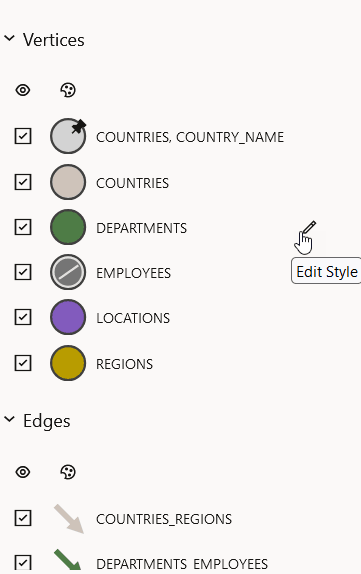
Description of the illustration graphviz_legend.png
You can perform the following actions in the legend panel:
-
Edit the style of a legend item.
You can configure the size, color, caption, icon (for vertex only), and animations for a legend item.
Note: If a vertex has a property named
captionortitle, then the value of that property is automatically used as the default caption text to be displayed for that vertex in your graph visualization. You can use theASkeyword in thePROPERTYclause of theCREATE PROPERTY GRAPHDDL statement to rename a vertex property ascaptionortitle. This ensures that the property value is used as the default caption for that vertex in the graph visualization. -
Reorder the legend items through drag and drop.
-
Enable or disable a style by clicking on the legend item symbol.
-
Enable or disable the visibility of the vertices or edges using the visibility checkbox.