Settings
The Settings panel appears as shown:
Figure: Settings
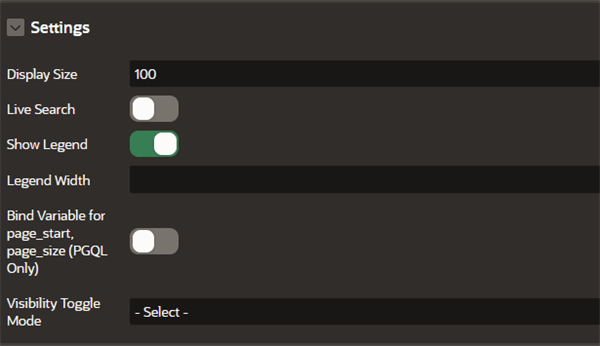
Description of the illustration apex_settings_panel.png
The following table describes the attributes in the Settings panel:
Table: Settings Attributes
| Attribute | Description |
|---|---|
| Display Size | An integer value that determines how many elements are displayed in the graph. Default is 100. |
| Live Search | Switch on this toggle to enable Live Search when visualizing the graph. |
| Show Legend | Switch on this toggle to display the legend for the graph visualization. |
| Legend Width | An integer value that controls the legend width if you have enabled Show Legend. Default is 150. |
| Bind variable for page_start, page_size (PGQL Only) | This toggle enables binding variables for page_start and page_size parameters and applies only for PGQL property graphs.This toggle does not apply for SQL property graphs. |
| Visibility Toggle Mode | Specifies how the visibility of graph vertices and edges are determined when the visibility checkbox of a legend is toggled. The following options are supported:
|