Viewing and Querying SQL Property Graphs Using SQL Developer
Using SQL Developer 23.1, you can view all the SQL property graphs existing in your database schema by expanding SQL Property Graphs under the Property Graph node in the Connections navigator.
Figure: SQL Property Graphs in SQL Developer
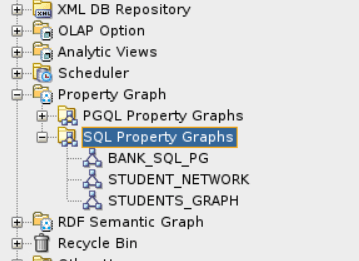
Description of the illustration sqldev_sqlgraph_menu.png
The following steps show an example for running graph queries on a SQL property graph:
-
Click on any SQL property graph.
This opens a SQL worksheet in another tab.
-
Run one or more graph queries in the SQL worksheet.
For example:
Figure: Running SQL Graph queries in SQL Developer
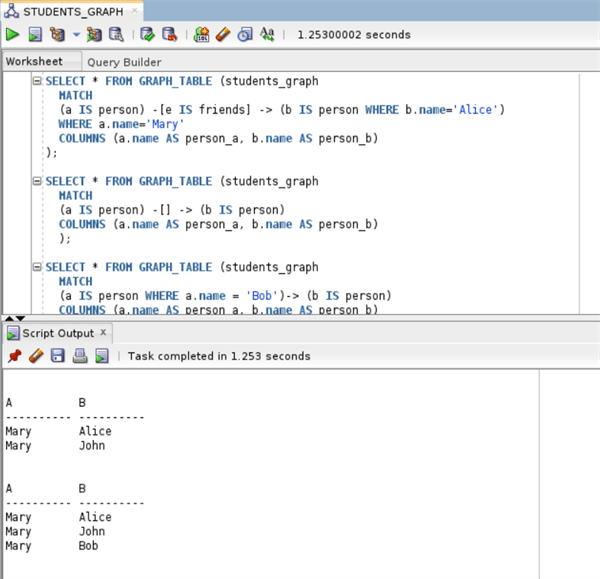
Description of the illustration sqldev_graph_table_queries.png