Visualizing PGQL Queries on PGQL Property Graphs
You can visualize PGQL queries on PGQL property graphs in the database in the Database (PGQL Property Graphs) tab of the Graph Visualization application.
You can create, query, modify and visualize PGQL property graphs in the database using the Graph Visualization application. The following PGQL operations are supported:
CREATE PROPERTY GRAPH: To create a new PGQL property graph as shown:
Figure: Creating a PGQL property graph
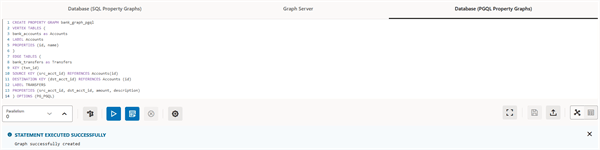
Description of the illustration graphviz_create_pg_view.png
INSERT,UPDATEandDELETE: To modify an existing PGQL property graph. For example:
Figure: Updating an Edge in a PGQL property graph

Description of the illustration graphviz_update_pg_view.png
Note that you must provide the graph name in the PGQL query. You can click the List of available graphs icon to view the list of PGQL property graphs to which you have access.
Figure: Deleting an Edge in a PGQL property graph

Description of the illustration graphviz_delete_pg_view.png
SELECT: To query a PGQL property graph as shown:
Figure: Querying a PGQL property graph
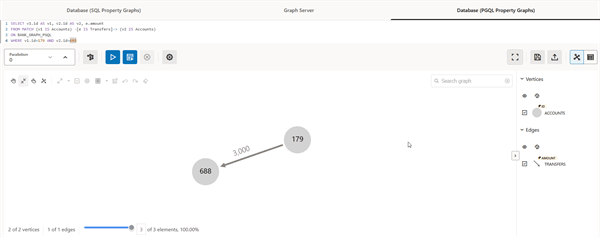
Description of the illustration graphviz_select_pg_view.png
DROP PROPERTY GRAPH: To delete a PGQL property graph as shown:
Figure: Dropping a PGQL property graph
