Displaying Implied Edges for Hidden Vertices
You can view implied edge connections for hidden vertices in a graph visualization using Graph Explorer.
When you hide vertices in a graph visualization, the hidden vertices and their corresponding edges are removed from the view. This can make the remaining graph elements appear disconnected, even when the visible vertices are still connected through hidden nodes.
For example, in the following figure, the left visualization shows EMPLOYEES connected to DEPARTMENTS, which in turn are connected to LOCATIONS. The image on the right shows the resulting visualization when the DEPARTMENTS vertices are hidden.
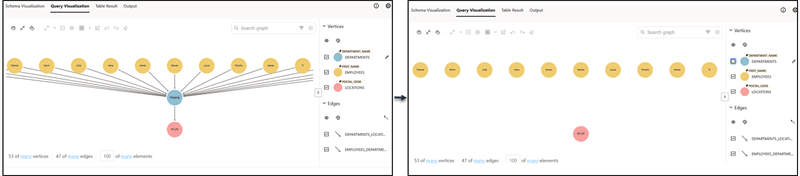
Description of the illustration explorer_hide_elements.png
To preserve edge context, you can use the  option (shown highlighted in red in the following figure) in the Edges legend region to collapse hidden paths. When enabled, implied connection are drawn between visible vertices that remain connected through one or more hidden vertices. These implied connection are typically shown as dashed edges to distinguish them from actual edges in the graph, as shown in the following figure:
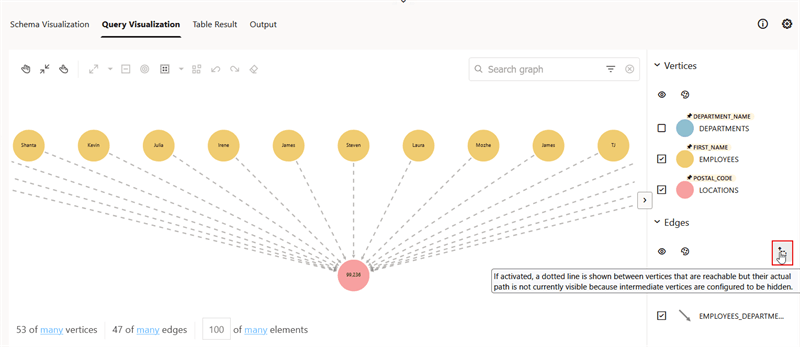
Description of the illustration explorer_view_implied_connections.png