Visualizing the Schema of a SQL Property Graph in Graph Explorer
You can visualize the underlying schema of a SQL property graph in Graph Explorer.
Perform the following steps to visualize the schema of a SQL property graph in Graph Explorer.
-
Expand SQL Property Graphs in the left navigation pane.
-
Expand the desired schema to view the list of SQL property graphs to which you have access.
-
Select SQL driver in the action panel at the top of the query editor.
-
Right click on a specific graph and click Schema Visualization in the context menu.
The schema of the graph is displayed in the Schema Visualization tab as shown:
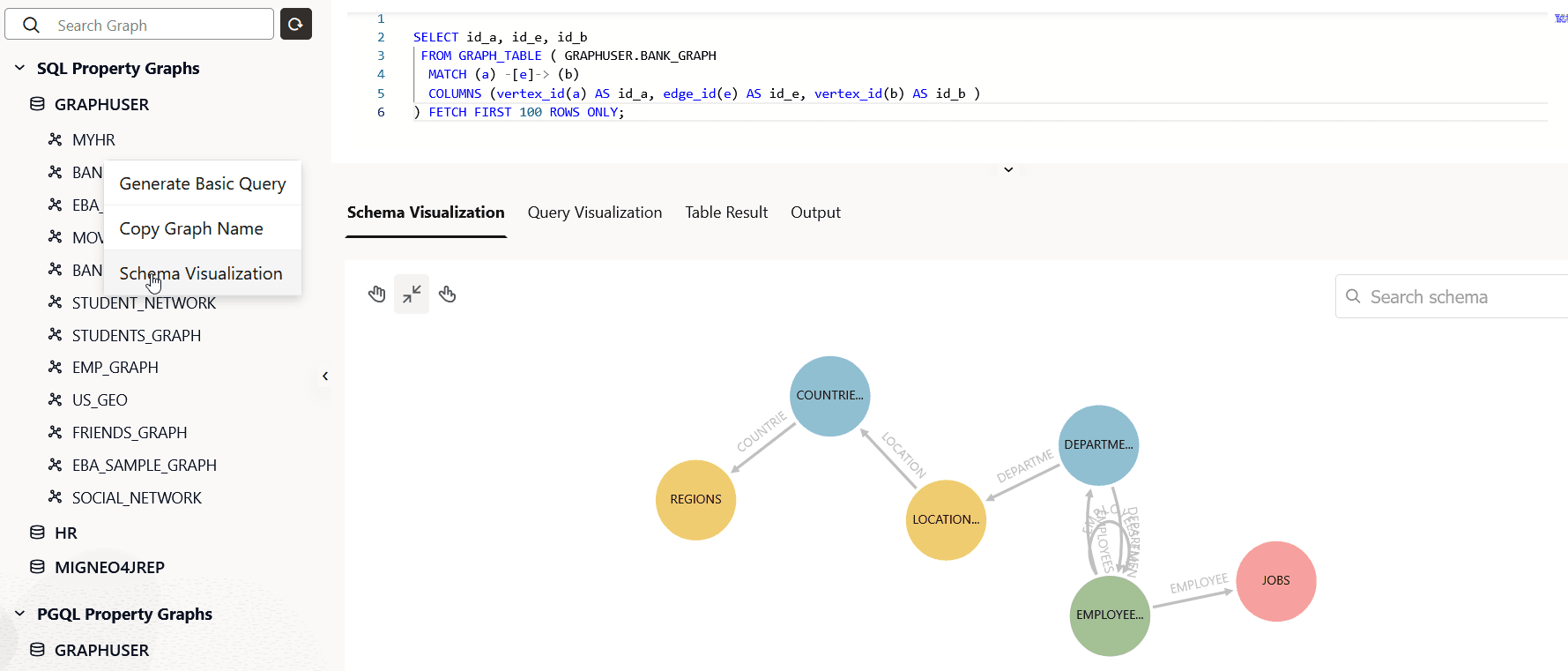
Description of the illustration explorer_schema_viz_sql_pg.png
If you proceed to run a SQL graph query, then the schema visualization will be replaced with graph visualization.