Configuring Modeler Settings
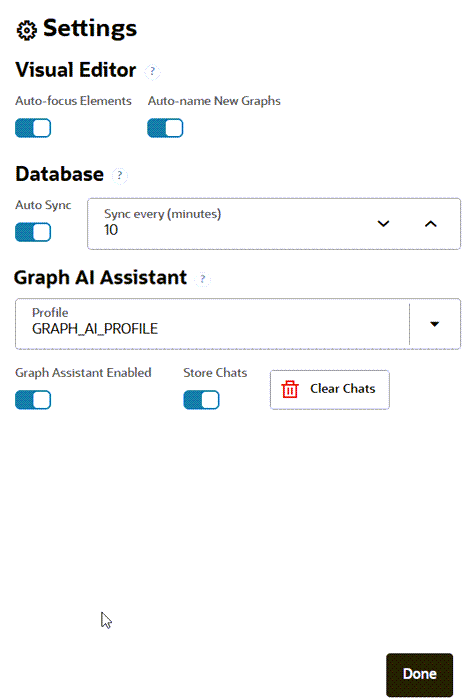
The Settings dialog enables you to configure preferences for Modeler, database synchronization, and Graph AI Assistant. These settings are applied to your Modeler session.
Click the Settings (gear) icon in the Modeler toolbar to open the Settings panel.
Figure: Modeler Settings
Description of the illustration modeler_settings.png
You can configure the following settings:
-
Visual Editor Settings
-
Auto-focus Elements: Automatically centers and focuses the canvas on newly added or selected graph elements.
-
Auto-name New Graphs: Automatically generates a default name for newly created graphs.
-
-
Database Settings
-
Auto Sync: Automatically synchronizes database changes with Modeler.
-
Sync every (minutes): Specifies the synchronization interval when Auto Sync is enabled.
-
-
Graph AI Assistant Settings
-
Profile: Specifies the AI profile used by Graph AI Assistant to process natural language prompts.
-
Graph AI Assistant Enabled: Enables or disables Graph AI Assistant for the current database connection.
-
Store Chats: Saves Graph AI Assistant conversations for future reference.
-
Clear Chats: Deletes all saved Graph AI Assistant conversations.
-